Removing Trim Under The Dashboard On The Driver's Side
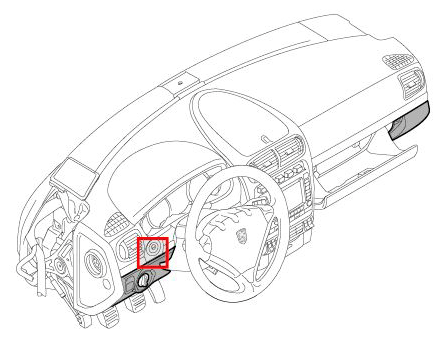 Courtesy of PORSCHE CARS NORTH AMERICA, INC.
- Remove dashboard moulding on driver's side. → Removing Trim Strips For Dashboard On The Driver's Side
- Remove cover under dashboard on driver's side. → Removing Cover Under Dashboard
- Remove ignition key.
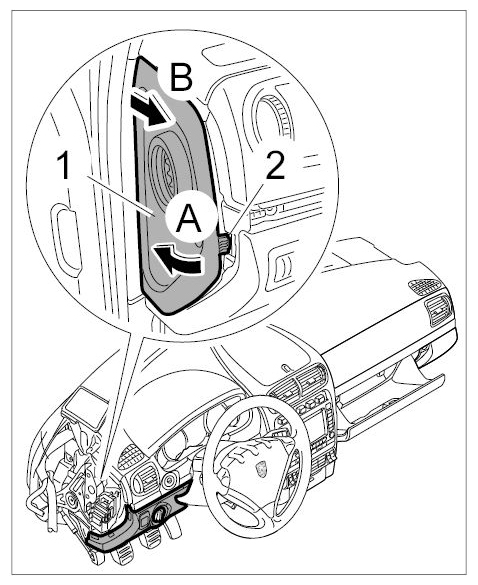
- Remove fuse box cover.
- 4.1. Unclip fuse box cover -1-
using a plastic wedge on the retaining clips -2-
and swivel it outwards -arrow A-
.
- 4.2. Remove the fuse box cover -1-
to the rear -arrow B-
.
 Courtesy of PORSCHE CARS NORTH AMERICA, INC.
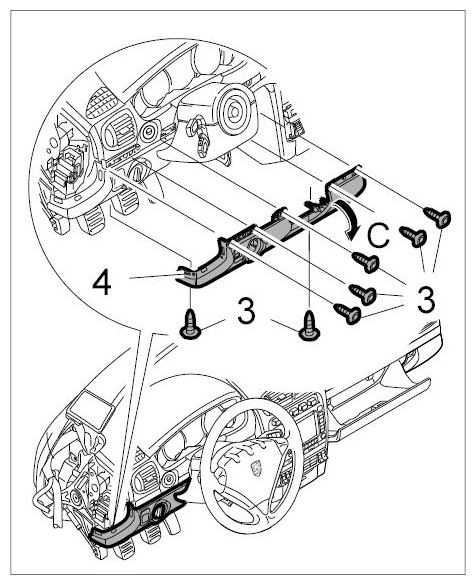
- Remove trim panel under dashboard on the driver's side.
- 5.1. Unscrew the fastening screws -3-
and swivel the trim panel under the dashboard on the driver's side -4-
downwards -arrow C-
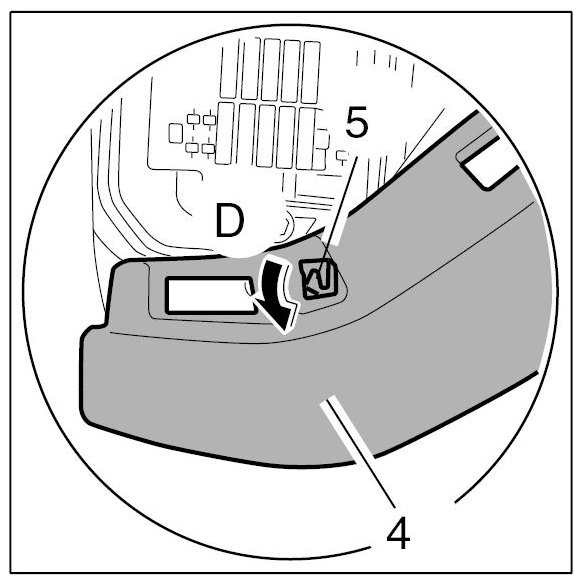
. Pull out the trim panel under the dashboard on the driver's side -4-
over the guide -5-
(-arrow D-
).
 Courtesy of PORSCHE CARS NORTH AMERICA, INC.
 Courtesy of PORSCHE CARS NORTH AMERICA, INC.
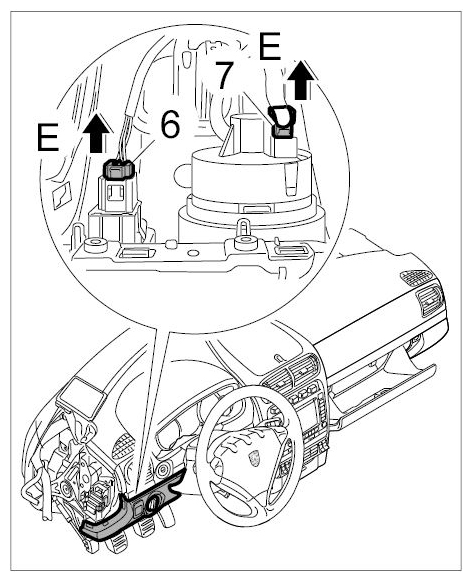
- Disconnect the plug connections.
- 6.1. Release -6 and 7-
and pull off -arrows E-
plug.
 Courtesy of PORSCHE CARS NORTH AMERICA, INC.
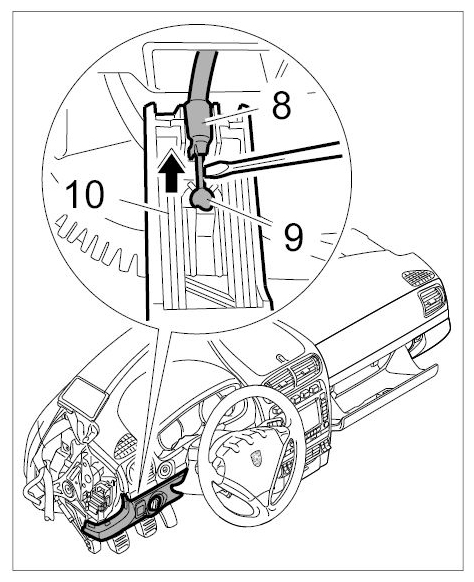
- Unclip the bowden cable for the parking brake release.
- 7.1. Using a screwdriver, carefully unclip the sleeve -8-
and ball joint -9-
of the Bowden cable upwards out of the release lever -10-
(-arrow-
).
 Courtesy of PORSCHE CARS NORTH AMERICA, INC.
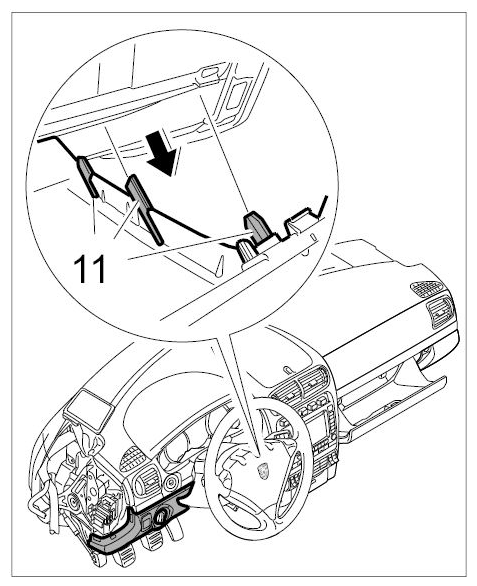
- Take off the trim panel under the dashboard on the driver's side.
- 8.1. Pull the trim panel under the dashboard on the driver's side -4-
out of the guides -11-
(-arrow F-
) and take it out towards the rear.
 Courtesy of PORSCHE CARS NORTH AMERICA, INC.