Removal
AUDIO / VIDEO: AMPLIFIER ANTENNA: REMOVAL
1. REMOVE ENGINE ROOM SIDE COVER LH Removal
2. DISCONNECT CABLE FROM NEGATIVE BATTERY TERMINAL
NOTICE:
- w/ Navigation System:
After the engine switch is turned off, the HDD navigation system requires approximately 6 minutes to record various types of memory and settings. As a result, after turning the engine switch off, wait 6 minutes or more before disconnecting the cable from the negative (-) battery terminal.
- When disconnecting the cable, some systems need to be initialized after the cable is reconnected Repair Instruction - Initialization.
3. REMOVE ROOF HEADLINING ASSEMBLY
(a) Remove the roof headlining Removal.
4. REMOVE NO. 2 REAR ROOF AIR DUCT
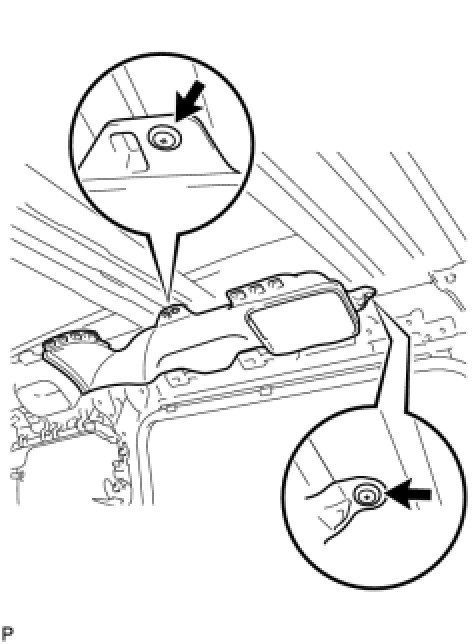
(a) Remove the 2 clips and duct.
5. REMOVE NO. 5 REAR ROOF AIR DUCT
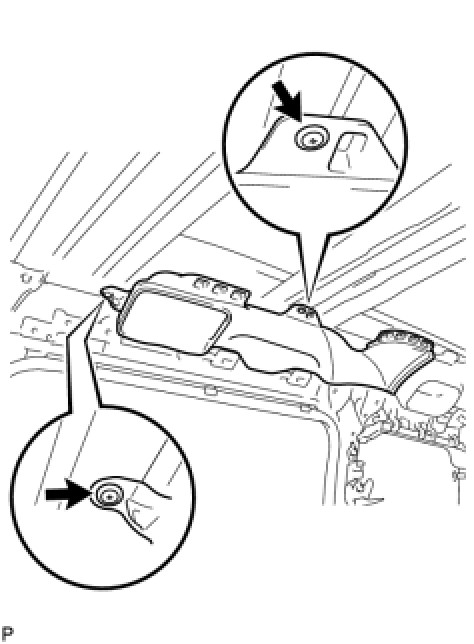
(a) Remove the 2 clips and duct.
6. REMOVE NO. 4 REAR ROOF AIR DUCT
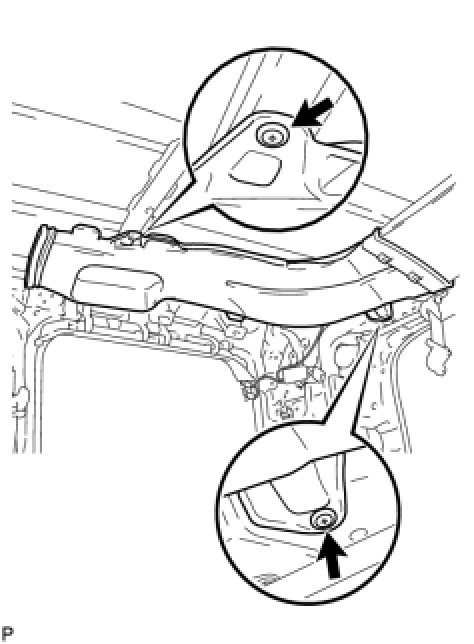
(a) Remove the 2 clips and duct.
7. REMOVE NO. 3 REAR ROOF AIR DUCT
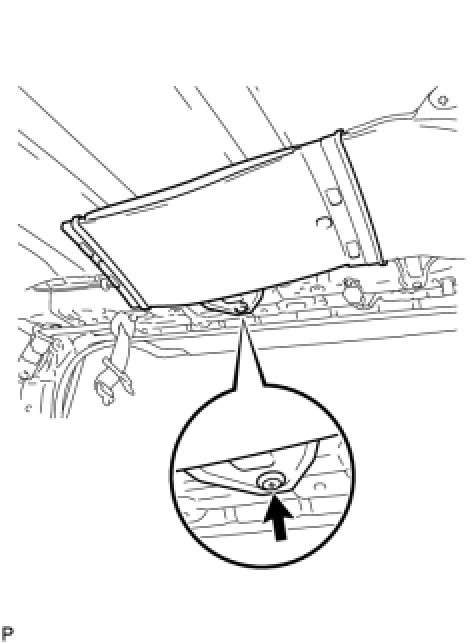
(a) Remove the clip and duct.
8. REMOVE NO. 1 REAR ROOF AIR DUCT
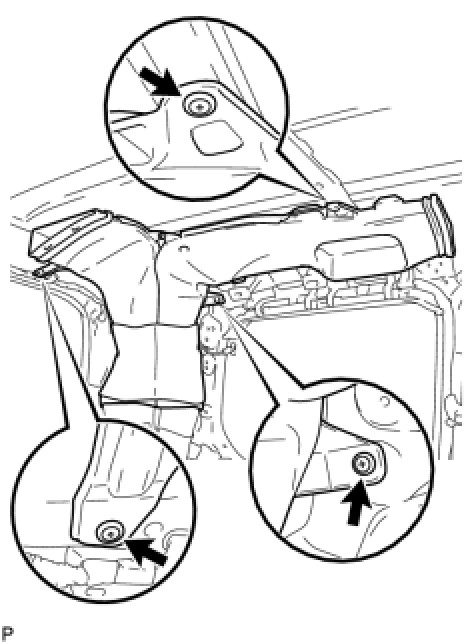
(a) Remove the 3 clips and duct.
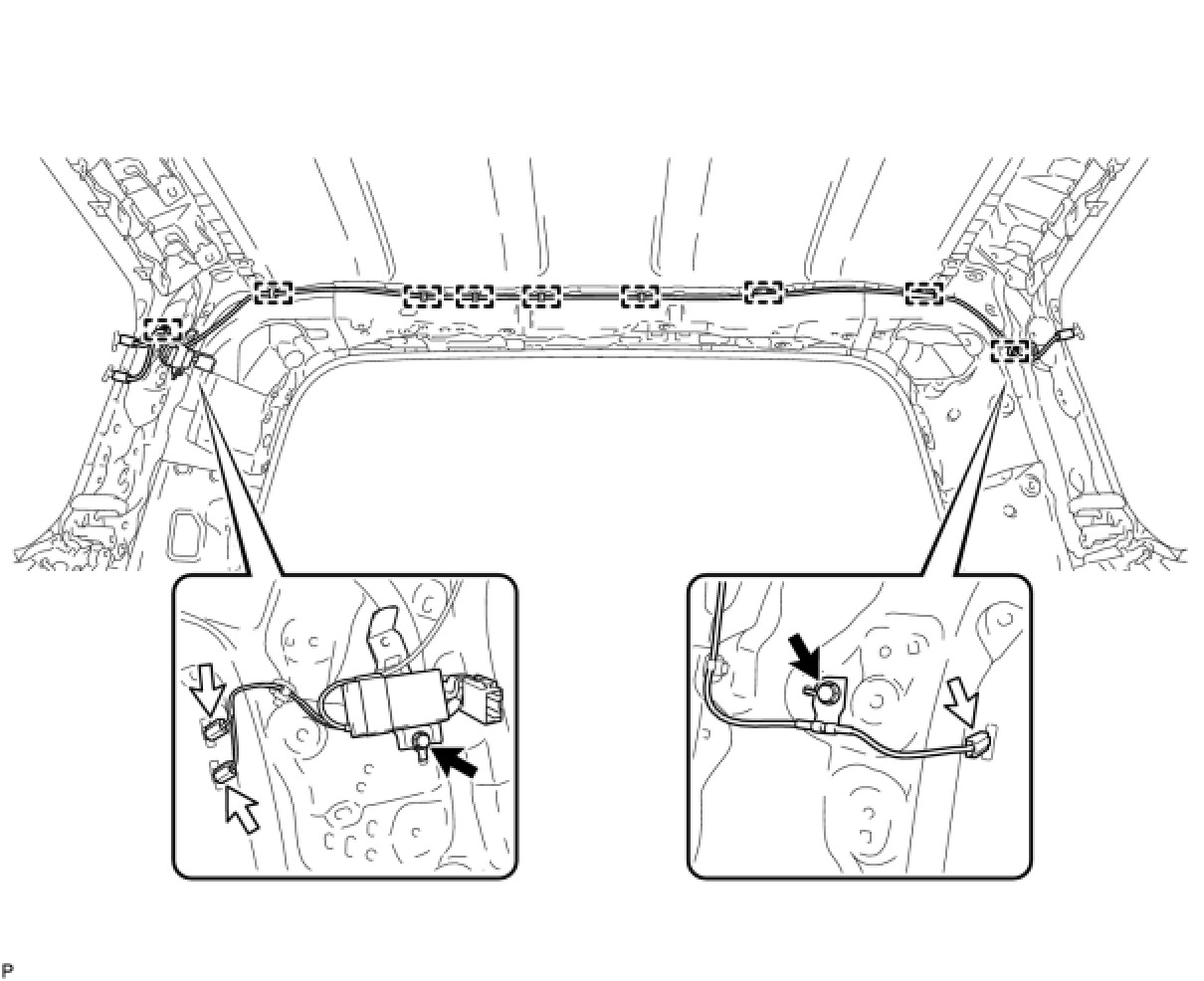
9. REMOVE AMPLIFIER ANTENNA ASSEMBLY
(a) Disconnect the 3 connectors and remove the 2 bolts.
(b) Detach the 9 clamps and remove the antenna.