USB Adapter Holder Replacement
USB Adapter Holder Replacement
1. Open the glove box. Remove the glove box stop on each side, then hang the glove box down Service and Repair.
2. Disconnect the USB adapter 5P connector (A) and remove the cover (B).
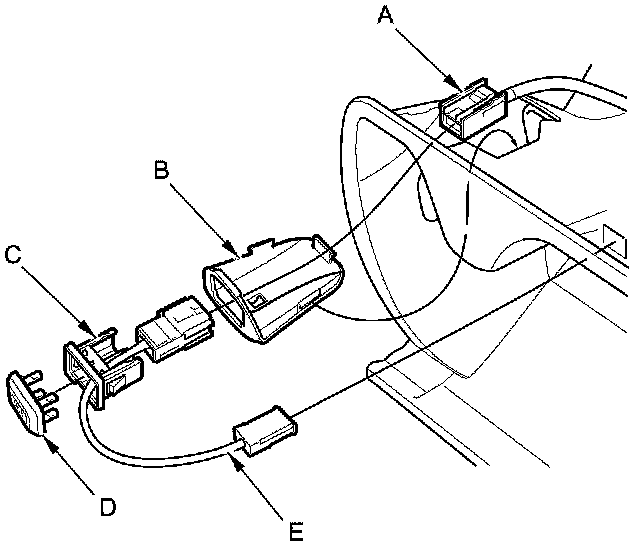
3. Remove the USB adapter holder (C) from the cover, then remove the cap (D) and the USB adapter (E) from the USB adapter holder.
4. Install the USB adapter holder in the reverse order of removal.