Entering Diagnostics: Notes
- To enter diagnostic mode, locate Data Link Connector (DLC) under left side of instrument cluster. Using jumper wire, ground DLC terminal No. 12 (Central Control Module - CCM) to terminal No. 5 (ground). See Fig 1
. Turn ignition on, engine off. If CCM will not enter diagnostic mode, A/C fuse is blown. This condition will set CCM Code 16.
- With CCM in diagnostic mode, speedometer displays malfunction codes and trip monitor displays particular module system number being investigated. See Fig 2
.
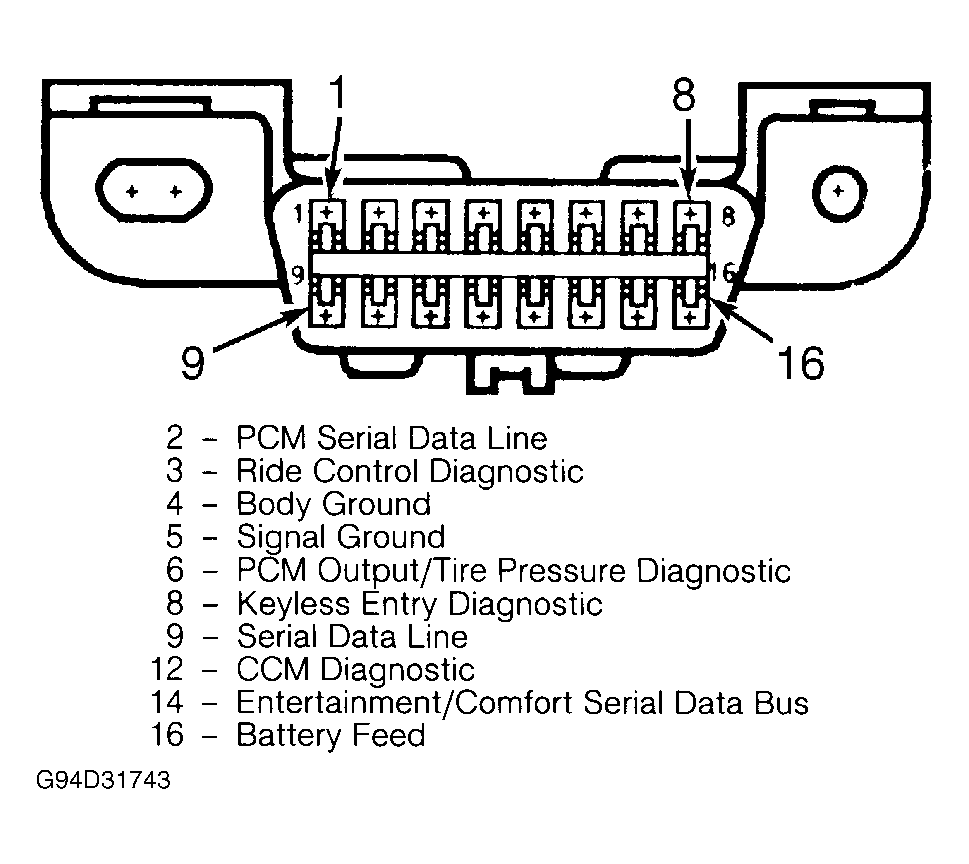 Courtesy of GENERAL MOTORS CORP.
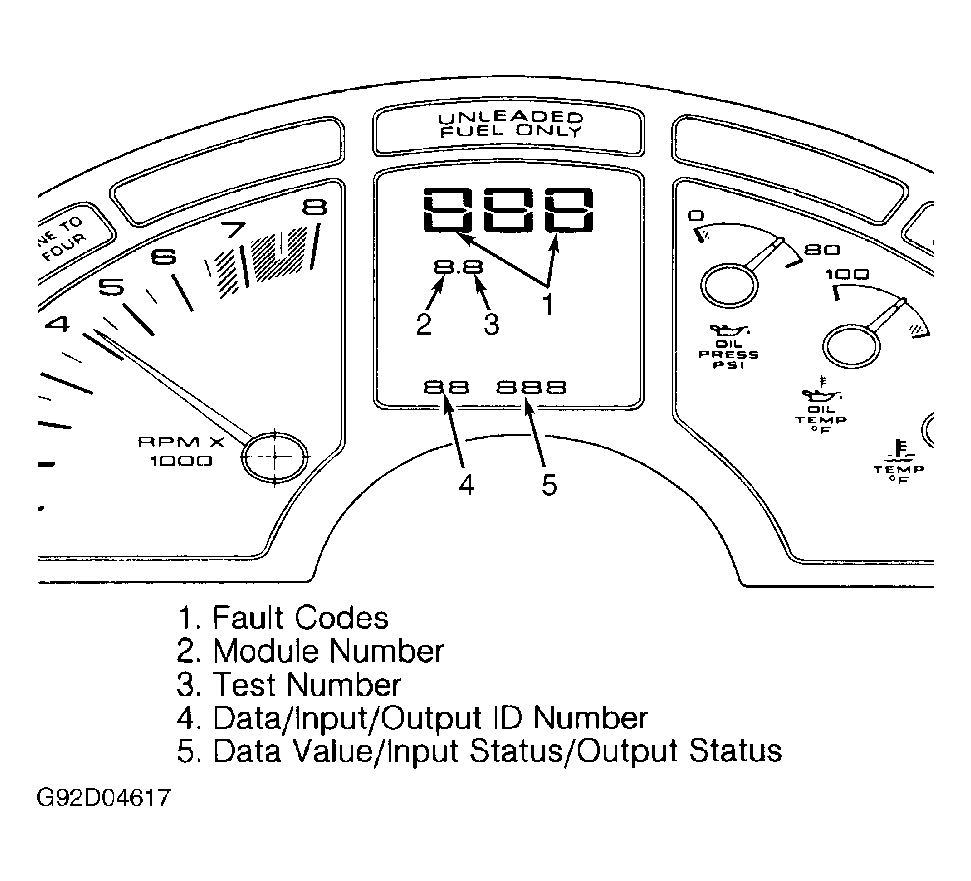 Courtesy of GENERAL MOTORS CORP.
- Code faults now present are indicated by a "C" (current code) following code number; an "H" (history code) indicates code fault has occurred but is not now present. All Electronic Control Module (ECM) and Electronic Brake/Traction Control Module (EBTCM) codes will be displayed as history codes.
- Speedometer will display "Err" when a communications problem exists between CCM and ECM or EBTCM. If Code C12 is displayed, no code problems exist and no codes are stored.
- Each malfunction code will be displayed for 3 seconds, followed by one-second pause, then next code. A 3-second pause occurs between each code display sequence for each separate module. End of code list for each module is indicated by "---" being displayed in speedometer.
- After all malfunction codes have been displayed for all modules, trip monitor will display function "1.0" and speedometer will go blank. CCM is now in manual mode, awaiting further input instructions.
- Manual mode can be entered at any time during any code display sequence by pressing any button on Driver Information Center (DIC). See Figure
.
- When manual mode is entered, speedometer will go blank and trip monitor will display function "1.0". This indicates system is in CCM module and ready for instructions.