Test No. 3: Speedometer And/Or Odometer Inaccurate/Inoperative
- If instrument panel cluster diagnostic system check has been performed, go to next step. If instrument panel cluster diagnostic system check has not been performed, go to INSTRUMENT PANEL CLUSTER DIAGNOSTIC SYSTEM CHECK
under SELF-DIAGNOSTIC SYSTEM.
- Turn ignition off. Connect scan tool to Data Link Connector (DLC). Turn ignition on. Select POWERTRAIN CONTROL MODULE (PCM) data list. Monitor VEHICLE SPEED parameter. Test drive vehicle. If VEHICLE SPEED parameter does not match speedometer reading, go to next step. If VEHICLE SPEED parameter matches speedometer reading, go to step 5
.
- Check for open, short to ground, short to voltage or high resistance in Dark Green/White wire between PCM connector C1 terminal No. 26 and Instrument Panel Cluster (IPC) connector C1 terminal B5. See Figure
and Fig 1
. If circuit is okay, go to next step. If faulty circuit is found and repaired, go to step 8
.
- Check for poor connections at IPC connector terminals. If connections are okay, go to step 6
. If faulty connections are found and repaired, go to step 8
.
- Check for poor connections at PCM connector terminals. If connections are okay, go to step 7
. If faulty connections are found and repaired, go to step 8
.
- Replace Instrument Panel Cluster (IPC). See INSTRUMENT PANEL CLUSTER (IPC)
under REMOVAL & INSTALLATION. Using scan tool, obtain approximate mileage, and contact an authorized Delco service center for transfer of information from failed IPC to replacement IPC. After repairs, go to step 8
.
- Replace PCM. See appropriate REMOVAL, OVERHAUL & INSTALLATION article in ENGINE PERFORMANCE. After repairs, go to next step.
- Recheck operation of speedometer. If speedometer operates properly, repair is complete. If speedometer does not operate properly, go to step 2
.
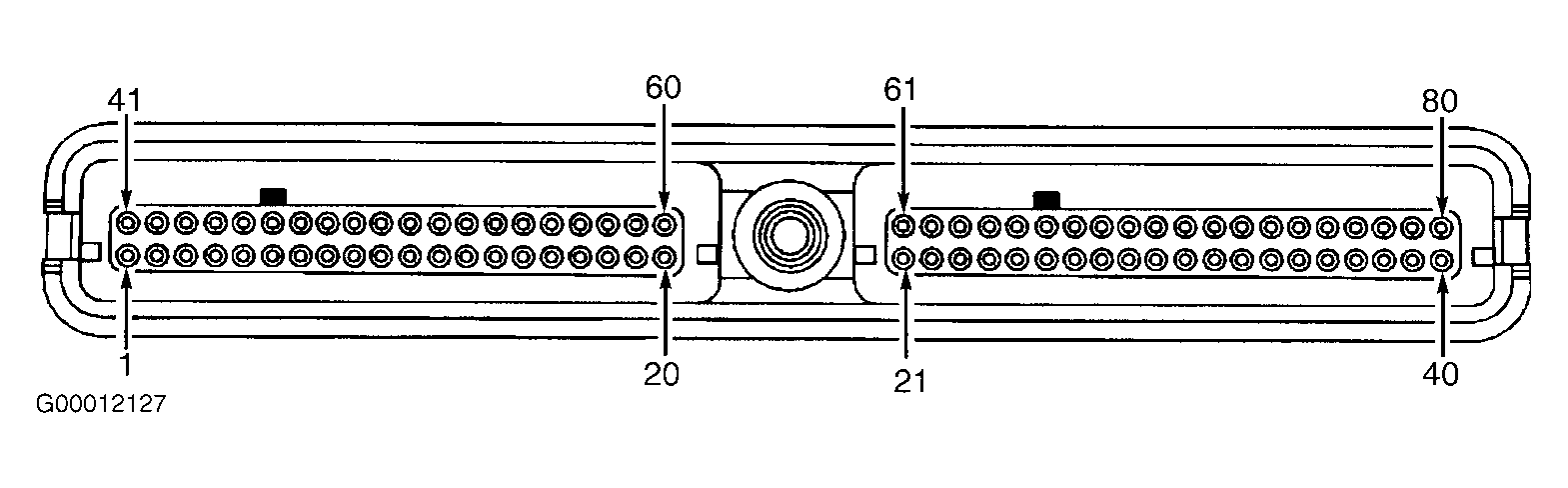 Courtesy of GENERAL MOTORS CORP.