Instrument panel, removing and installing: Removing: Notes
- Cover driver and passenger seat with covers.
- Switch ignition on.
- For vehicles with power adjusted seats, move seat to rear position before disconnecting the battery.
- Place steering wheel all the way back.
- Place lid for instrument panel outlet windshield to "Close." For vehicles with air conditioning, press "Def."
- For vehicles with coded radio unit/radio-navigation system (RNS) note coding; ask if necessary.
- Disconnect battery ground strap with ignition off.
- Remove storage shelf, driver side. See KNEE BAR AND BRACKET, DRIVER SIDE, REMOVING AND INSTALLING
.
- Remove floor outlet at driver foot space.
- Disconnect connector for foot space illumination and remove foot outlet.
- Remove glove box. See GLOVE BOX AND BRACKET FOR GLOVE BOX, REMOVING AND INSTALLING
.
- Remove sill plates, interior. See SILL MOLDING INTERIOR, REMOVING AND INSTALLING .
- Remove center console. See CENTER CONSOLE, REMOVING AND INSTALLING
.
- Removing steering wheel. See appropriate Air Bag Restraint Systems
article in Restraints.
- Press in outer cover (arrows) and remove.
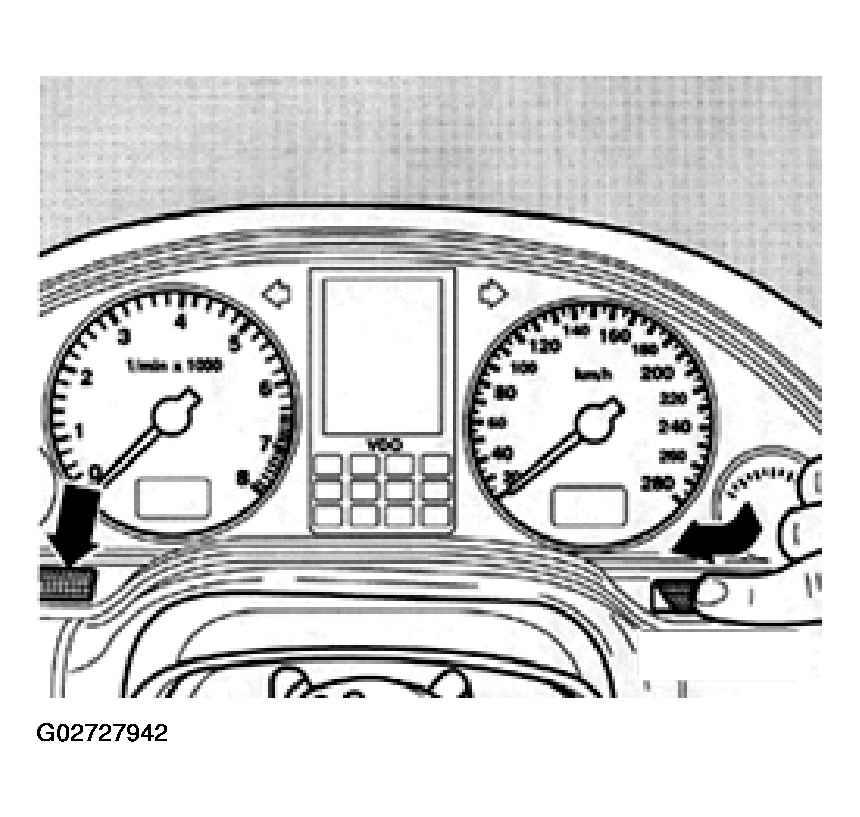 Courtesy of AUDI OF AMERICA, INC.
- Remove two screws.
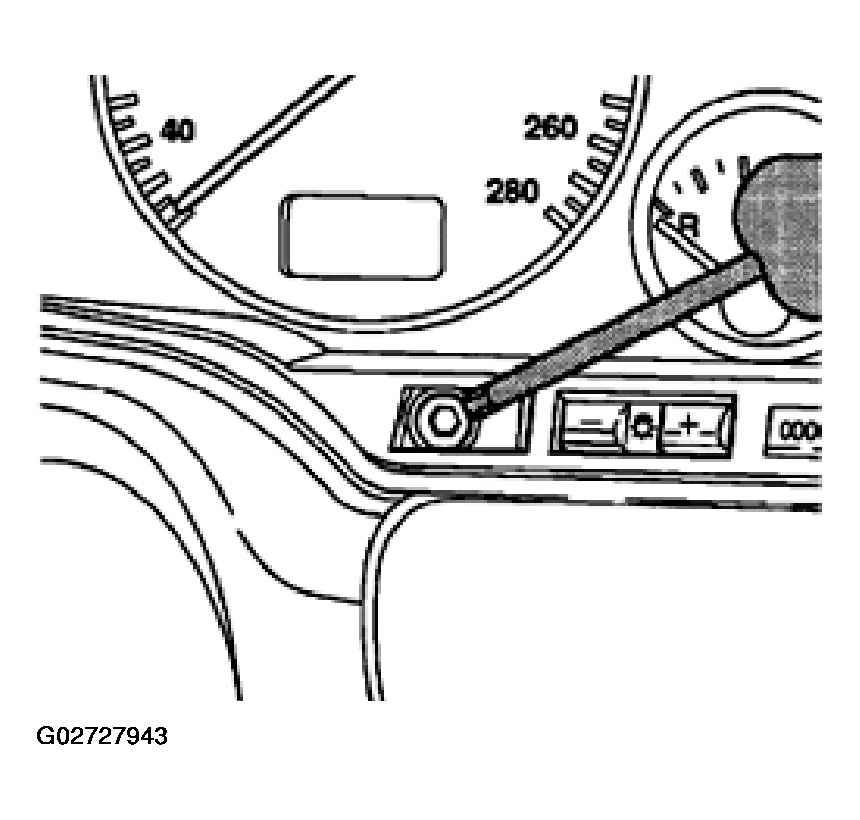 Courtesy of AUDI OF AMERICA, INC.
- Pull instrument cluster insert out of instrument panel.
- Separate tie wrap at backside of instrument cluster insert.
- Loosen security straps for connectors and remove connectors.
- Remove trim for steering column switch. See TRIM FOR STEERING COLUMN SWITCH, REMOVING AND INSTALLING
.