Audio Display-USB Adapter Control Unit Removal/Installation
Audio Display-USB Adapter Control Unit Removal/Installation
NOTE:
- Put on gloves to protect your hands.
- Take care not to scratch the dashboard.
1. Remove the audio unit Audio Unit Removal/Installation and the center upper panel Dashboard Center Upper Panel Removal/Installation.
2. Remove the screws, then pull out the audio display-USB adapter control unit (A).
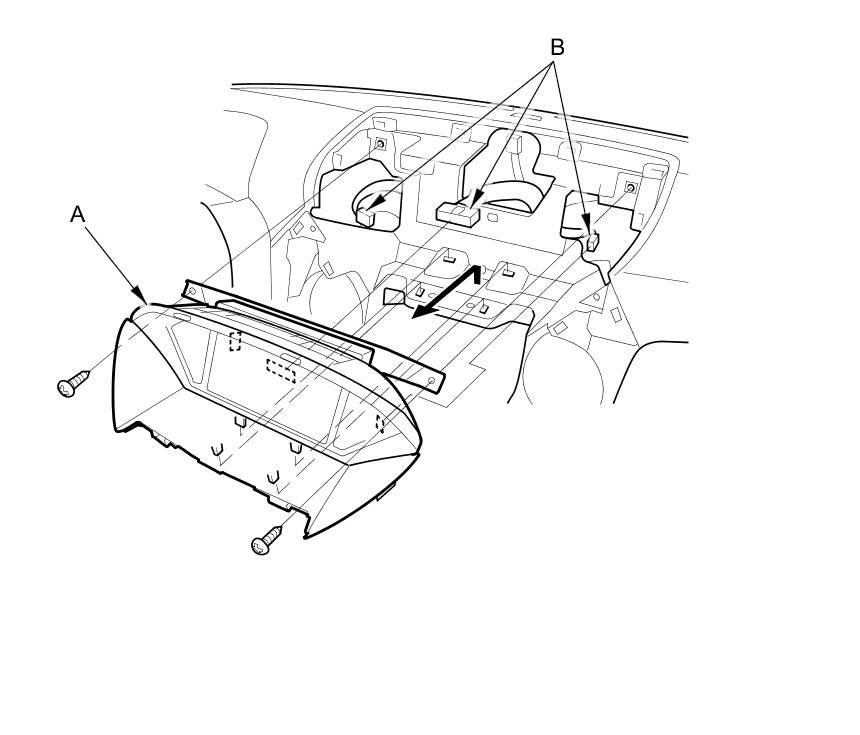
3. Disconnect the connectors (B), and remove the audio display-USB adapter control unit.
4. Separate the audio display-USB adapter control unit (A) and the tray (B).
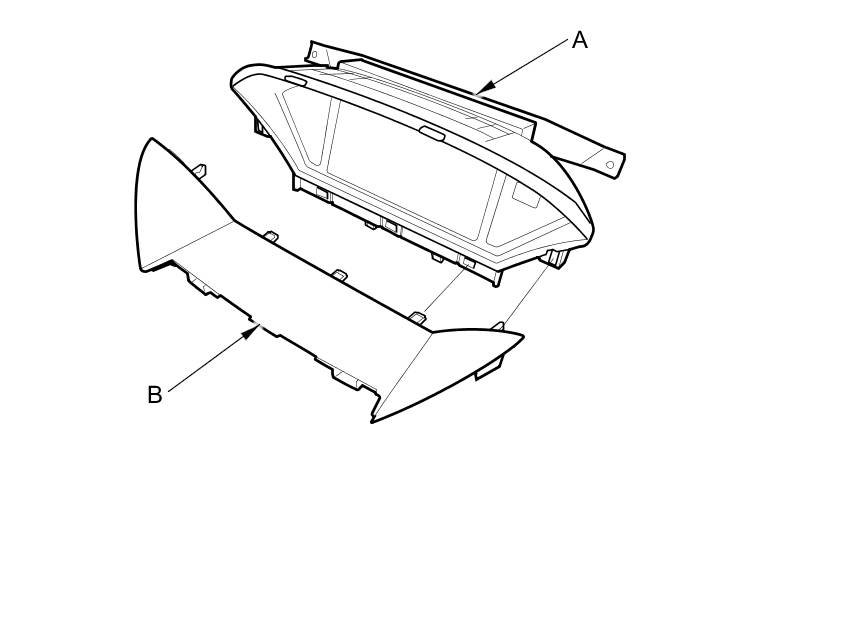
5. Install the audio display-USB adapter control unit in the reverse order of removal.