- Switch off ignition.
- Completely empty fuel tank and fill with 10 liters of fuel. Use VAG 1433 or equivalent, fuel cart.
WARNING:
Fire hazard. DO NOT smoke or work near heaters or have anything in the area that can ignite fuel. Always drain fuel using an approved fuel cart. Wear fuel-resistant gloves whenever working with open parts of the fuel system.
- Connect VAG 1551 scan tool. See Figure
.
- Switch ignition on.
- Select operating mode 1 "Rapid data transfer.
- Enter address word 17 for "instrument cluster."
- After control module identification is displayed, press forward (right) arrow button. Indicated on scan tool:
- Rapid data transfer HELP
- Select function XX
- Press buttons "1" and "0" to select function 10 "Adaptation." Indicated on scan tool:
- Rapid data transfer Q
- 10 - Adaptation
- Press "Q" button to confirm input. Indicated on scan tool:
- Adaptation
- Enter channel number XX
- Press buttons "3" and "0." Press "Q" button to confirm input. Indicated on scan tool:
- Channel 30 adaptation 128
- - 1 3-
- Using button "1," the adaptation value can be decreased down to the value 120, using the "3," the value can be increased to the value 136. The fuel gauge is adapted correctly when the needle rests on the center red demarcation (reserve). See Fig 1
.
NOTE:
At least 60 seconds must pass between adding fuel and reading fuel gauge. Before this time passes, the fuel gauge reading is unreliable due to the movement of the added fuel.
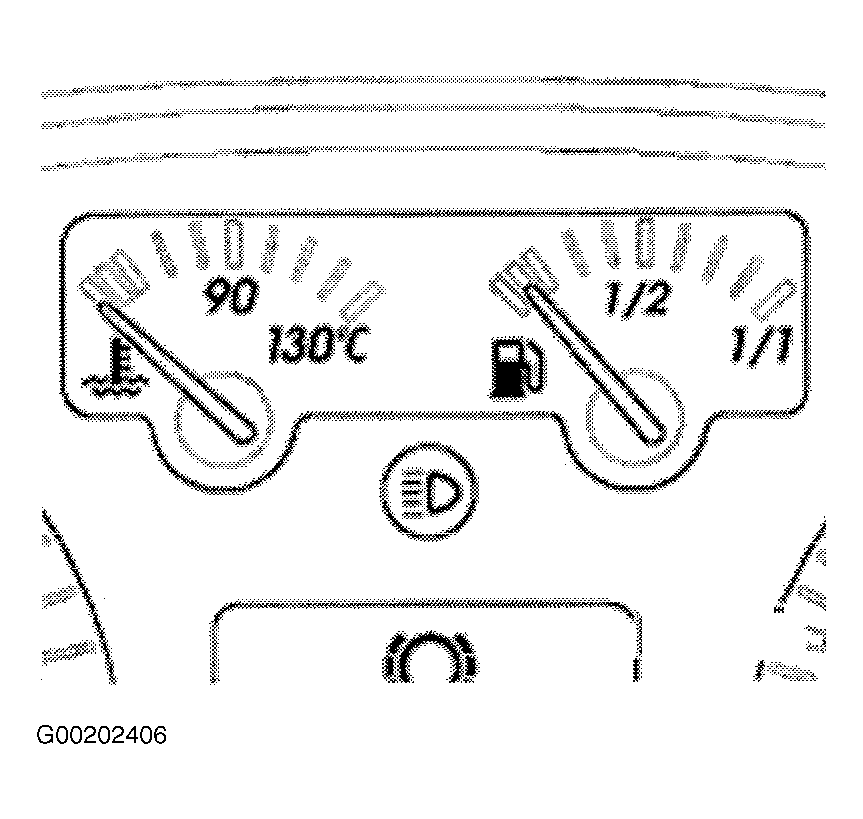 Courtesy of VOLKSWAGEN UNITED STATES, INC.
- When indicator position is OK, press "Q" button to confirm input. Indicated on scan tool:
- Channel 30 adaptation 130 Q
- Store modified value?
- Press Q button to confirm input. Indicated on scan tool:
- Channel 30 adaptation 130
- Modified value has been stored
- Conclude adaptation of the fuel gauge by pressing the forward (right) arrow button. Indicated on scan tool:
- Rapid data transfer HELP
- Select function XX
NOTE:
The sender of the fuel gauge must not be replaced unless the fuel gauge indicator cannot be properly adapted.
- Press buttons "0" and "6" to select function 06 "End Output." Indicated on scan tool:
- Rapid data transfer Q
- 06 - End Output
- Press "Q" button to confirm input. Indicated on scan tool:
- Rapid data transfer HELP
- Enter address word XX
- The tester returns to the "Select function" screen.