Switch - Seat Fold - 2nd Row - Trunk - Remove And Replace: Remove
- Open the LH rear door.
- Fold the LH 2nd row seat to the down position.
- Remove the rear trunk parcel shelf. See Parcel Shelf - Rear Trunk (Remove and Replace)
.
- Remove the LH 2nd row side bolster trim. See Bolster - Outer - Seat - 2nd Row - LH (Remove And Replace) .
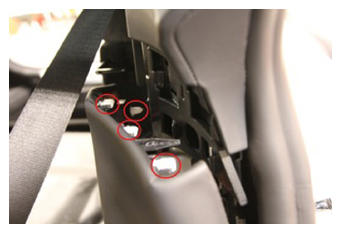
- Release the clips (x4) that attach the LH lower C-pillar trim to the LH mid C-pillar trim.
 Courtesy of TESLA, INC. Courtesy of TESLA, INC.
|
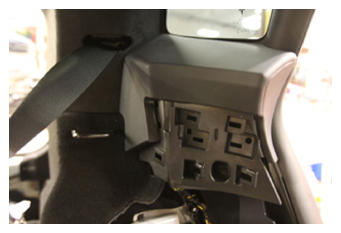
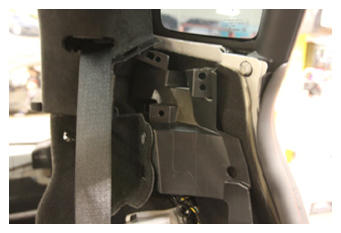
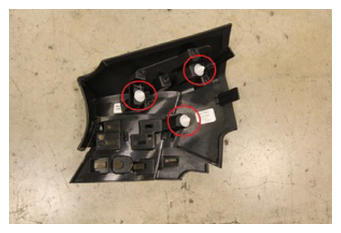
- Release the clips (x3) that attach the LH mid C-pillar trim to the body, and then remove the trim from the vehicle.
 Courtesy of TESLA, INC. Courtesy of TESLA, INC.
|
 Courtesy of TESLA, INC. Courtesy of TESLA, INC.
|
 Courtesy of TESLA, INC. Courtesy of TESLA, INC.
|
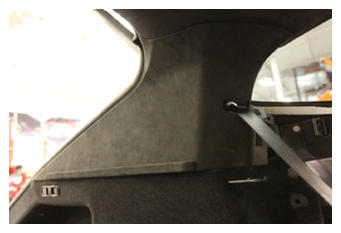
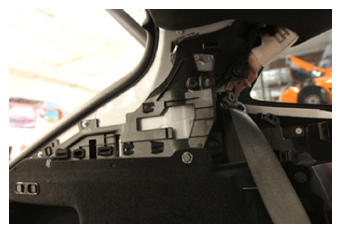
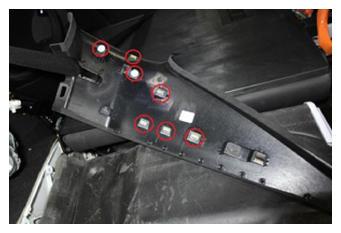
- Release the clips (x7) that attach the LH upper C-pillar trim to the body, and then move the trim aside.
 Courtesy of TESLA, INC. Courtesy of TESLA, INC.
|
 Courtesy of TESLA, INC. Courtesy of TESLA, INC.
|
 Courtesy of TESLA, INC. Courtesy of TESLA, INC.
|
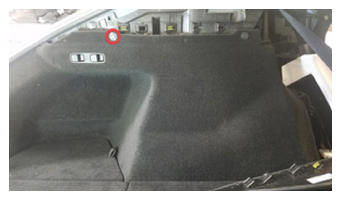
- Remove the clip that attaches the LH trunk side trim to the C-pillar support bracket.
 Courtesy of TESLA, INC. Courtesy of TESLA, INC.
|
- Release clips (x3) that attach the button carrier to the LH C-pillar support bracket, and then remove the button carrier from the support bracket.
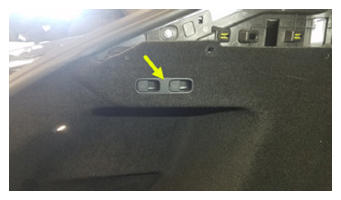 Courtesy of TESLA, INC. Courtesy of TESLA, INC.
|
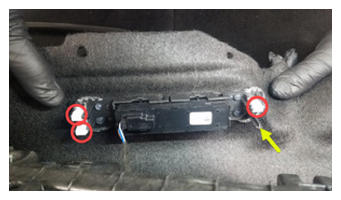 Courtesy of TESLA, INC. Courtesy of TESLA, INC.
|
- Disconnect the trunk 2nd row seat fold switch electrical connector.
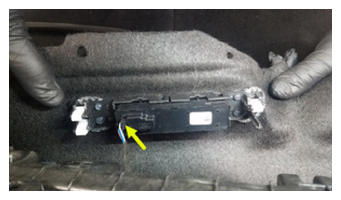 Courtesy of TESLA, INC. Courtesy of TESLA, INC.
|
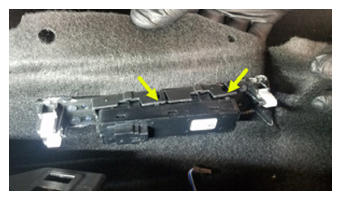
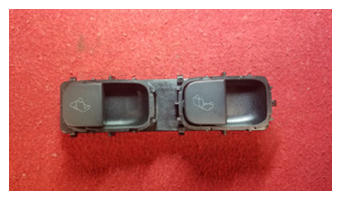
- Release the tabs (x4) that attach the trunk 2nd row seat fold switch assembly to the button carrier, and then remove the switch from the carrier.
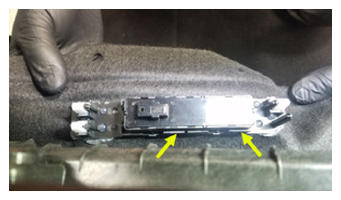 Courtesy of TESLA, INC. Courtesy of TESLA, INC.
|
 Courtesy of TESLA, INC. Courtesy of TESLA, INC.
|
 Courtesy of TESLA, INC. Courtesy of TESLA, INC.
|