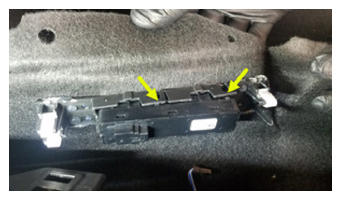
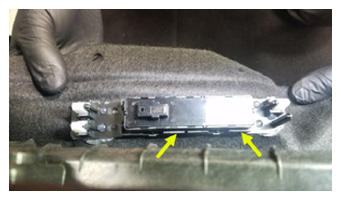
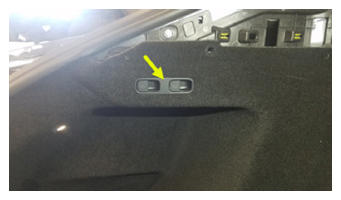
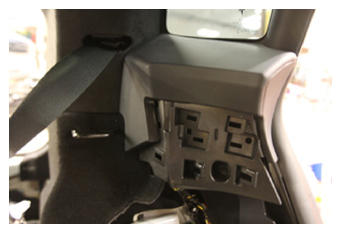
- Install the trunk 2nd row seat fold switch onto the button carrier.
 Courtesy of TESLA, INC. Courtesy of TESLA, INC.
|
 Courtesy of TESLA, INC. Courtesy of TESLA, INC.
|
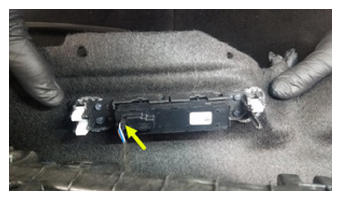
- Connect 2nd row seat fold switch electrical connector
 Courtesy of TESLA, INC. Courtesy of TESLA, INC.
|
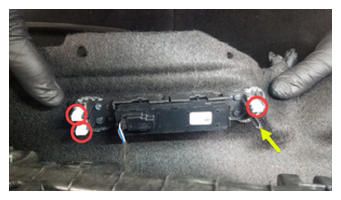
- Install the button carrier onto the LH C-pillar support bracket.
 Courtesy of TESLA, INC. Courtesy of TESLA, INC.
|
 Courtesy of TESLA, INC. Courtesy of TESLA, INC.
|
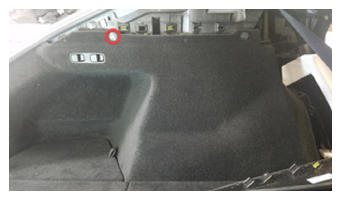
- Install the clip that attaches the LH trunk side trim to the C-pillar support bracket.
 Courtesy of TESLA, INC. Courtesy of TESLA, INC.
|
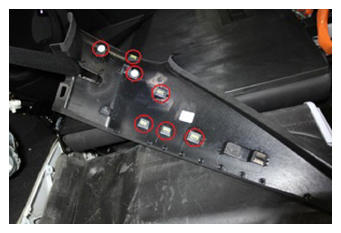
- Install the clips (x7) that attach the LH upper C-pillar trim to the body.
NOTE:
Replace any damaged clips.
 Courtesy of TESLA, INC. Courtesy of TESLA, INC.
|
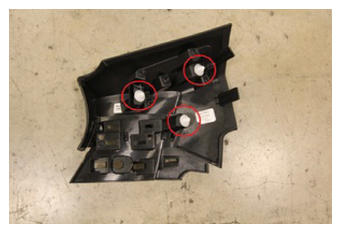
- Install the clips (x3) that attach the LH mid C-pillar trim to the body.
NOTE:
Replace any damaged clips.
 Courtesy of TESLA, INC. Courtesy of TESLA, INC.
|
 Courtesy of TESLA, INC. Courtesy of TESLA, INC.
|
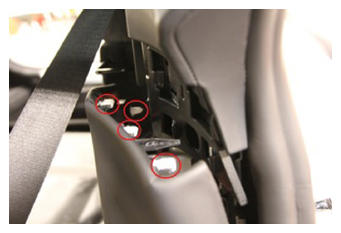
- Install the clips (x4) that attach the LH lower C-pillar trim to the LH mid C-pillar trim.
 Courtesy of TESLA, INC. Courtesy of TESLA, INC.
|
- Install the LH 2nd row side bolster trim. See Bolster - Outer - Seat - 2nd Row - LH (Remove And Replace) .
- Install the rear trunk parcel shelf. See Parcel Shelf - Rear Trunk (Remove and Replace)
.
- Fold the LH 2nd row seat to the up position.
- Close the LH rear door.