Power Socket 12V - Center Console - Remove and Replace: Remove
- Disconnect 12V power. See 12V/LV POWER (DISCONNECT AND CONNECT)
.
- Remove the center console decor trim. See DECOR TRIM - CENTER CONSOLE - LH (REMOVE AND REPLACE)
.
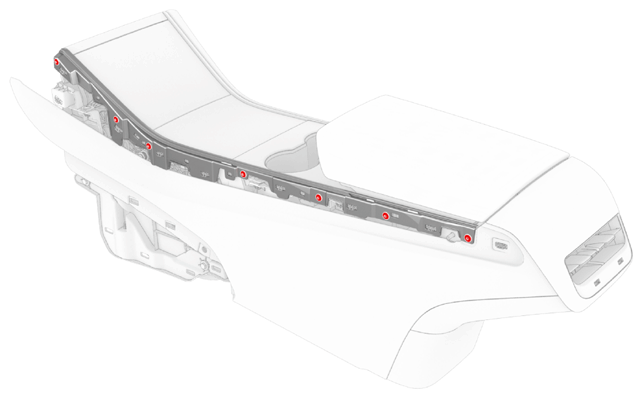
- Remove the screws and release the tabs that attach LH and RH bright strips to the center console, and then remove the strips from the console.
 1.6 N.m (1.2 ft-lbs)
 Courtesy of TESLA, INC. Courtesy of TESLA, INC.
|
- Open the armrest.
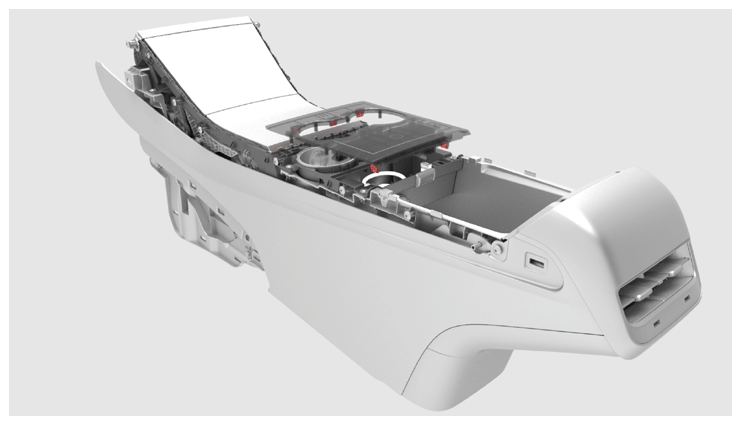
- Release the clips (x6) that attach the cupholder decor trim to the cupholder assembly, and then separate the trim from the center console assembly.
 Courtesy of TESLA, INC. Courtesy of TESLA, INC.
|
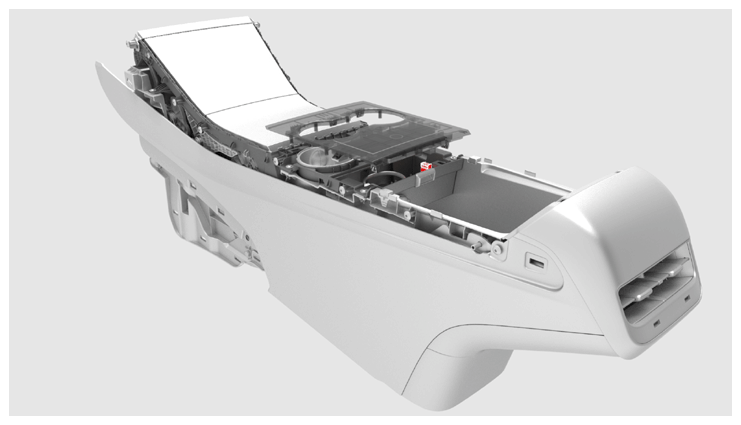
- Disconnect the electrical harness from the security body controller module connector, and then remove the trim from the vehicle.
 Courtesy of TESLA, INC. Courtesy of TESLA, INC.
|
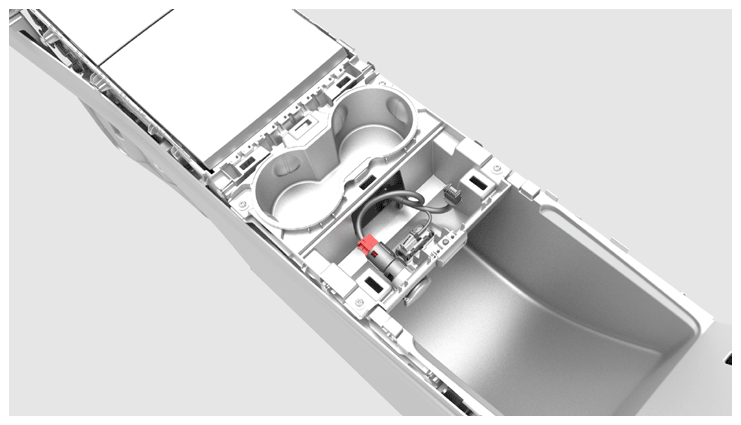
- Disconnect the electrical harness from the center console power socket connector.
 Courtesy of TESLA, INC. Courtesy of TESLA, INC.
|
- Release the small tabs on the spring cap and slide the power socket inside the cap, so that the openings in the side of the socket align with the large tabs of the cap.
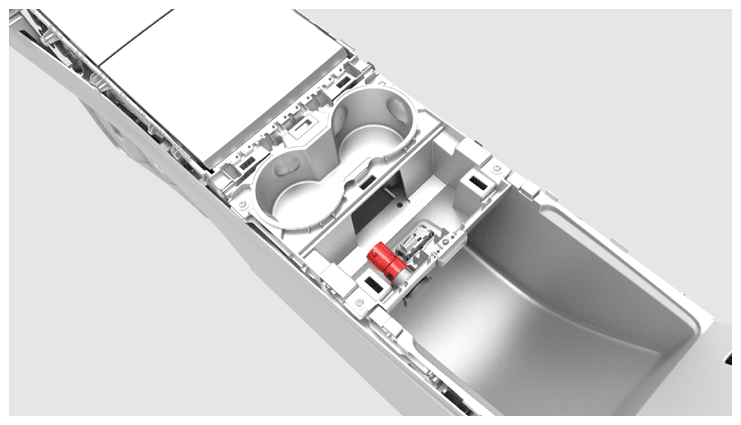 Courtesy of TESLA, INC. Courtesy of TESLA, INC.
|
- Release the tabs of the cap and move the power socket and cap together out through the cupholder assembly.
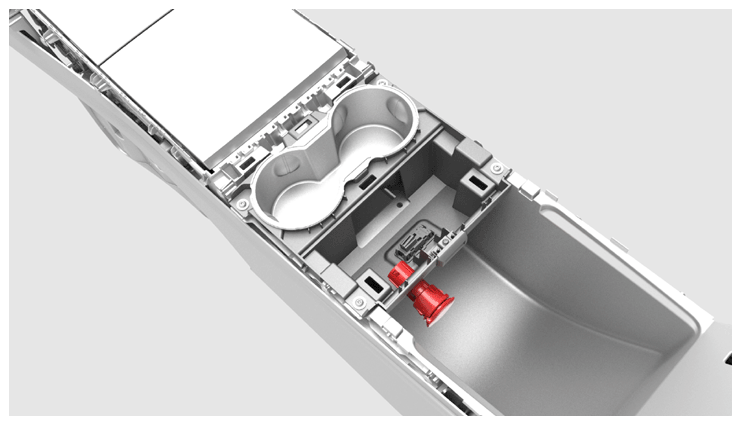 Courtesy of TESLA, INC. Courtesy of TESLA, INC.
|
- Separate the power socket from the cap.
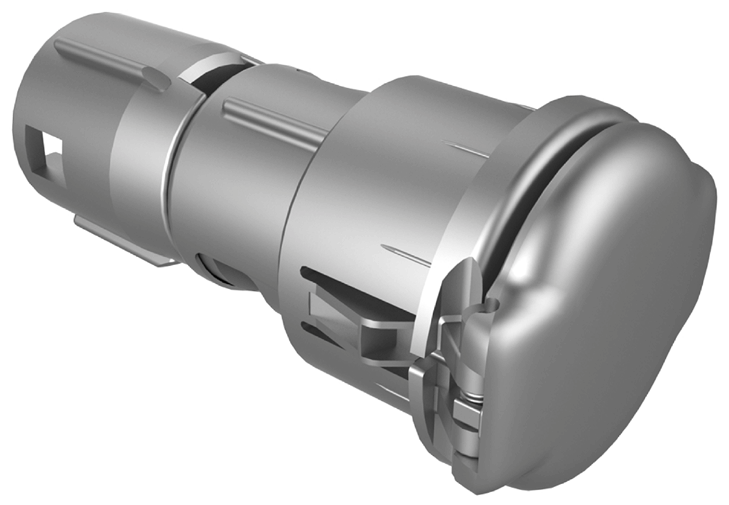 Courtesy of TESLA, INC. Courtesy of TESLA, INC.
|