- Remove the front license plate bracket. See BRACKET - LICENSE PLATE - FRONT (REMOVE AND REPLACE)
.
- Remove the front fascia. See FASCIA - FRONT (REMOVE AND INSTALL) .
- Disconnect the electrical harness from the RH front turn signal/fog light connector.
 Courtesy of TESLA, INC. Courtesy of TESLA, INC.
|
- Release the clips that attach the electrical harness to the front turn signal/fog light.
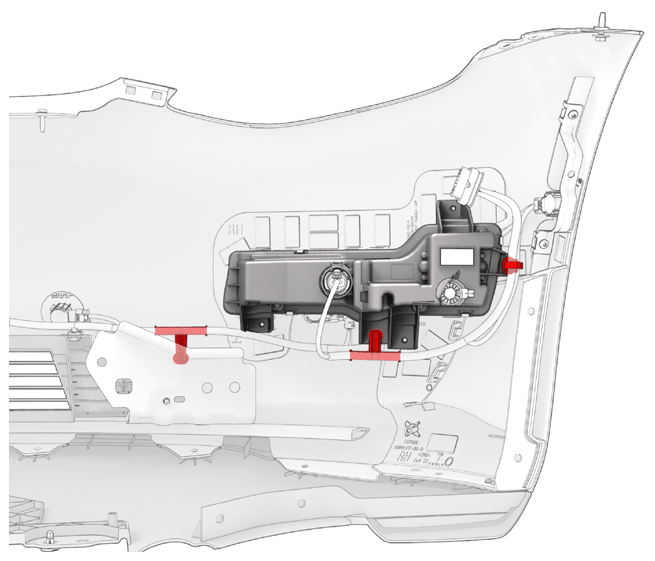 Courtesy of TESLA, INC. Courtesy of TESLA, INC.
|
- Remove the screws that attach the front turn signal/fog light to the front fascia.
 Courtesy of TESLA, INC. Courtesy of TESLA, INC.
|
- Use a trim tool to release the tabs (x4) that attach the front turn signal/fog light to the front fascia, and then remove the light from the front fascia.
- Repeat step 3 through step 5 for the LH front turn signal/fog light.
- Disconnect the electrical harness from all of the front parking distance sensors connectors (x6).
NOTE:
LH Front Parking Assist Sensor Shown.
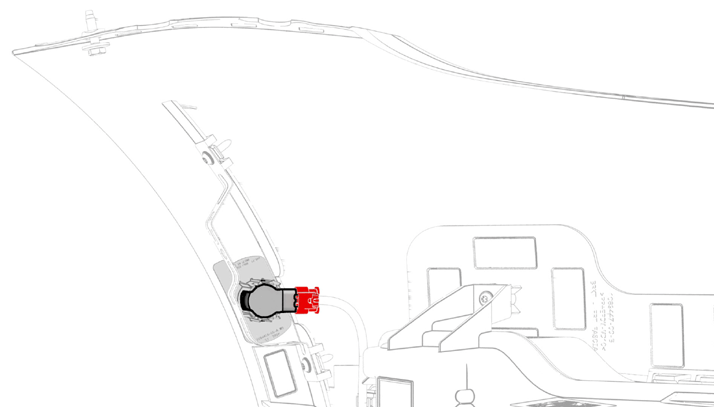 Courtesy of TESLA, INC. Courtesy of TESLA, INC.
|
- Release the clips that attach the parking distance sensors to the front fascia, and then remove the sensors (x6) from the fascia.
NOTE:
LH Front Parking Assist Sensor Shown.
 Courtesy of TESLA, INC. Courtesy of TESLA, INC.
|
- Disconnect the electrical harness from the ambient air temperature sensor connector.
 Courtesy of TESLA, INC. Courtesy of TESLA, INC.
|
- Release the clips that attach the electrical harness to the front fascia, and then remove the electrical harness from the fascia.
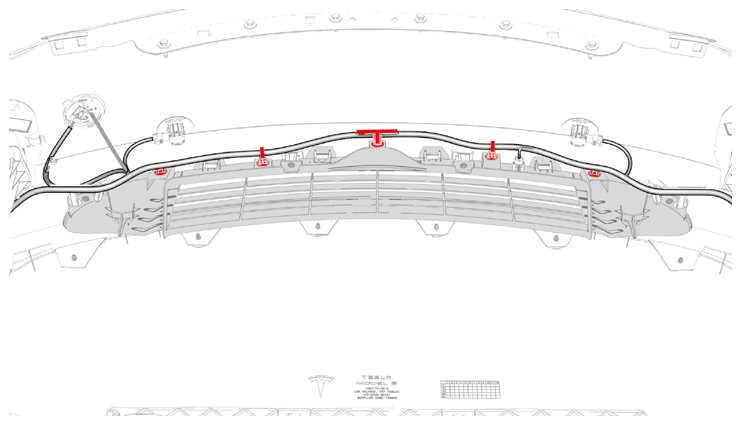 Courtesy of TESLA, INC. Courtesy of TESLA, INC.
|
- Release the clips that attach the tow hook cover to the front fascia, and then remove the cover from the fascia.
 Courtesy of TESLA, INC. Courtesy of TESLA, INC.
|
- Remove the screws that attach the front fascia grille to the front fascia.
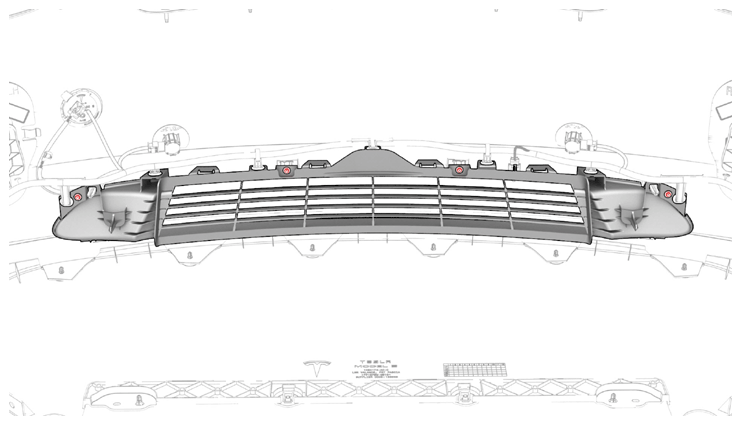 Courtesy of TESLA, INC. Courtesy of TESLA, INC.
|
- Release the clips (x9) that attach the front fascia grille to the front fascia, and then remove grille from the fascia.
NOTE:
Top Clips Shown Below.
 Courtesy of TESLA, INC. Courtesy of TESLA, INC.
|
NOTE:
Bottom Clips Shown Below.
 Courtesy of TESLA, INC. Courtesy of TESLA, INC.
|