- On the vehicle touchscreen, touch Controls > Suspension > Very High
.
- On the vehicle touchscreen, touch Controls > Service > Jack Mode
to activate Jack Mode.
- Disconnect LV Power. See LV POWER (DISCONNECT AND CONNECT)
.
- Remove the clips (x2) that attach the rear portion of the rear fender garnish to the wheel arch liner.
NOTE:
LH shown; RH similar
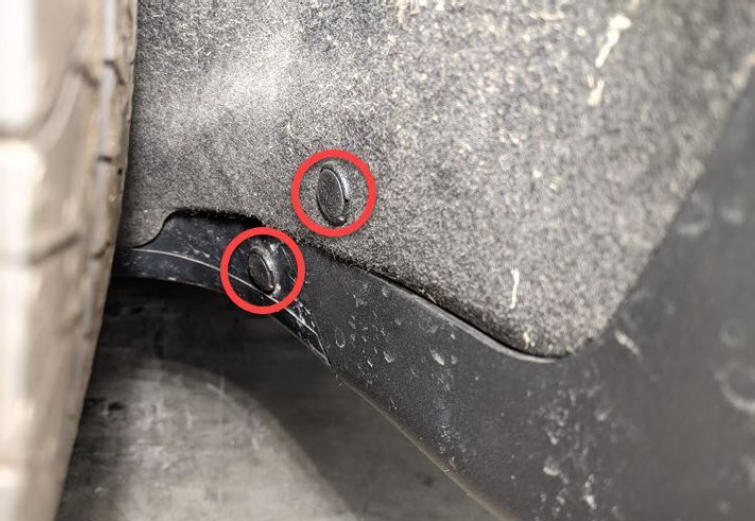 Courtesy of TESLA, INC. Courtesy of TESLA, INC.
|
- Remove the bolts (x2) that attach the rear portion of the rear fender garnish to the wheel arch liner.
NOTE:
LH shown; RH similar
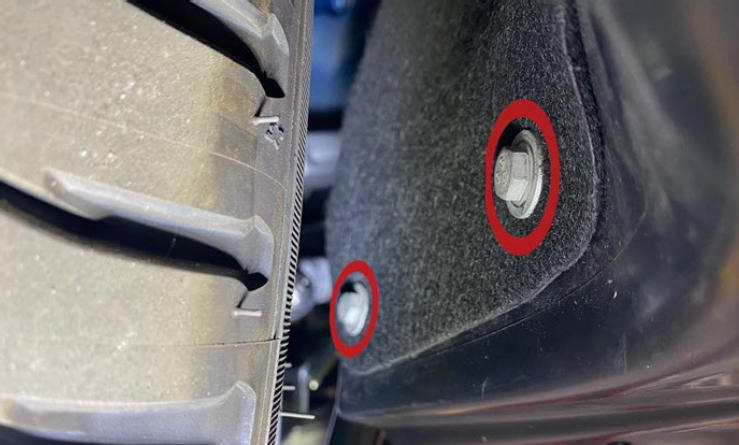 Courtesy of TESLA, INC. Courtesy of TESLA, INC.
|
- Release the clips (x3) and tabs (x7) that attach the rear portion of the fender garnish to the vehicle, and then carefully set the garnish aside.
NOTE:
LH shown; RH similar
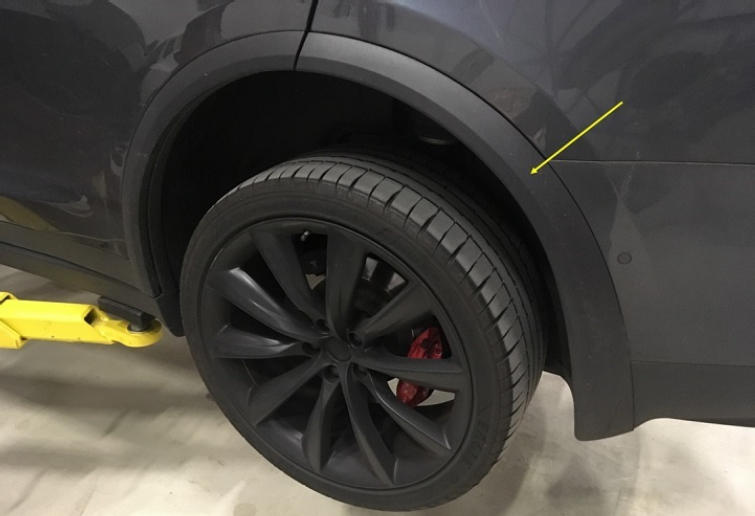 Courtesy of TESLA, INC. Courtesy of TESLA, INC.
|
NOTE:
LH shown; RH similar
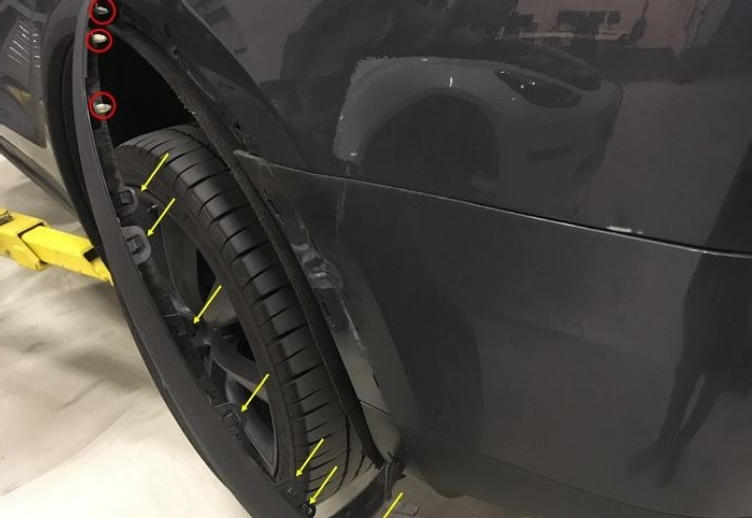 Courtesy of TESLA, INC. Courtesy of TESLA, INC.
|
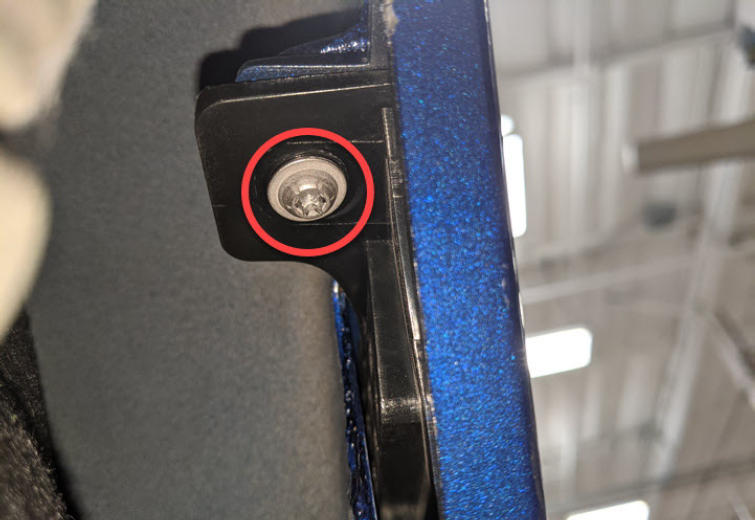
- Remove the screw that attaches the rear fascia to the quarter panel.
 Courtesy of TESLA, INC. Courtesy of TESLA, INC.
|
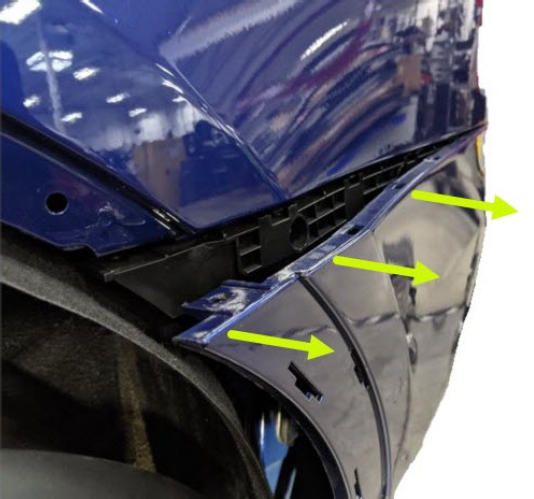
- Partially release the LH side of the rear fascia from the rear wing bracket.
NOTE:
LH shown; RH similar
 Courtesy of TESLA, INC. Courtesy of TESLA, INC.
|
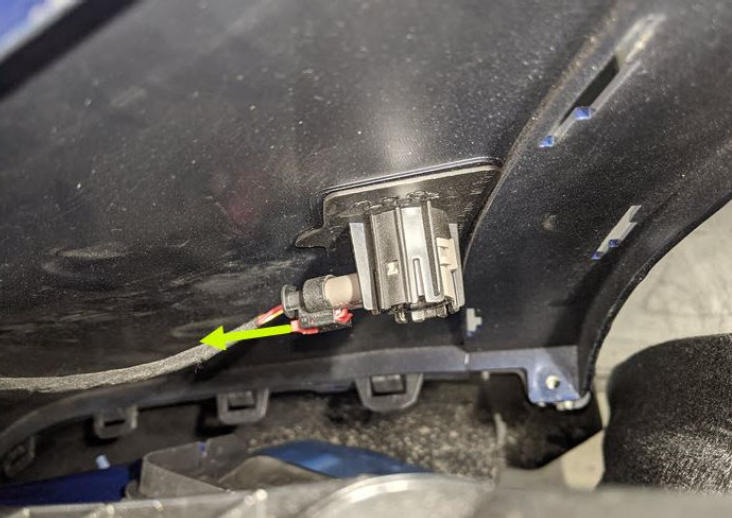
- Release the connector lock, and then disconnect the rear outer parking distance sensor.
CAUTION:
DO NOT push down on the red locking tab. Pull the tab away from the connector until the connector is unlocked, and then continue pulling to release the connector.
NOTE:
LH shown; RH similar
 Courtesy of TESLA, INC. Courtesy of TESLA, INC.
|
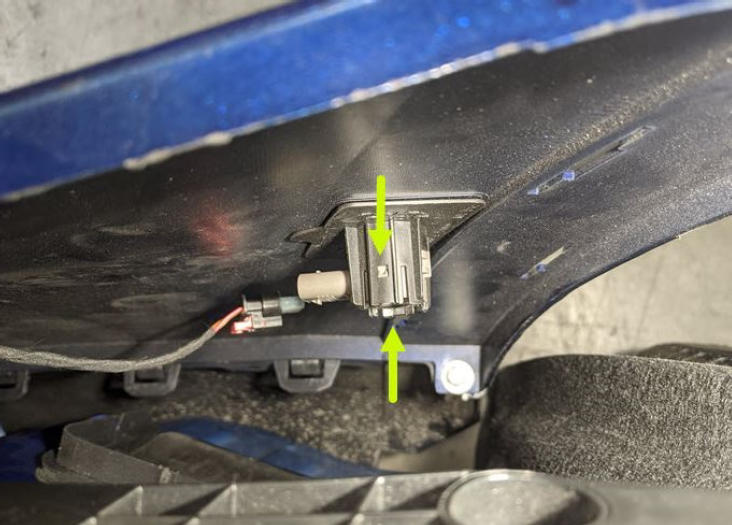
- Release the tabs that attach the rear outer parking distance sensor to the rear fascia assembly, and then remove the sensor from the assembly.
NOTE:
LH shown; RH similar
 Courtesy of TESLA, INC. Courtesy of TESLA, INC.
|