- Remove the LH IP end cap. See END CAP - INSTRUMENT PANEL - LH (REMOVE AND REPLACE) .
- Remove the LH middle A-pillar trim. See Trim - A-Pillar - Middle - LH (Remove and Replace)
.
- Remove the LH instrument panel middle trim. See TRIM - MIDDLE - INSTRUMENT PANEL - LH (REMOVE AND REPLACE) .
- Move the steering column fully rearward and fully down.
- Remove the rear underhood apron. See Underhood Apron - Rear (Remove and Replace)
.
- Disconnect LV power. See LV Power (Disconnect and Connect)
.
- Remove the RH IP end cap. See END CAP - INSTRUMENT PANEL - LH (REMOVE AND REPLACE) .
- Remove the RH middle A-pillar trim. See Trim - A-Pillar - Middle - LH (Remove and Replace)
.
- Remove the instrument panel service panel. See Service Panel - Instrument Panel (Remove and Replace)
NOTE:
It is not necessary to remove the cabin temperature sensor fan from the service panel.
- Remove the touchscreen assembly. See Touchscreen (Remove and Replace)
.
NOTE:
It is not necessary to remove the display mechanism from the touchscreen after the assembly has been removed from the instrument panel.
- Remove the instrument panel RH middle trim. See TRIM - MIDDLE - INSTRUMENT PANEL - RH (REMOVE AND REPLACE) .
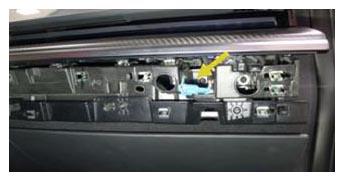
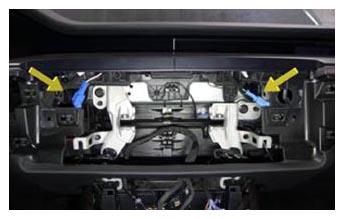
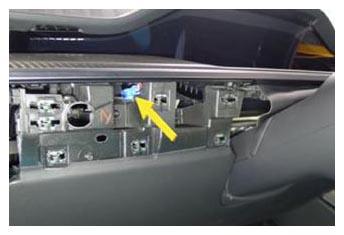
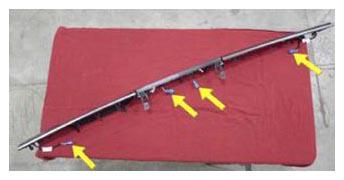
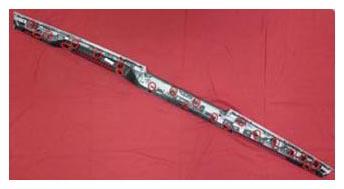
- Release the clips (x21) that attach the main instrument panel decor to the instrument panel, disconnect the electrical connectors (x4), and then remove the decor from the instrument panel.
NOTE:
Release each IP decor connector clip from the IP carrier, and then disconnect from IP harness.
 Courtesy of TESLA, INC. Courtesy of TESLA, INC.
|
 Courtesy of TESLA, INC. Courtesy of TESLA, INC.
|
 Courtesy of TESLA, INC. Courtesy of TESLA, INC.
|
 Courtesy of TESLA, INC. Courtesy of TESLA, INC.
|
 Courtesy of TESLA, INC. Courtesy of TESLA, INC.
|