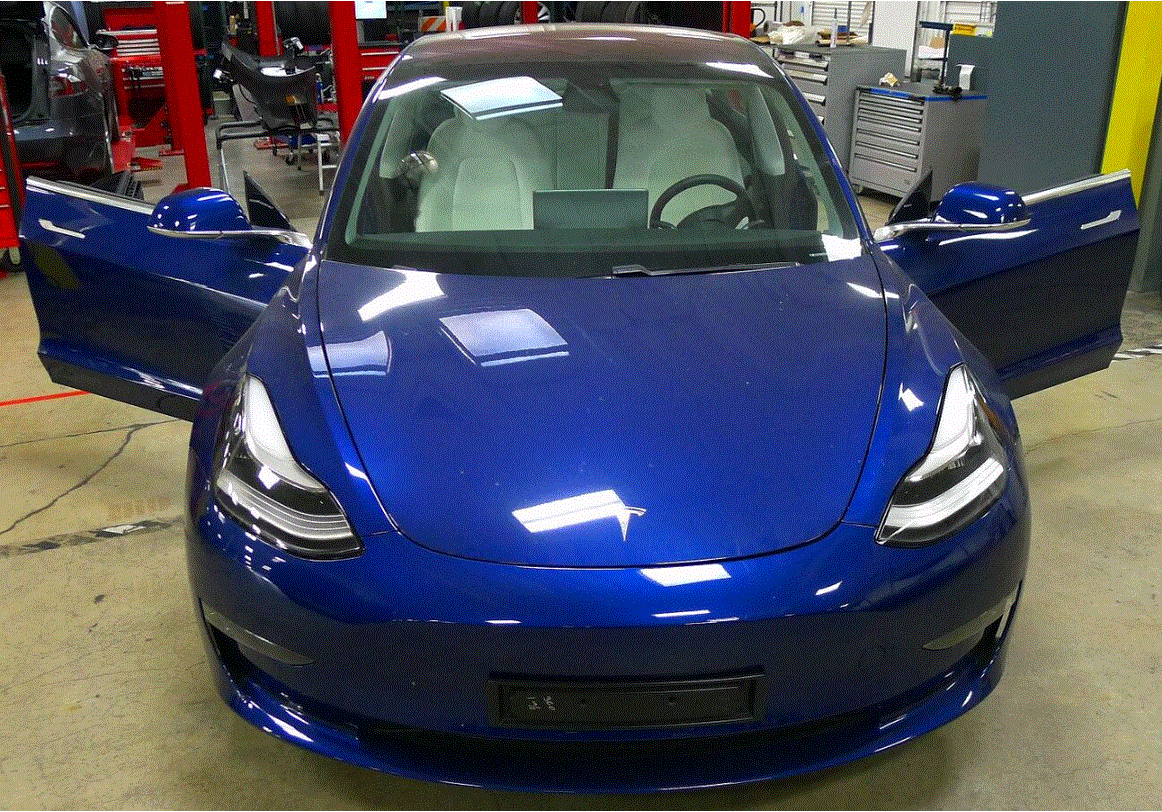
- Open both front doors
 Courtesy of TESLA, INC. Courtesy of TESLA, INC.
|
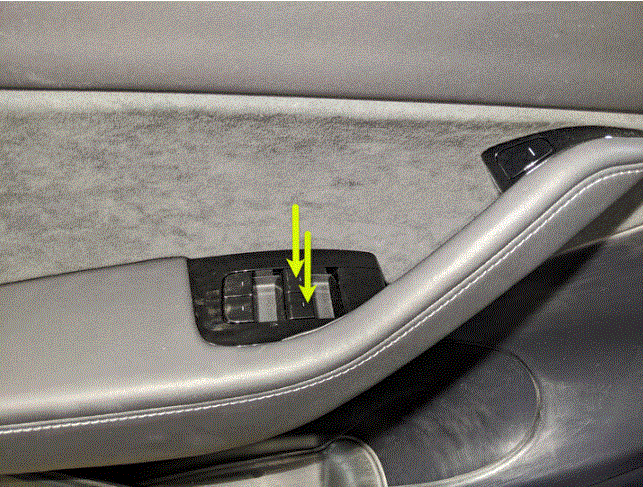
- Lower both front windows
 Courtesy of TESLA, INC. Courtesy of TESLA, INC.
|
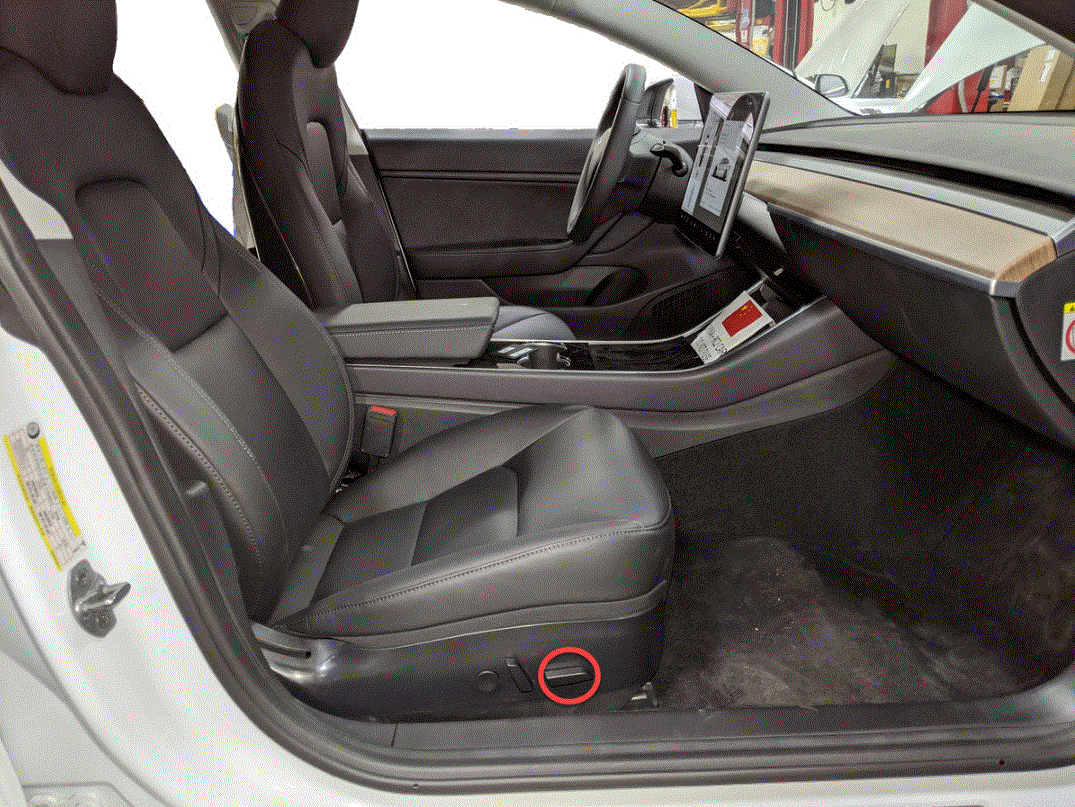
- Move RH front seat backward
 Courtesy of TESLA, INC. Courtesy of TESLA, INC.
|
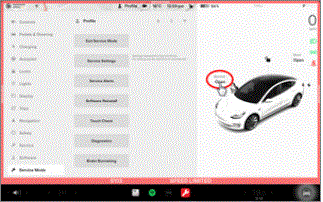
- Open hood
NOTE:
Press "Open" button on touchscreen to release latch, Lift lid manually
 Courtesy of TESLA, INC. Courtesy of TESLA, INC.
|
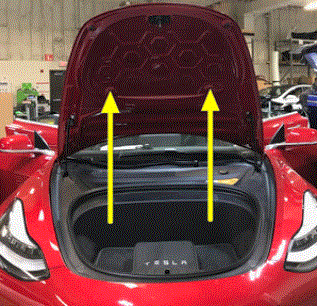 Courtesy of TESLA, INC. Courtesy of TESLA, INC.
|
- Remove rear apron
NOTE:
12x clips, Only store rear apron visible face upwards
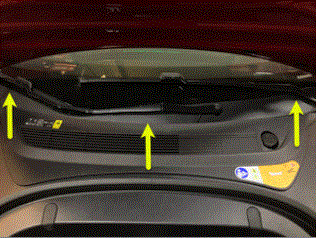 Courtesy of TESLA, INC. Courtesy of TESLA, INC.
|
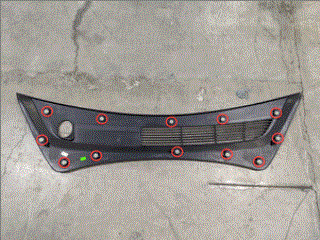 Courtesy of TESLA, INC. Courtesy of TESLA, INC.
|
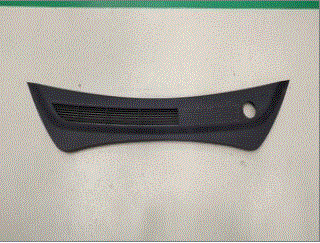 Courtesy of TESLA, INC. Courtesy of TESLA, INC.
|
- Power off vehicle from center display
NOTE:
Via Controls > Safety > Power Off, Select Power Off button at warning dialogue box
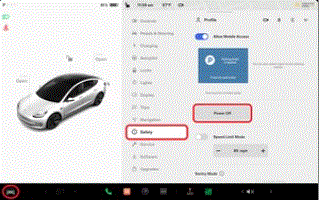 Courtesy of TESLA, INC. Courtesy of TESLA, INC.
|
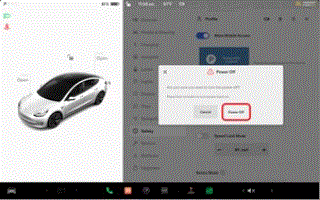 Courtesy of TESLA, INC. Courtesy of TESLA, INC.
|
- Disconnect 12V negative terminal
NOTE:
1x nut, 10mm, 6 N.m, Ensure vehicle is in park, climate control system is off, and vehicle is not charging before disconnecting 12V
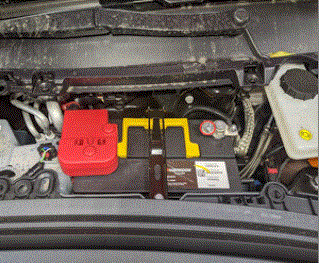 Courtesy of TESLA, INC. Courtesy of TESLA, INC.
|
- Disconnect first responder loop
NOTE:
1x connector, Release locking tab
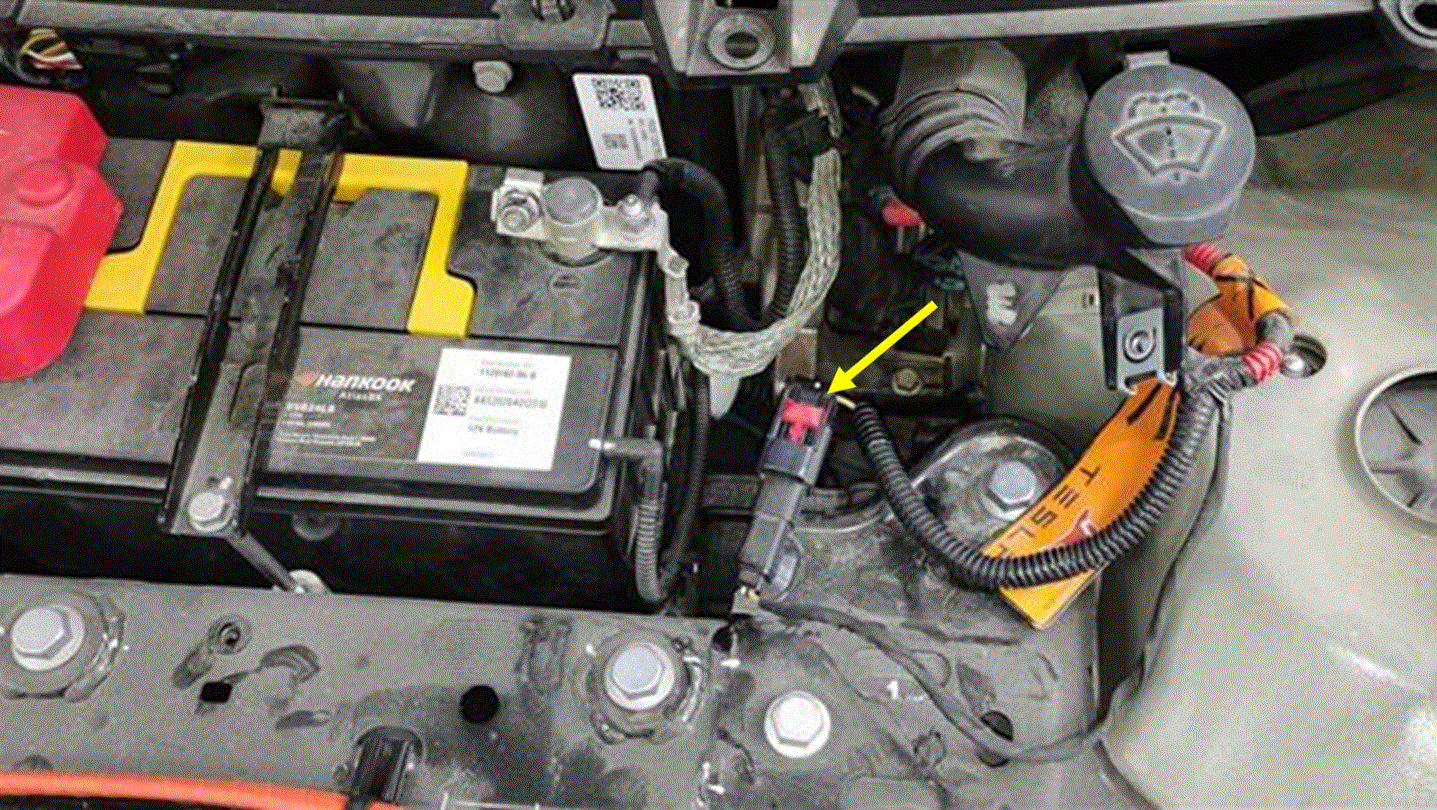 Courtesy of TESLA, INC. Courtesy of TESLA, INC.
|
- Remove LH IP end cap
NOTE:
3x clips
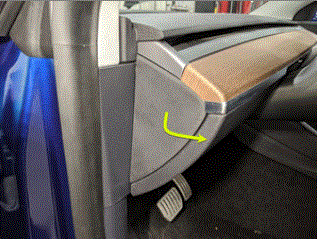 Courtesy of TESLA, INC. Courtesy of TESLA, INC.
|
- Remove LH air wave bezel cap from main decor assembly
NOTE:
2x clips, Newer vehicles are equipped with solid bezel.
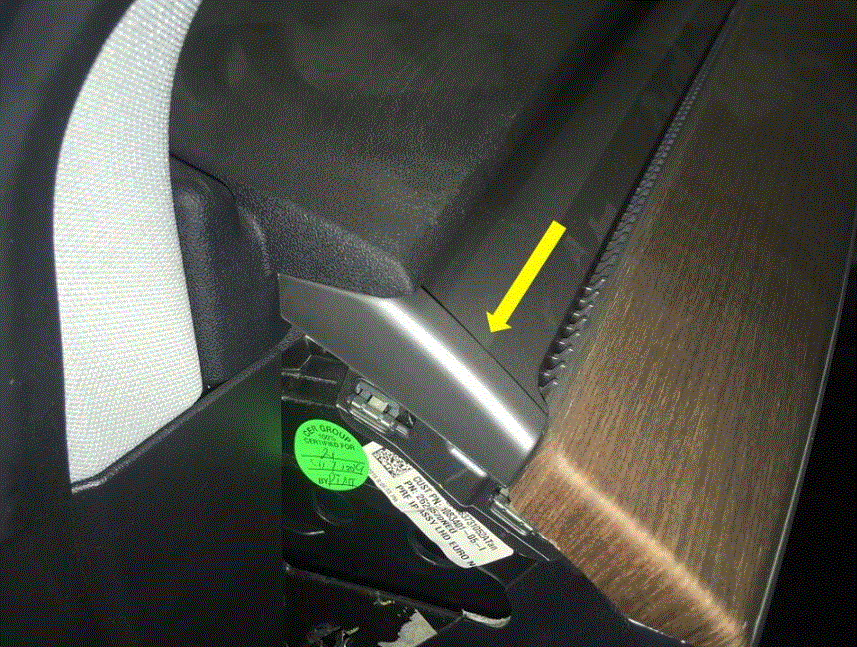 Courtesy of TESLA, INC. Courtesy of TESLA, INC.
|
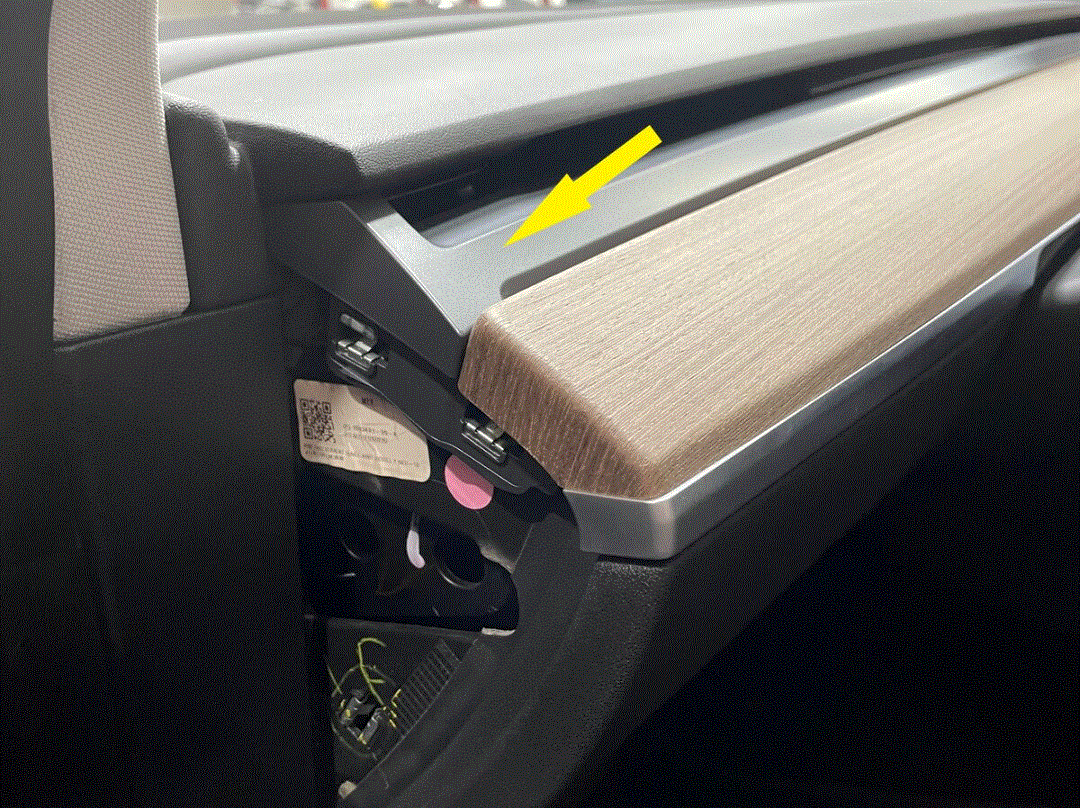 Courtesy of TESLA, INC. Courtesy of TESLA, INC.
|
- Remove RH IP end cap
NOTE:
3x clips
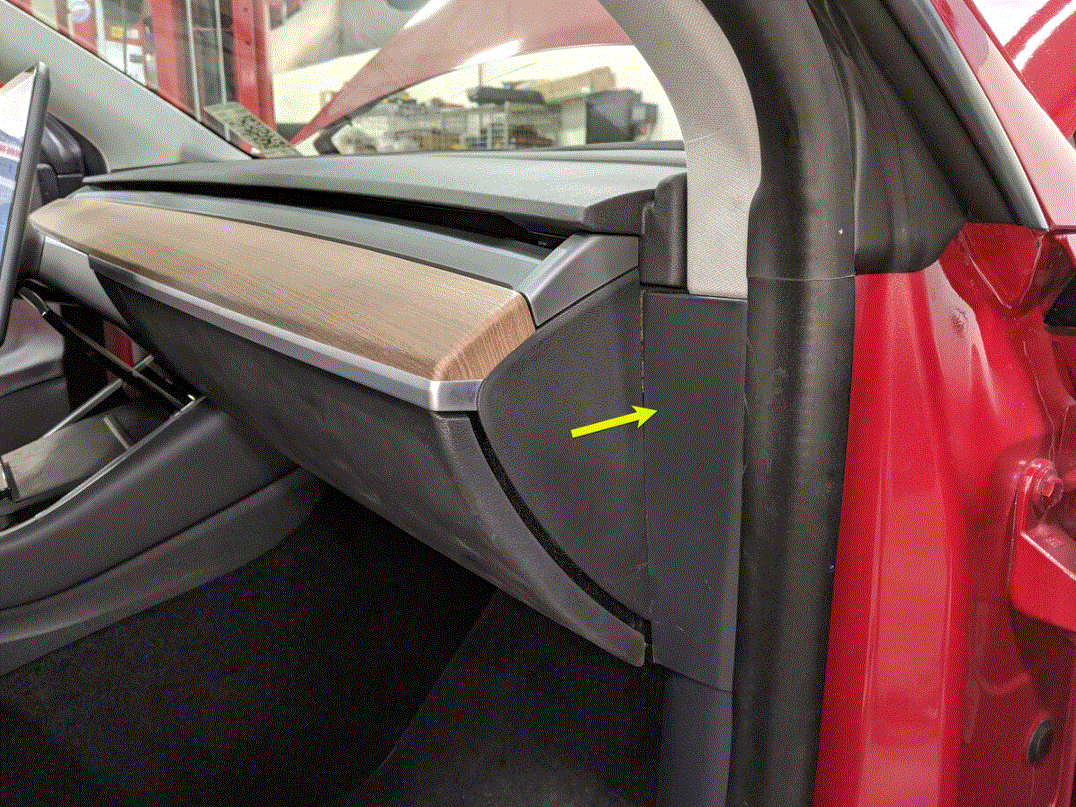 Courtesy of TESLA, INC. Courtesy of TESLA, INC.
|
- Remove RH air wave bezel cap from main decor assembly
NOTE:
2x clips, Newer vehicles are equipped with solid bezel.
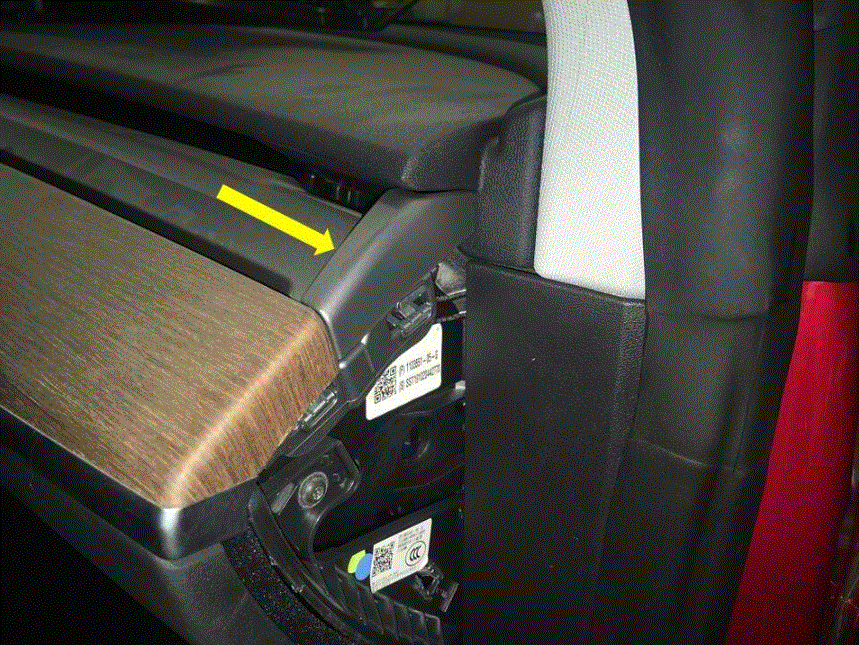 Courtesy of TESLA, INC. Courtesy of TESLA, INC.
|
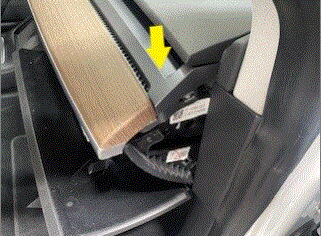 Courtesy of TESLA, INC. Courtesy of TESLA, INC.
|
- Remove main decor assembly
NOTE:
15x clips, Entire decor does not need to come off for glove box removal, If you lift RH side of decor then you will have access to 3x torx screws securing top of glove box, Replace securing clips as needed
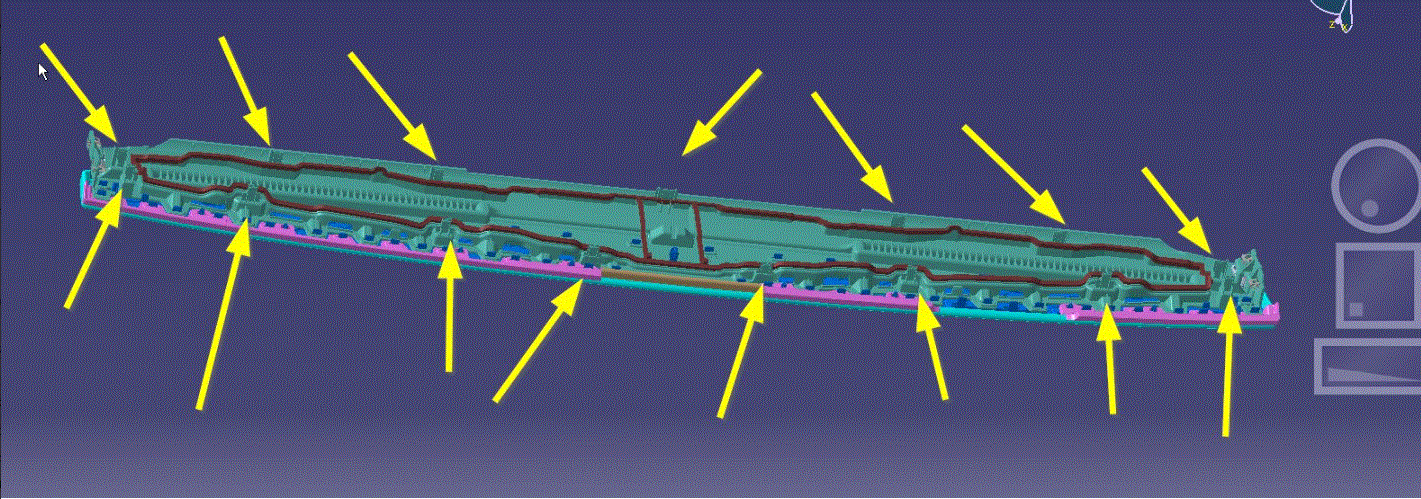 Courtesy of TESLA, INC. Courtesy of TESLA, INC.
|
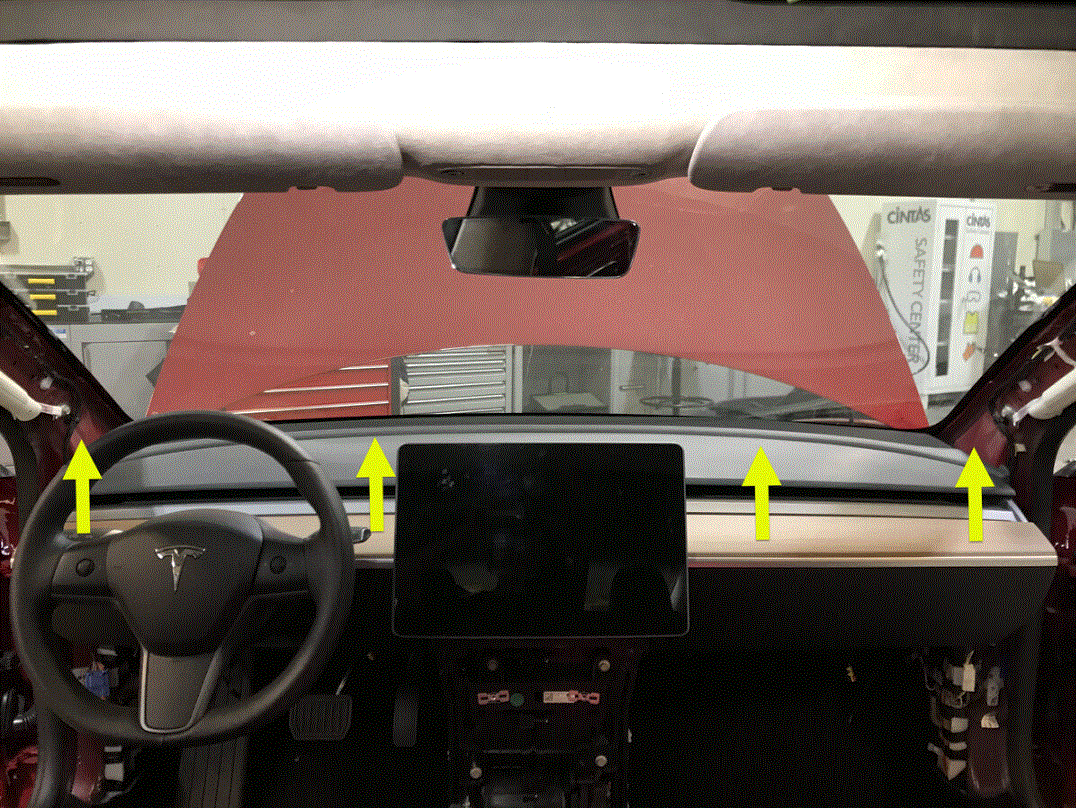 Courtesy of TESLA, INC. Courtesy of TESLA, INC.
|
- Release RH footwell assembly from IP
NOTE:
4x push clips
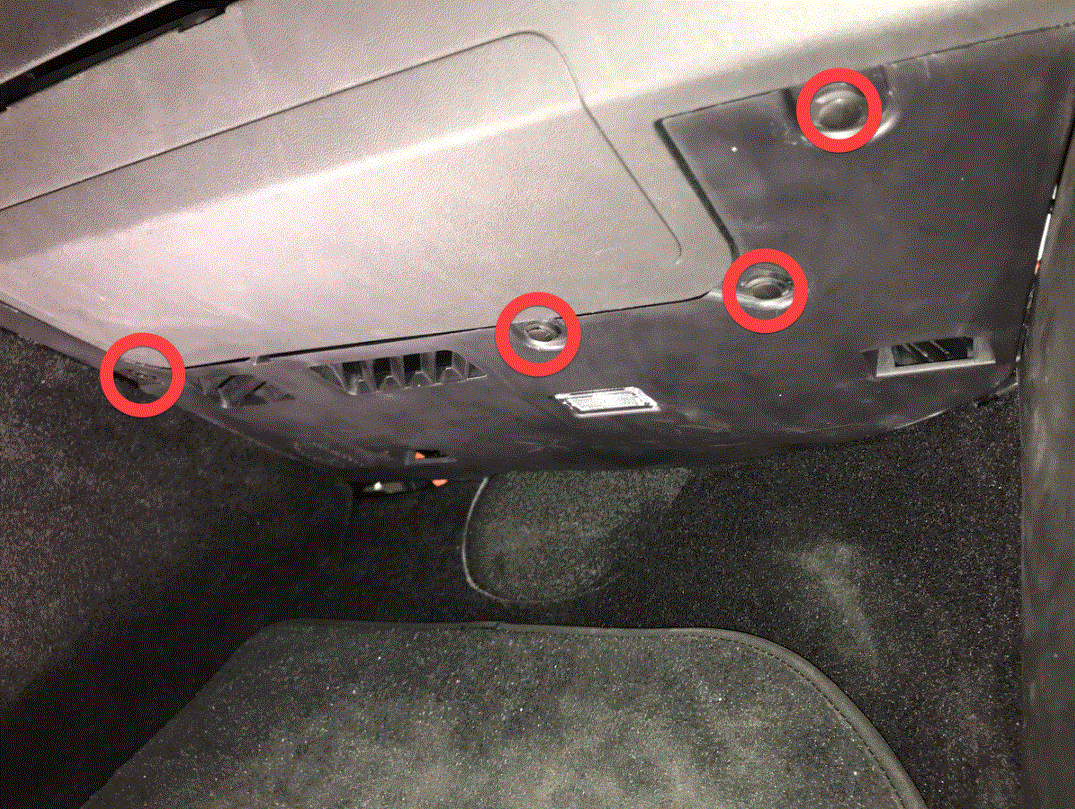 Courtesy of TESLA, INC. Courtesy of TESLA, INC.
|
- Remove RH footwell assembly
NOTE:
2x connectors
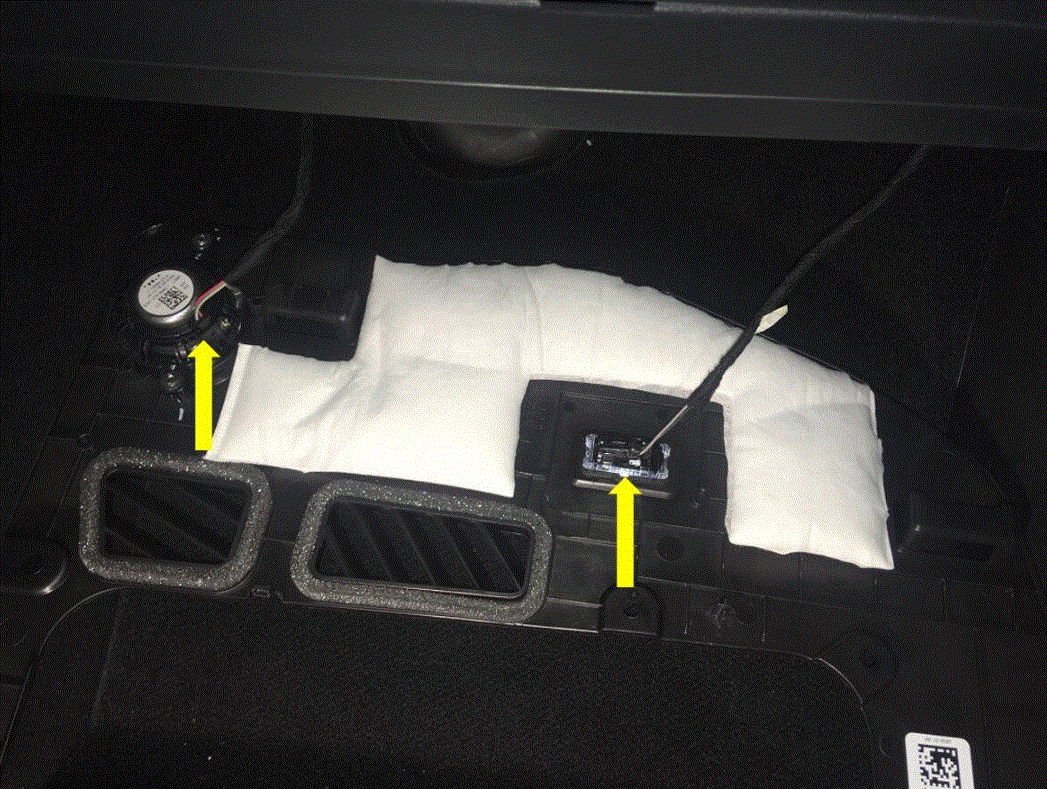 Courtesy of TESLA, INC. Courtesy of TESLA, INC.
|
- Remove bolts securing passenger knee air bag onto vehicle
NOTE:
4x patch bolts, T30, 8 N.m, Discard after removal, 2x screws, T20, 2 N.m, 1x push clip, Newer vehicles have 4x E10 patch bolts
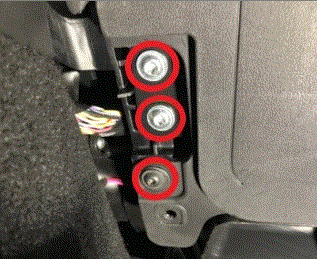 Courtesy of TESLA, INC. Courtesy of TESLA, INC.
|
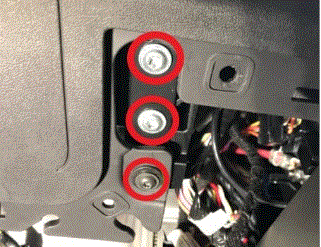 Courtesy of TESLA, INC. Courtesy of TESLA, INC.
|
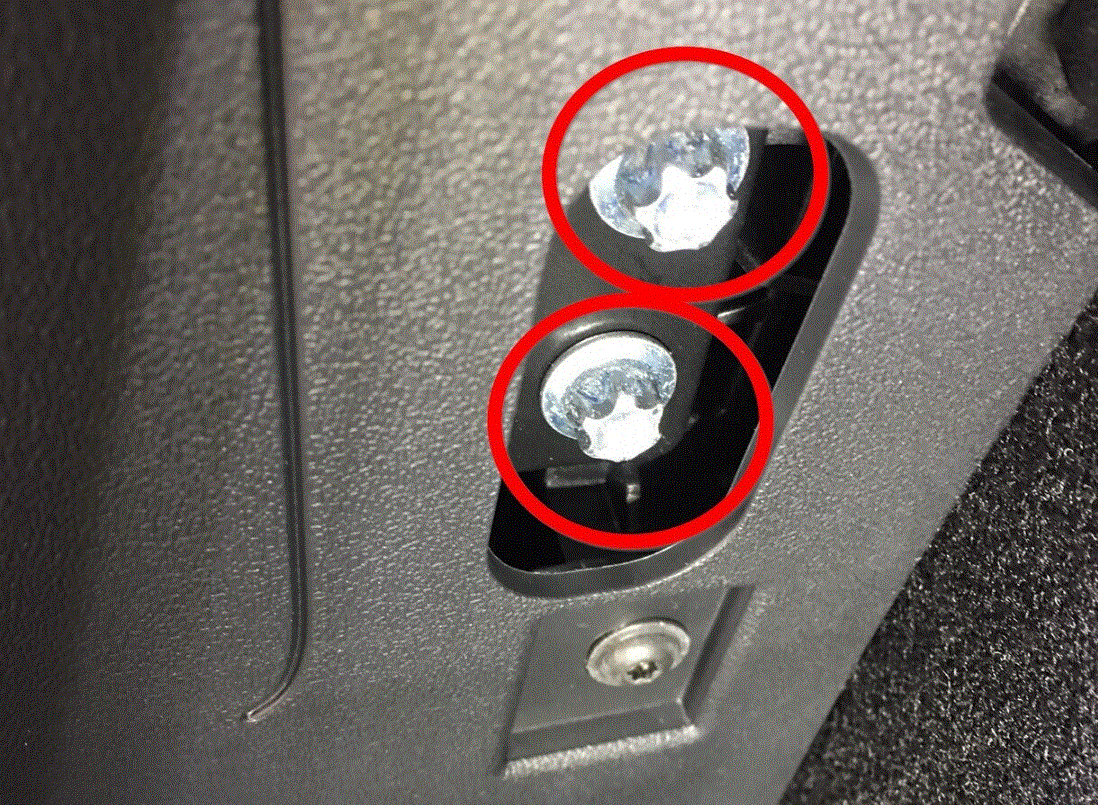 Courtesy of TESLA, INC. Courtesy of TESLA, INC.
|
- Remove passenger knee air bag from vehicle
NOTE:
1x connector, Release locking tab, Connector release may vary
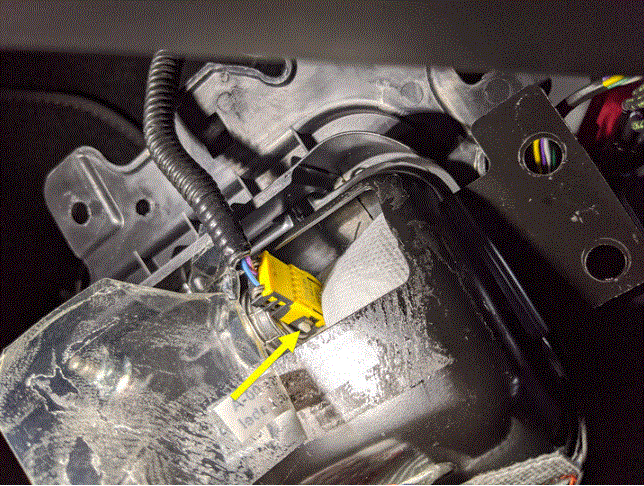 Courtesy of TESLA, INC. Courtesy of TESLA, INC.
|
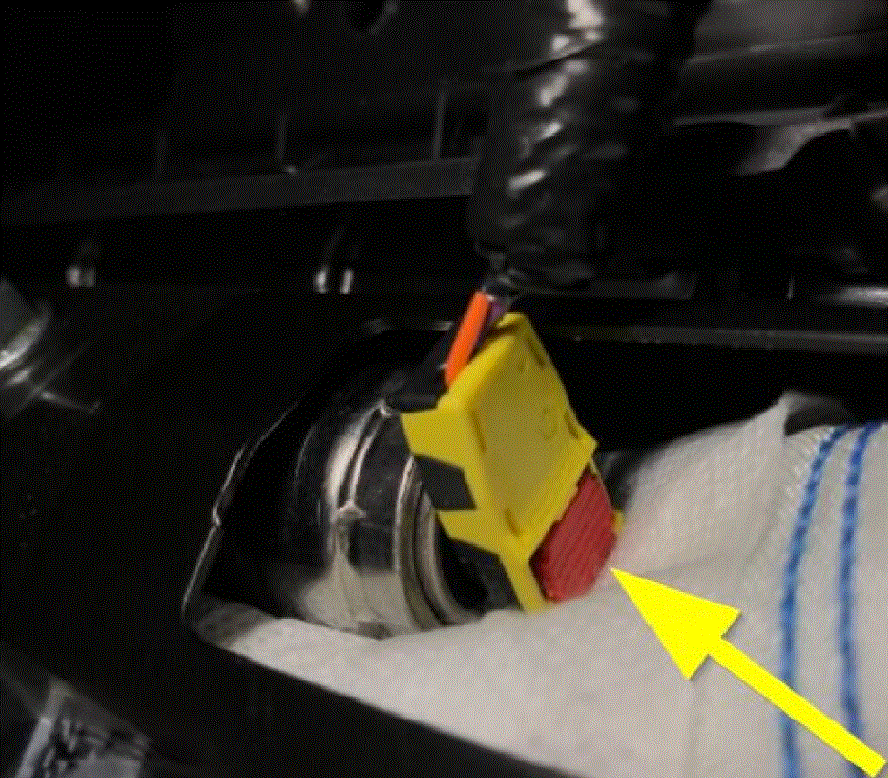 Courtesy of TESLA, INC. Courtesy of TESLA, INC.
|
- Disconnect glove box USB cable from car computer
NOTE:
1x connector, Depress latch on top of USB cable to release internal latches, then release from car computer
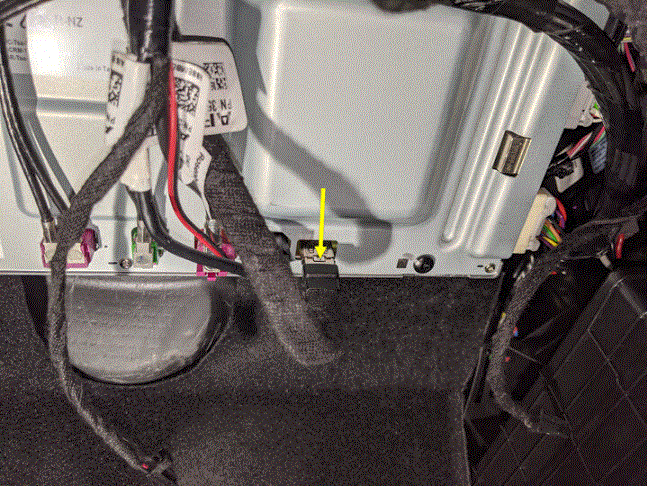 Courtesy of TESLA, INC. Courtesy of TESLA, INC.
|
- Remove screws securing glove box assembly to IP carrier
NOTE:
6x screws, T20, 2.3 N.m
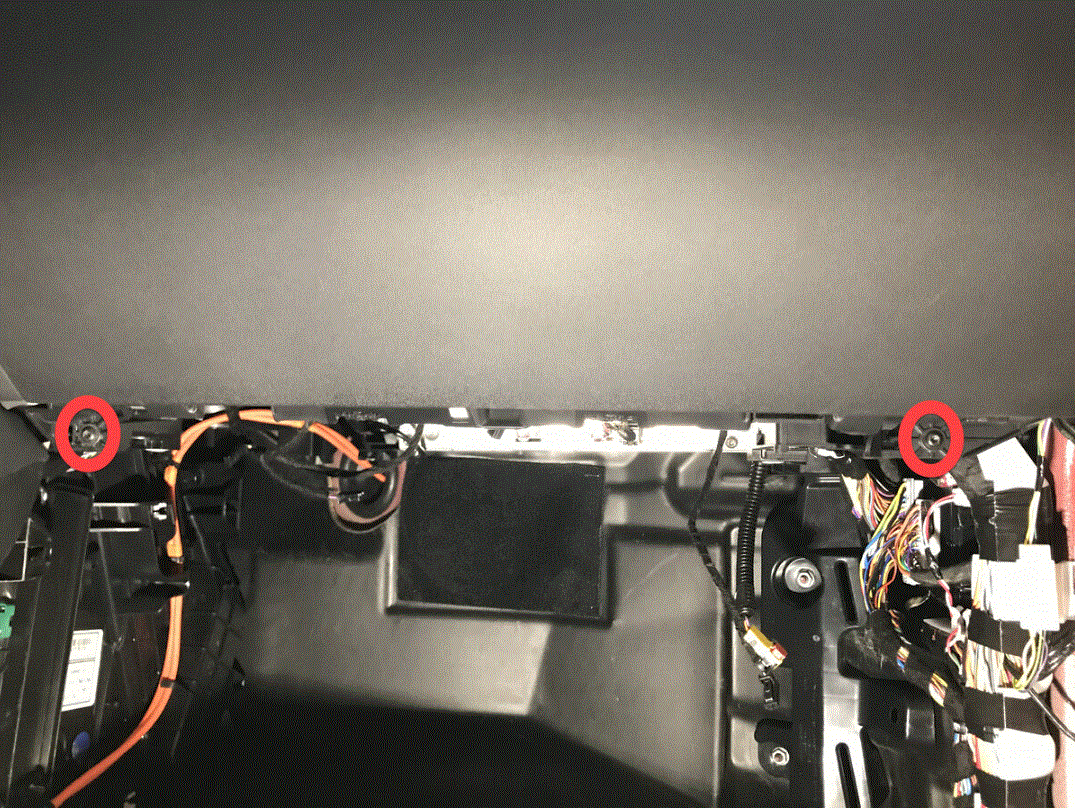 Courtesy of TESLA, INC. Courtesy of TESLA, INC.
|
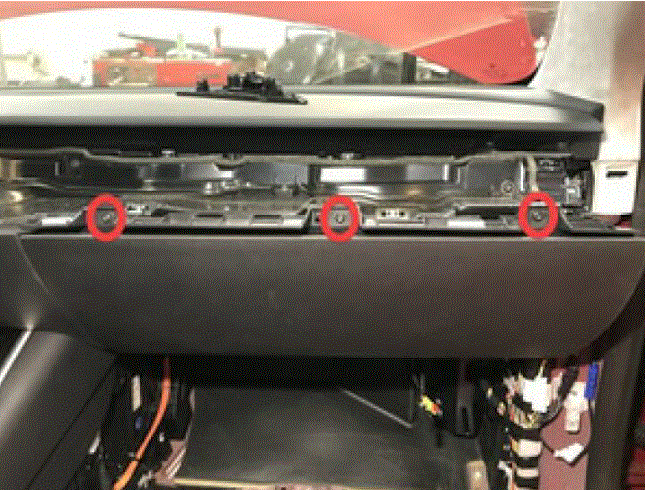 Courtesy of TESLA, INC. Courtesy of TESLA, INC.
|
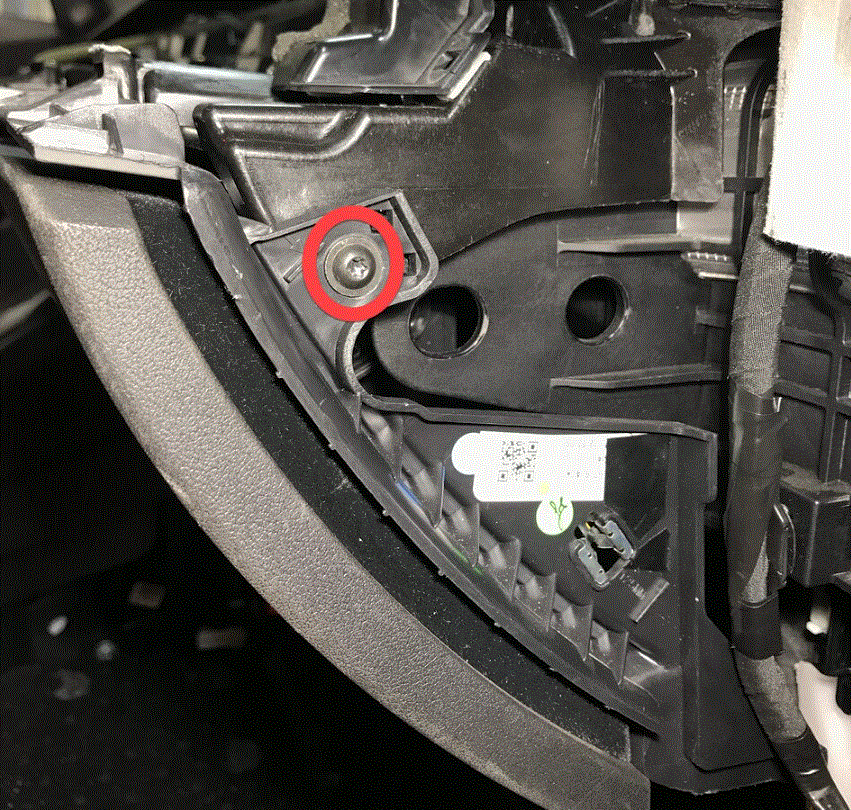 Courtesy of TESLA, INC. Courtesy of TESLA, INC.
|
- Remove glove box from IP carrier
NOTE:
3x clips
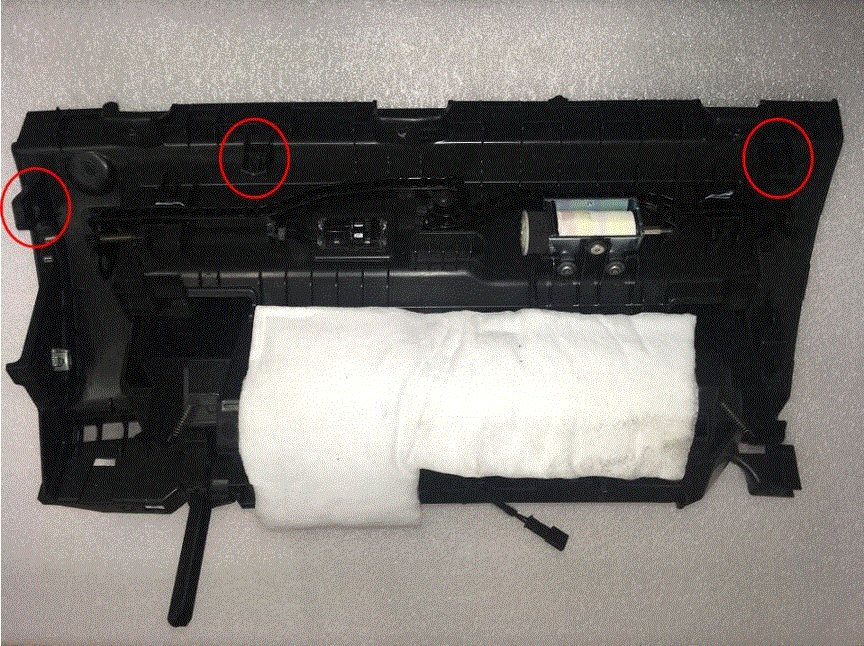 Courtesy of TESLA, INC. Courtesy of TESLA, INC.
|
- Disconnect glove box assembly connectors
NOTE:
3x electrical connectors
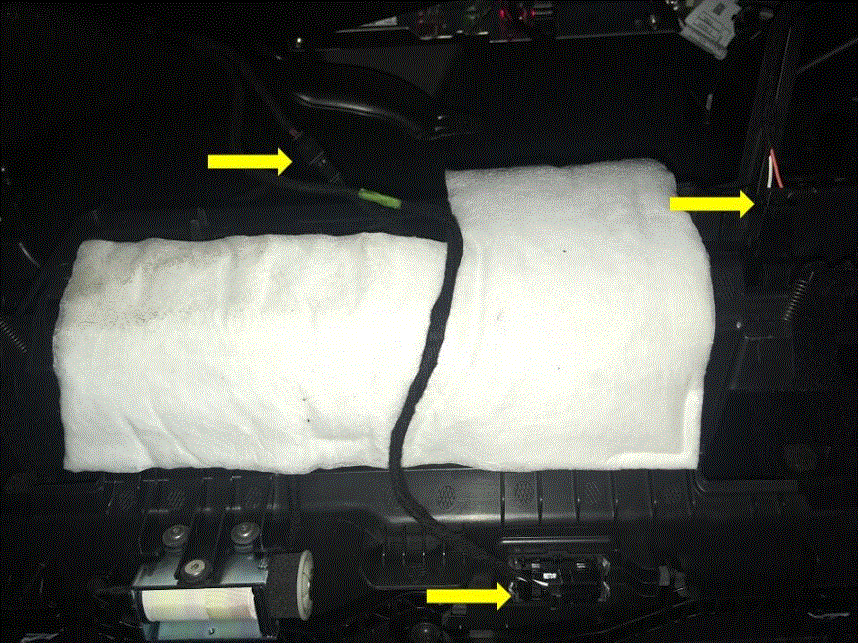 Courtesy of TESLA, INC. Courtesy of TESLA, INC.
|