Trim - Cushion - 2nd Row - RH (Bench Seat) - Remove And Replace: Removal
- Remove the LH 2nd row bench seat assembly. See SEAT ASSEMBLY - 2ND ROW - RH (WITH 2ND ROW BENCH SEATS) (REMOVE AND INSTALL) .
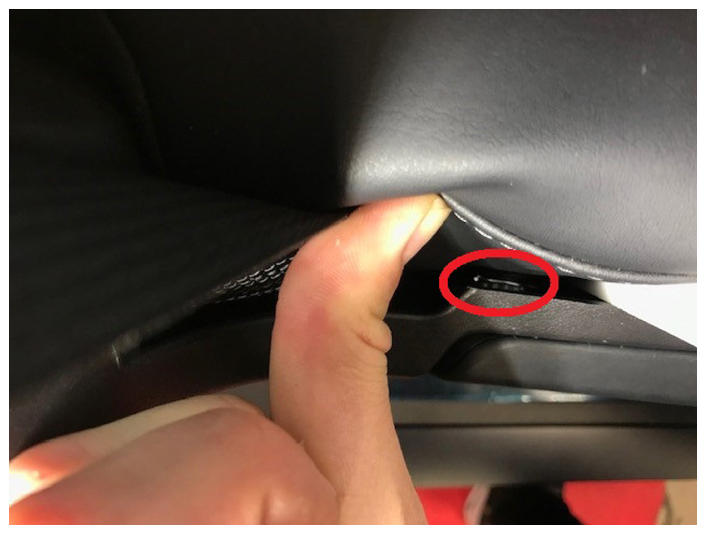
- Push the outer side of the RH seat cushion inward and loosen the spring clip of the seat assembly release handle, and then remove the release handle.
 Courtesy of TESLA, INC. Courtesy of TESLA, INC.
|
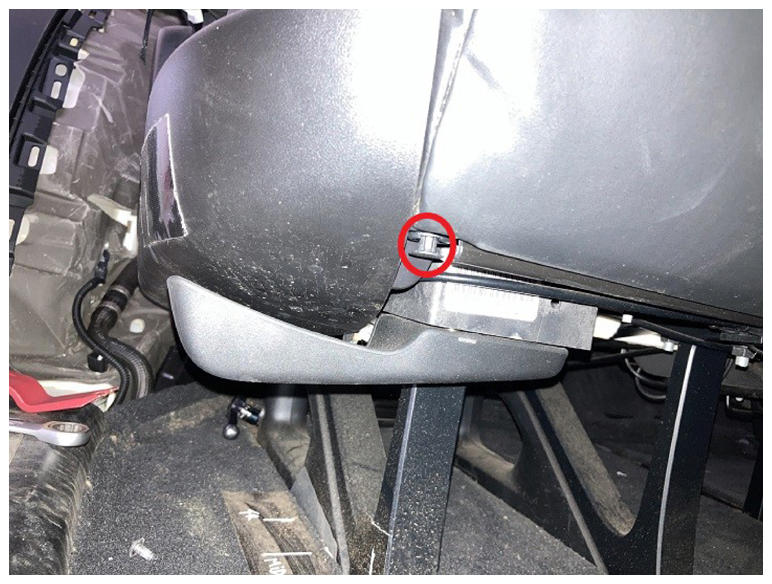
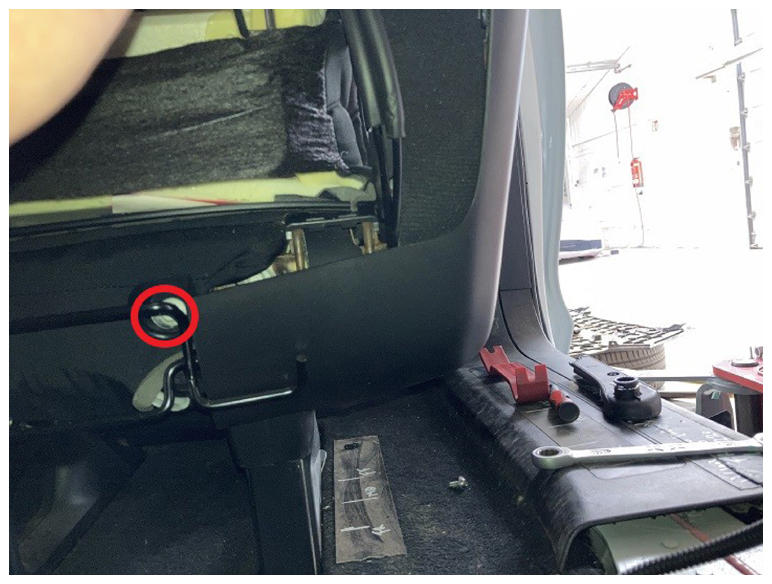
- Release the push clip at the front of the outer side seat trim and loosen the bolt at the rear (torque 2.5 N.m), and then remove the outer side trim.
 Courtesy of TESLA, INC. Courtesy of TESLA, INC.
|
 Courtesy of TESLA, INC. Courtesy of TESLA, INC.
|
- Loosen the bolt (torque 45 N.m) of the RH seat belt, and then remove the seat belt from the RH seat.
- Loosen the bolt (torque 45 N.m) of the RH seat belt buckle, and then remove the seat belt buckle from the RH seat.
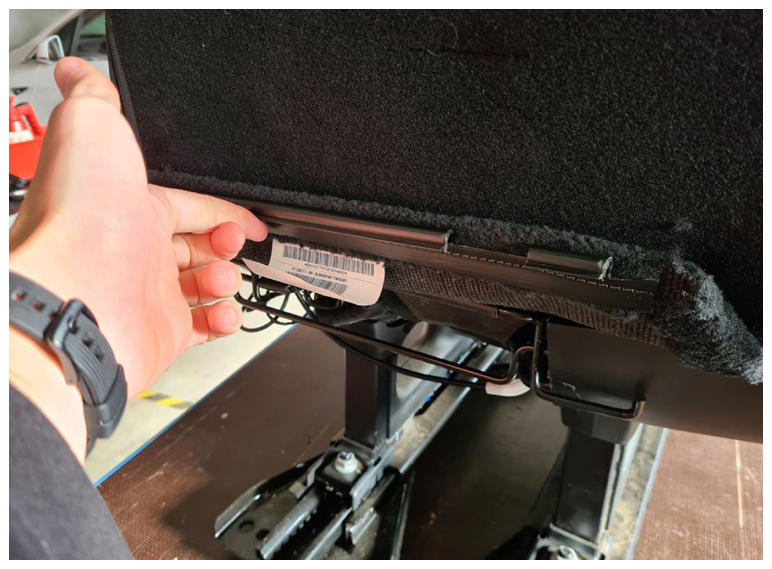
- Loosen the J-hooks (x2) that attach the rear lower seat cover to the seat, and then release the lower cover.
 Courtesy of TESLA, INC. Courtesy of TESLA, INC.
|
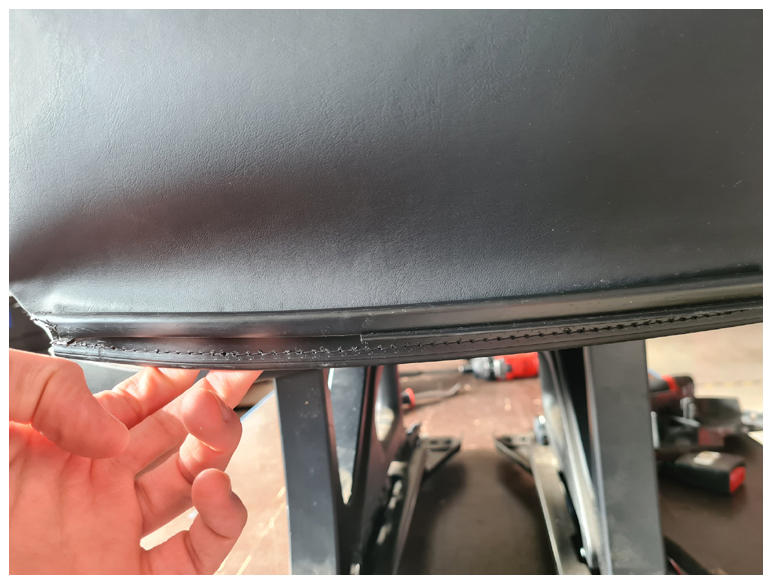
- Loosen the J-hooks (x7) that attach the upholstery to the underside of the bench seat.
 Courtesy of TESLA, INC. Courtesy of TESLA, INC.
|
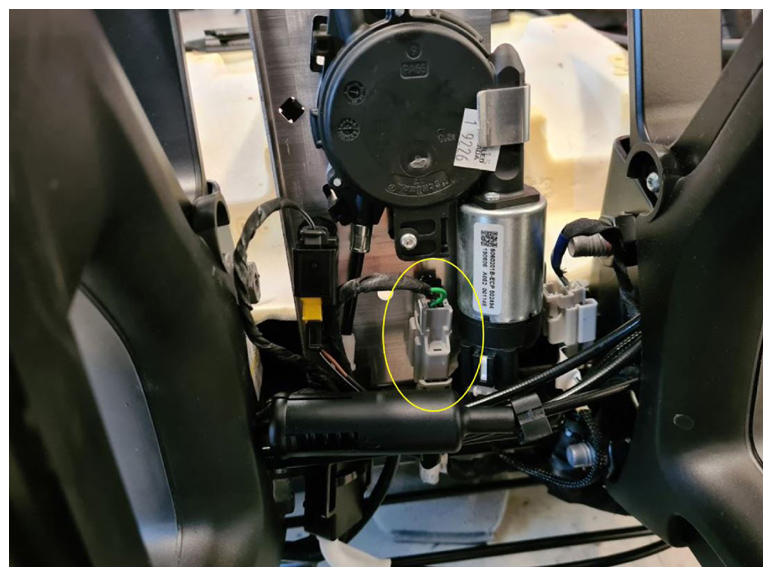
- Disconnect the heat pad.
 Courtesy of TESLA, INC. Courtesy of TESLA, INC.
|
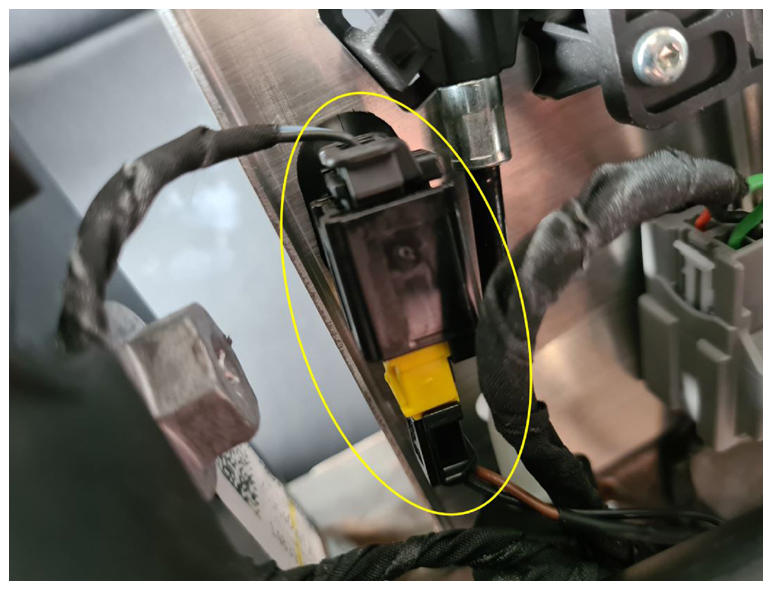
- Disconnect the occupancy sensor.
 Courtesy of TESLA, INC. Courtesy of TESLA, INC.
|
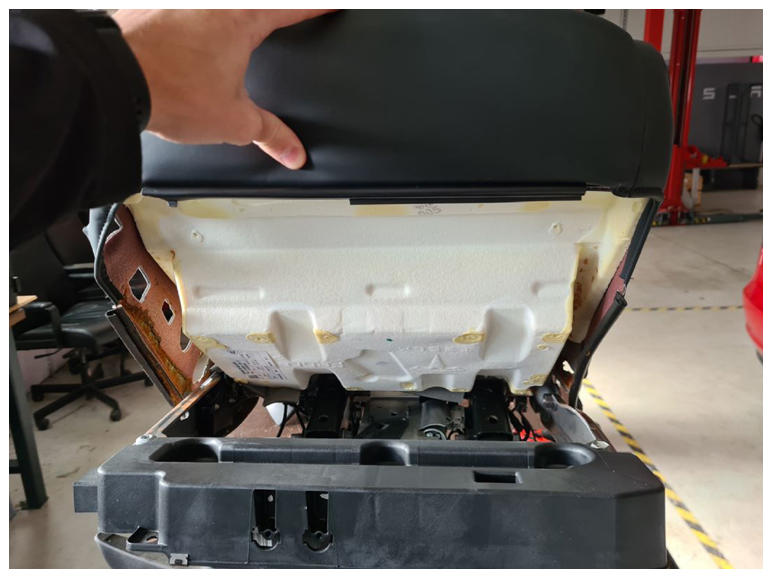
- Remove the cushion trim assembly from the RH rear bench seat.
 Courtesy of TESLA, INC. Courtesy of TESLA, INC.
|