- Remove the MCU Media Control Unit (Remove And Install)
.
- Gently place the MCU on the foam ESD container with the touchscreen facing down.
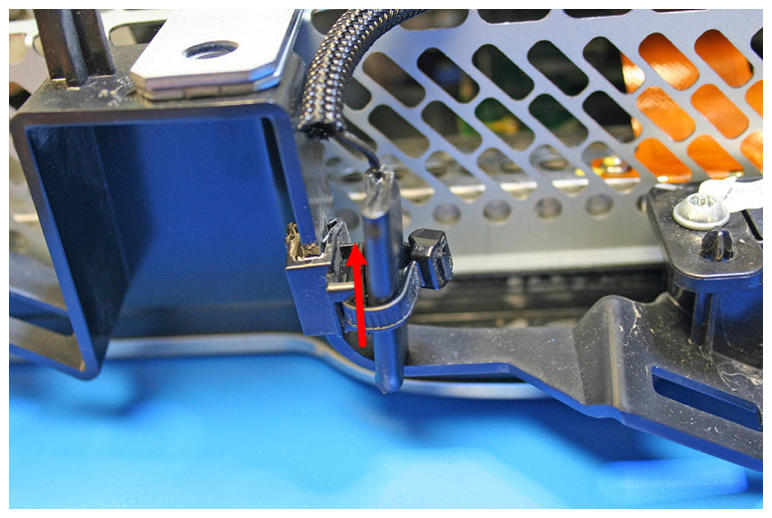
- Release the Bluetooth antenna from the cable tie. If necessary, cut the cable tie.
NOTE:
Components have been removed in this graphic to aid clarity.
 Courtesy of TESLA, INC. Courtesy of TESLA, INC.
|
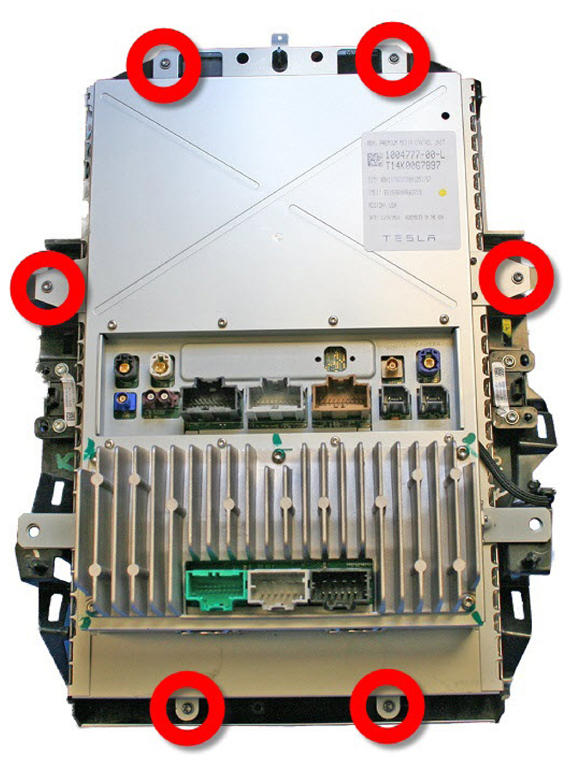
- Remove the screws (x6) that secure the touchscreen surround to the MCU (torque 4 N.m).
 Courtesy of TESLA, INC. Courtesy of TESLA, INC.
|
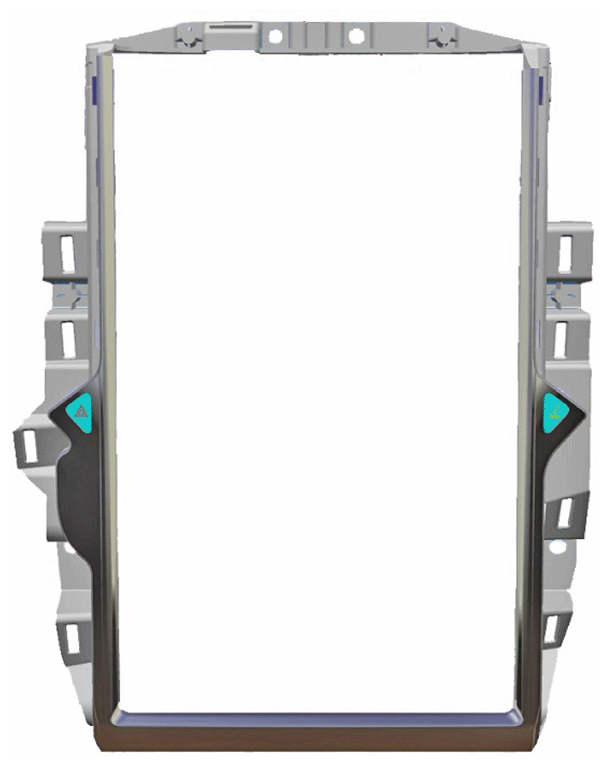
- Lift the MCU and remove the touchscreen surround.
 Courtesy of TESLA, INC. Courtesy of TESLA, INC.
|
- Gently place the MCU back down on the foam ESD container with the touchscreen facing down.
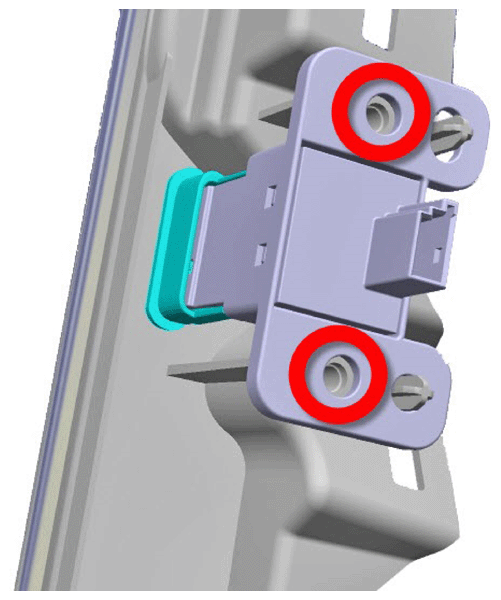
- Remove the screws (x2) that secure the hazard warning switch to the touchscreen surround (1 N.m), and then remove the hazard warning switch from the touchscreen surround.
NOTE:
Components have been removed in this graphic to aid clarity.
 Courtesy of TESLA, INC. Courtesy of TESLA, INC.
|
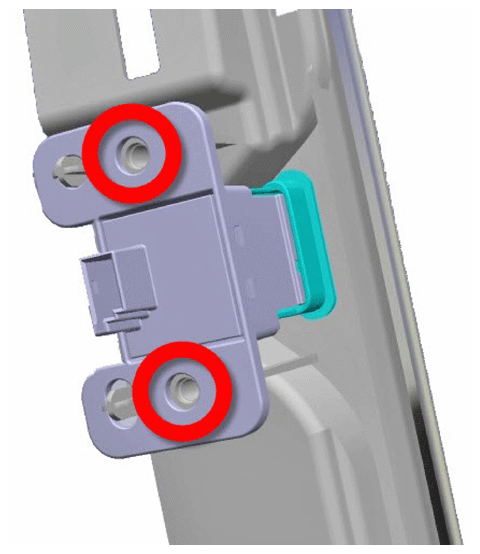
- Remove the screws (x2) that secure the glove box switch to the touchscreen surround (1 N.m), and then remove the glove box switch from the touchscreen surround.
NOTE:
Components have been removed in this graphic to aid clarity.
 Courtesy of TESLA, INC. Courtesy of TESLA, INC.
|