Switch - Steering Wheel - RH - Remove and Replace: Install
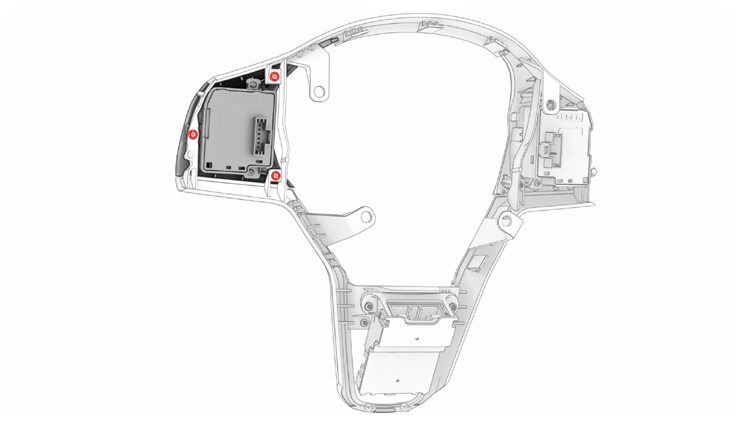
- Install the RH steering wheel switch into the bright surround, and then install the screws (x3) that attach the switch to the surround.
 0.9 N.m (8 in-lbs)
 Courtesy of TESLA, INC. Courtesy of TESLA, INC.
|
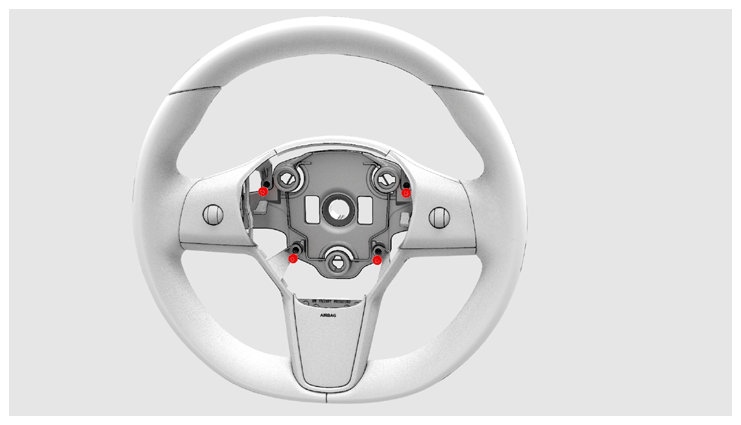
- Install the bright surround into the steering wheel, and then install the screws (x4) that attach the surround to the steering wheel.
5.4 N.m (4.0 ft-lbs)
 Courtesy of TESLA, INC. Courtesy of TESLA, INC.
|
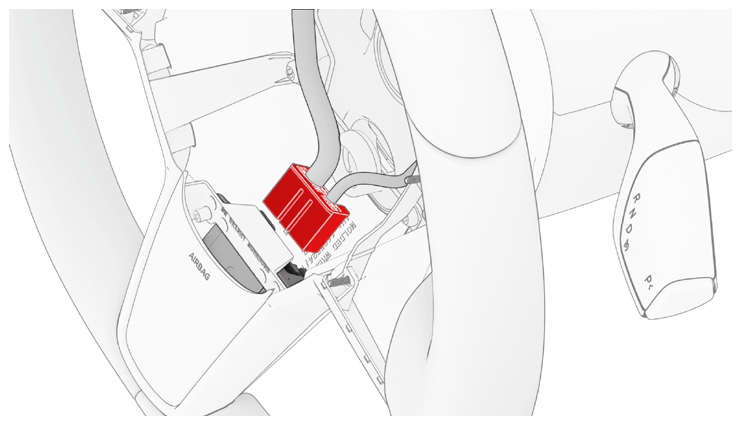
- Install the electrical harness into the steering wheel, and then connect the electrical harness to the lower connector.
 Courtesy of TESLA, INC. Courtesy of TESLA, INC.
|
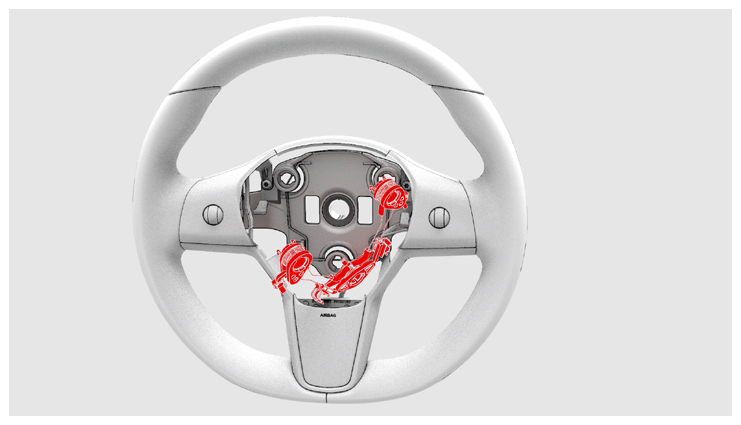
- Move the horn assembly to the center, and then fasten the clips that attach the horn assembly.
 Courtesy of TESLA, INC. Courtesy of TESLA, INC.
|
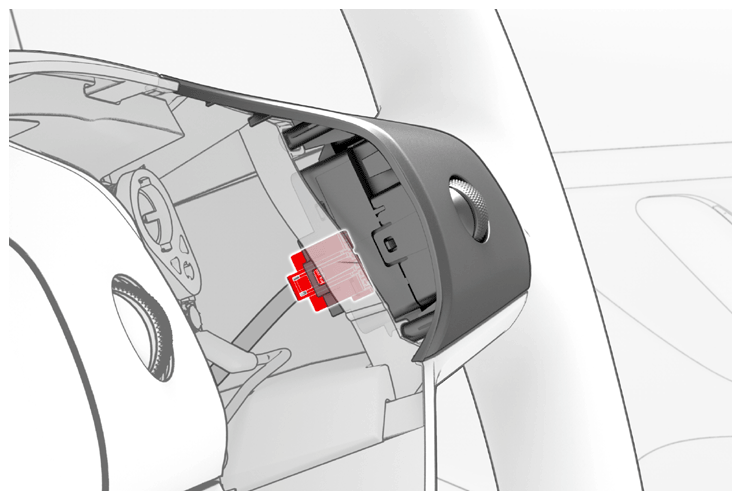
- Connect the electrical harness to the RH steering wheel switch connector.
 Courtesy of TESLA, INC. Courtesy of TESLA, INC.
|
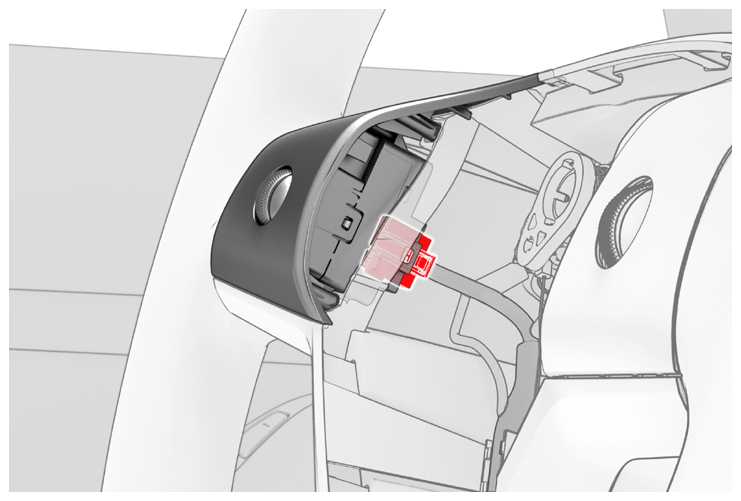
- Connect the electrical harness to the LH steering wheel switch connector.
 Courtesy of TESLA, INC. Courtesy of TESLA, INC.
|
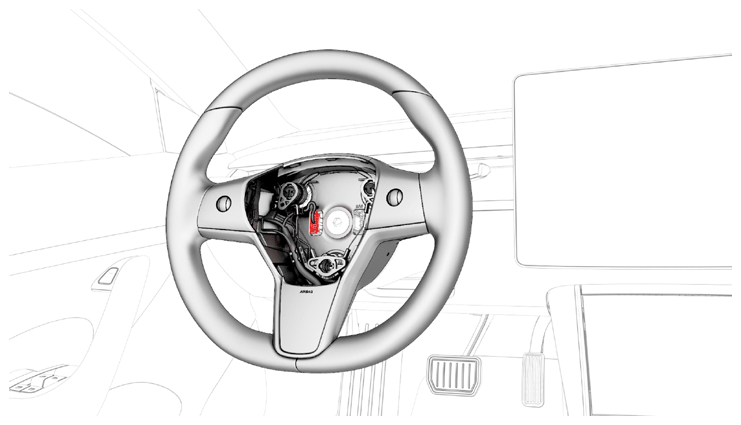
- Connect the steering wheel electrical harness to the connector.
 Courtesy of TESLA, INC. Courtesy of TESLA, INC.
|
- Install the driver airbag. See AIRBAG - DRIVER (REMOVE AND REPLACE)
.
- Reinstall the vehicle firmware. See SOFTWARE REINSTALL - TOUCHSCREEN
.
- Connect a laptop with Toolbox 3 to the vehicle.
- In Toolbox, click the Actions
tab, type "VCLEFT" in the search field, click on TEST-SELF_ VCLEFT_X_SWC
, and then select Run
.
- Click the Actions
tab, type "VCLEFT" in the search field, click on TEST-RESET_ VCLEFT
, and then select Run
.
- Disconnect the laptop from the vehicle.