Event Record Data: Operation
- On [Start] display, select [Diagnosis].
- On [Vehicle selection] display, input the target vehicle information and select [OK].
- On [Main Menu] display, select [Each System].
- On [Select System] display, select [Airbag], and then select [Enter].
- On [Select Function] display, select [Work Support].
- On [Work Support] display, select [Event Record Data].
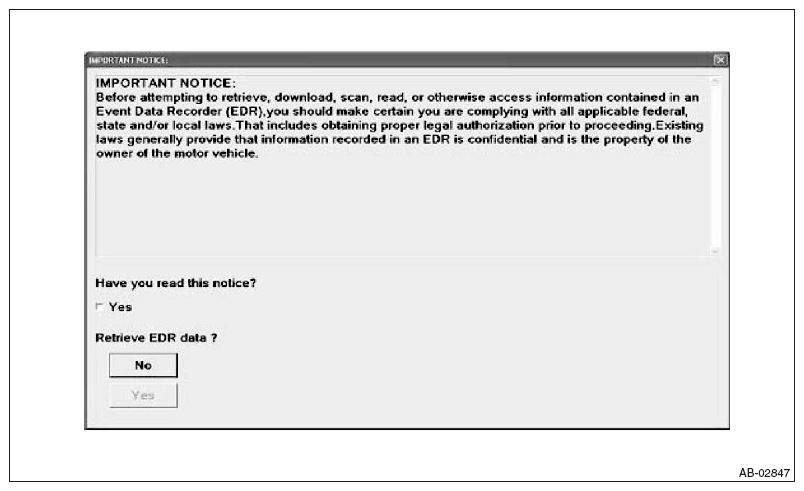
- On [Airbag System] display, select the event record data screen. After selection is complete, [Confirmation of Important Items] display appears.
- After checking the content of [Confirmation of Important Items], click the check box for "Yes".
- If the applicable law is not violated, click the [Yes] button to display the EDR data.
 Courtesy of SUBARU OF AMERICA, INC.
- Select the items to be checked from each event record data.
- Select the record data to be checked from each record data.
- The selected record data is displayed. When no EDR data is recorded, [Event Record Data is not recorded] will be displayed.
- Select [Exit] to return to each event record data screen.