Removing Cover On Rear Centre Console
WARNING: This page is about a different car, the 2023 Porsche Cayenne, 2022 Porsche Cayenne, 2021 Porsche Cayenne, and 2020 Porsche Cayenne. However, it is still accessible from the selected car via links, so may be relevant.
- Detach front cover.
- 1.1 Unclip cover on -1-
a suitable tool at the front. -Arrows-
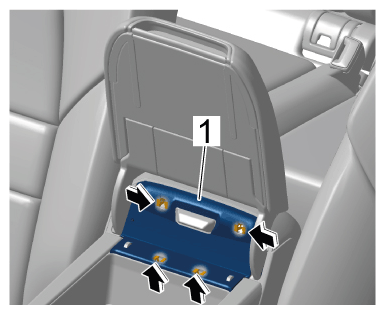 Courtesy of PORSCHE CARS NORTH AMERICA, INC. Courtesy of PORSCHE CARS NORTH AMERICA, INC.
|
Cover
- 1.2 Unclip microswitch. -2-
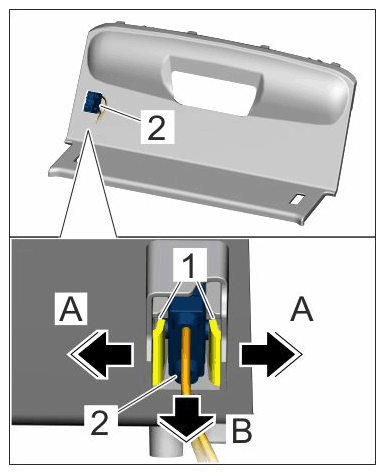 Courtesy of PORSCHE CARS NORTH AMERICA, INC. Courtesy of PORSCHE CARS NORTH AMERICA, INC.
|
Microswitch
- 1.2.1 Swivel cover aside until the microswitch is accessible.
- 1.2.2 Release locking lugs. -1-Arrows A-
- 1.2.3 Remove microswitch. -2-Arrows B-
- Removing cover on rear centre console
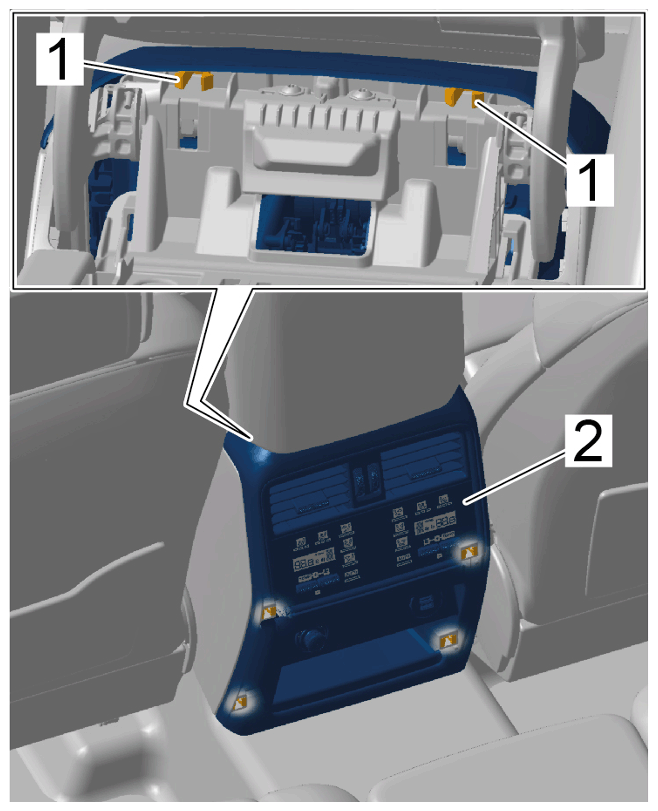 Courtesy of PORSCHE CARS NORTH AMERICA, INC. Courtesy of PORSCHE CARS NORTH AMERICA, INC.
|
Cover on rear centre console
- 2.1 Press retaining lugs -1-
together.
- 2.2 Unclip rear centre console cover -2-
using a plastic wedge.
- 2.3 Pull rear centre console cover -1-
to the rear -Arrow A-
and disengage it from the brackets. -2-Arrow B-
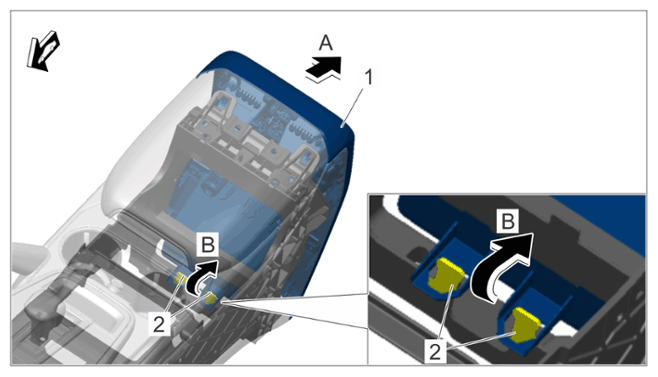 Courtesy of PORSCHE CARS NORTH AMERICA, INC. Courtesy of PORSCHE CARS NORTH AMERICA, INC.
|
Cover on rear centre console
- Release and disconnect electric plug connection at 12 V plug socket -1-
and electric plug connection at USB interface. -2-
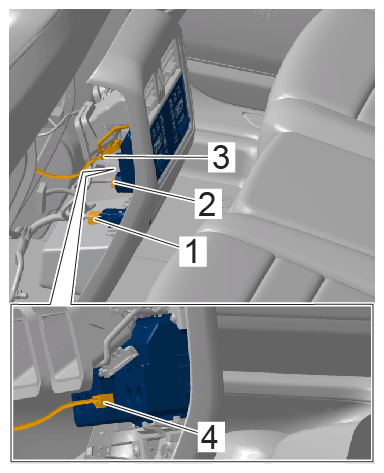 Courtesy of PORSCHE CARS NORTH AMERICA, INC. Courtesy of PORSCHE CARS NORTH AMERICA, INC.
|
Electric plug connections
- Release and disconnect electric plug connection for air vent lighting -3-
and electric plug connection on rear operator control unit. -4-
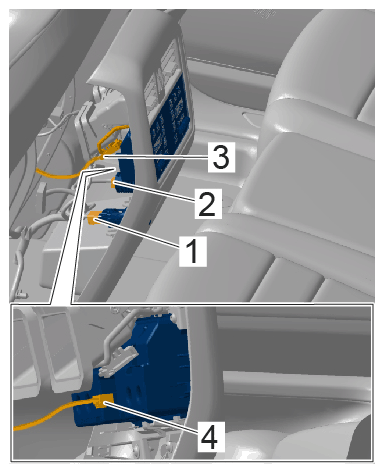 Courtesy of PORSCHE CARS NORTH AMERICA, INC. Courtesy of PORSCHE CARS NORTH AMERICA, INC.
|
Electric plug connections