Removing Reversing Camera
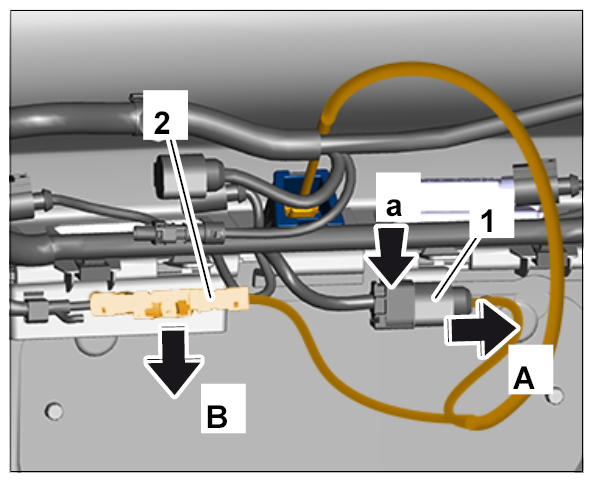
- Release electric plug connection -1-
(-a-
) and disconnect it -A-
.
- Remove antenna line -2-
from the bracket -B-
.
 Courtesy of PORSCHE CARS NORTH AMERICA, INC.
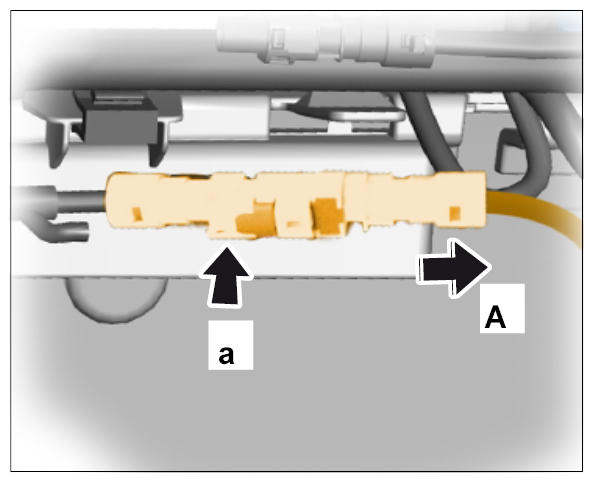
- Release antenna line -a-
and pull it off -A-
.
 Courtesy of PORSCHE CARS NORTH AMERICA, INC.
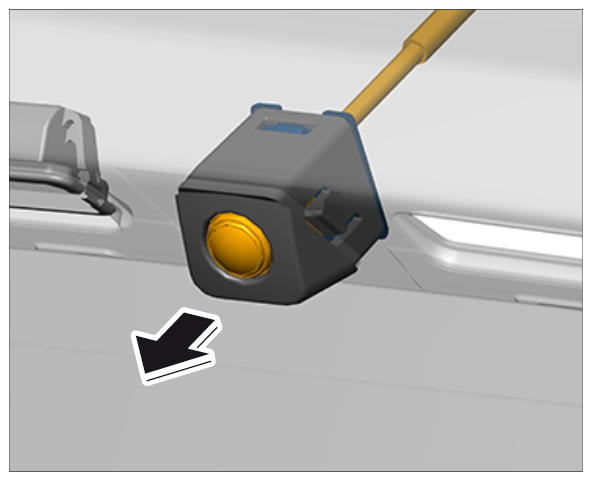
- Unclip reversing camera including cover from the rear apron and remove it -arrow-
.
 Courtesy of PORSCHE CARS NORTH AMERICA, INC.
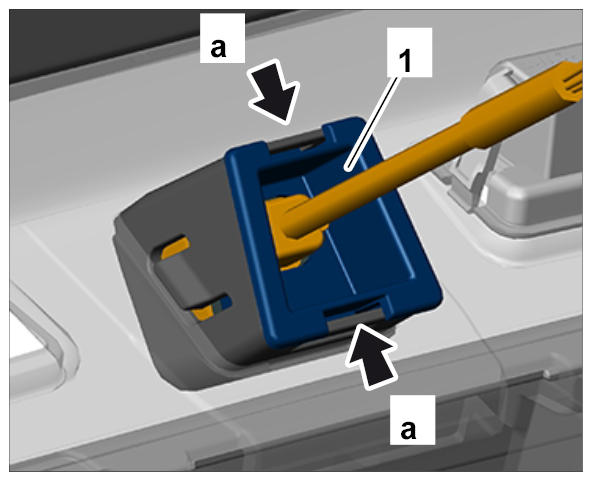
- Unclip reversing camera -1-
from the cover -a-
and remove it.
 Courtesy of PORSCHE CARS NORTH AMERICA, INC.