Installing Mobile Communication Antenna
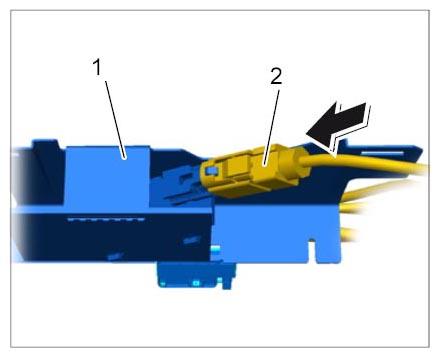
- Plug in antenna connector -2-
(-arrow-
) until the antenna connector -2-
engages securely.
 Courtesy of PORSCHE CARS NORTH AMERICA, INC.
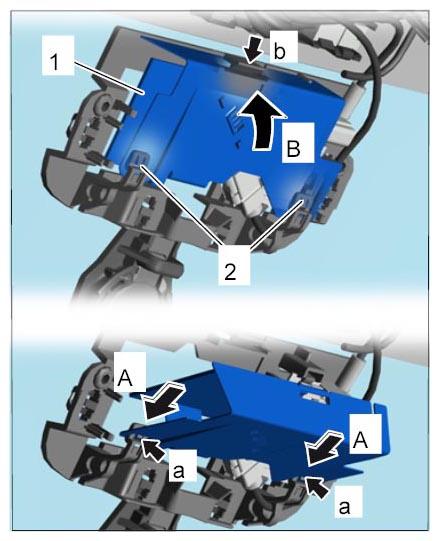
- Install mobile communication antenna.
- 2.1. Slide the mobile communication antenna -1-
onto the plastic clips -2-
(-A-
) until the mobile communication antenna -1-
locks securely -a-
.
- 2.2. Swivel the mobile communication antenna -1-
into position -B-
until the mobile communication antenna locks securely in the plate -b-
.
 Courtesy of PORSCHE CARS NORTH AMERICA, INC.
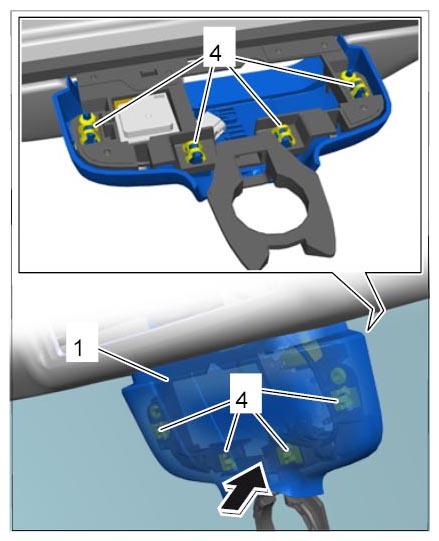
- Clip in cover -1-
on GPS antenna -A-
.
 Courtesy of PORSCHE CARS NORTH AMERICA, INC.