Replacing Rear Logo: Notes
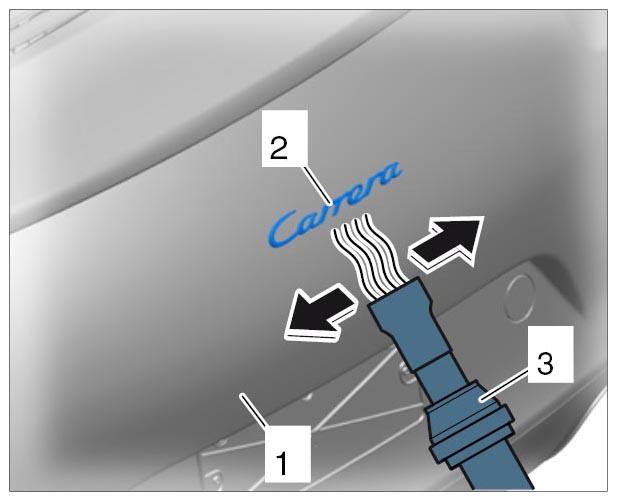
- Heat the rear apron.
- 1.1. Heat the rear apron -1-
close to the logo -2-
using the hot-air blower v.a.g 1416 -3-
.
 Courtesy of PORSCHE CARS NORTH AMERICA, INC.
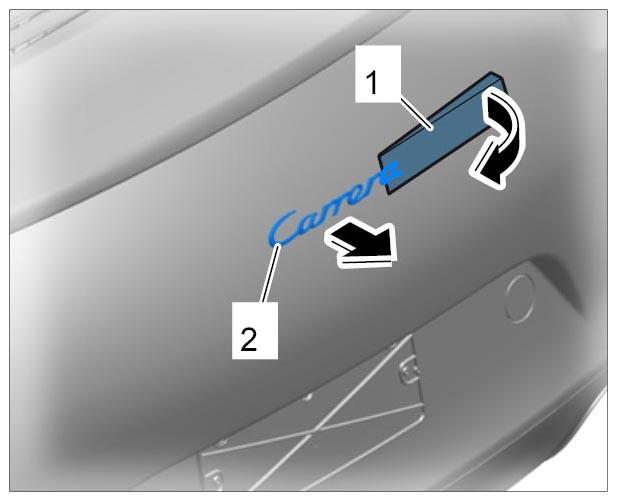
- Price off the logo using a plastic spatula.
- 2.1. Insert a plastic spatula -1-
under the logo -2-
and price it off.
 Courtesy of PORSCHE CARS NORTH AMERICA, INC.
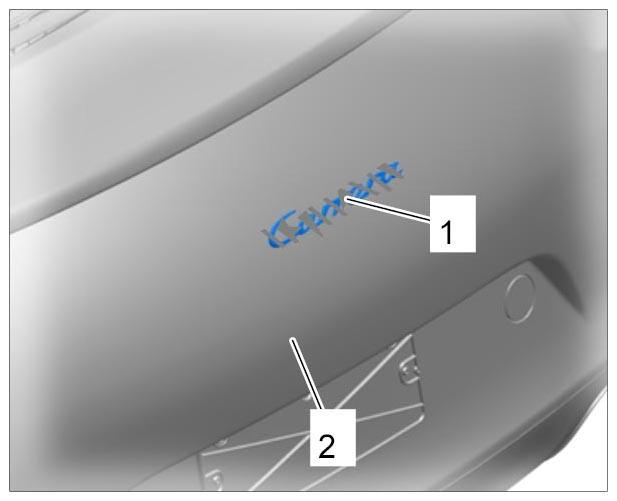
- Clean the rear apron.
- 3.1. Loosen adhesive residue -1-
on the rear apron -2-
using silicone remover and remove it.
 Courtesy of PORSCHE CARS NORTH AMERICA, INC.