Removing Switching Element For Filler Flap
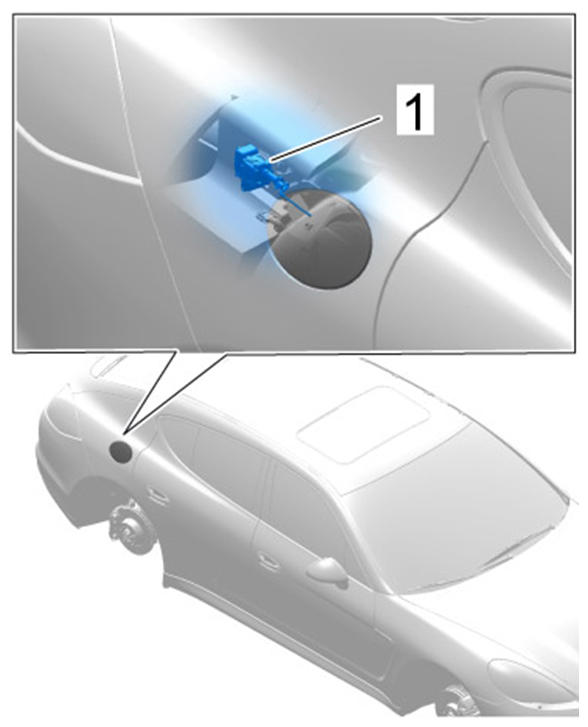 Courtesy of PORSCHE CARS NORTH AMERICA, INC.
- Switch off ignition.
- Loosen control unit for electronic parking brake.
- 2.1. Unscrew fastening screws -3-
.
- 2.2. Lay the control unit aside (do not disconnect plug connection).
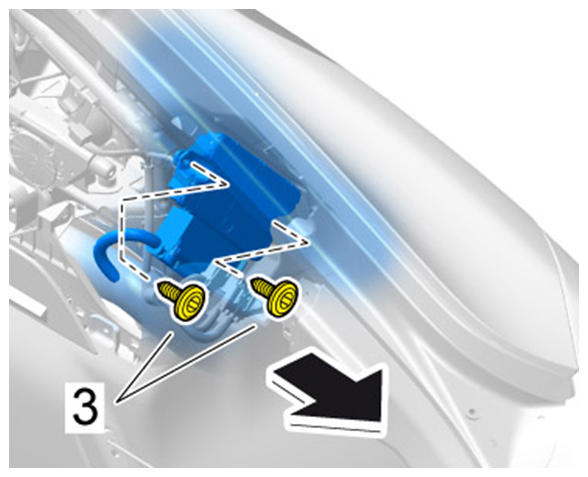 Courtesy of PORSCHE CARS NORTH AMERICA, INC.
- Loosen fastening screws -2-
for switching element for filler flap -1-
by approx. three turns.
- Pull switching element -1-
to the rear and remove it from the bracket.
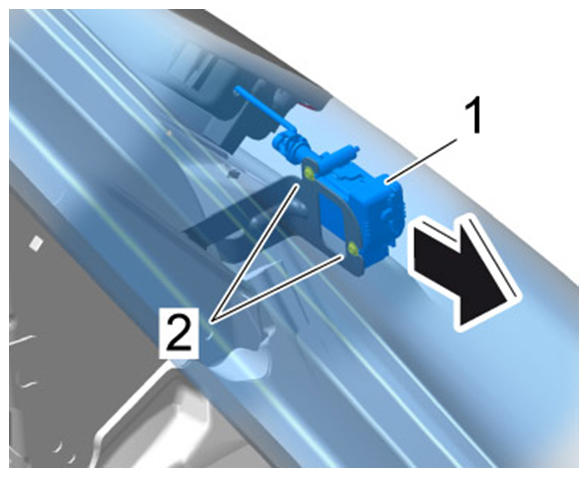 Courtesy of PORSCHE CARS NORTH AMERICA, INC.
- Release the plug connection -a-
and pull it off -A-
.
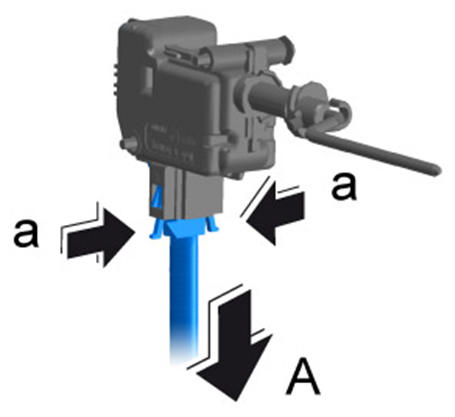 Courtesy of PORSCHE CARS NORTH AMERICA, INC.