Removing Front Camera
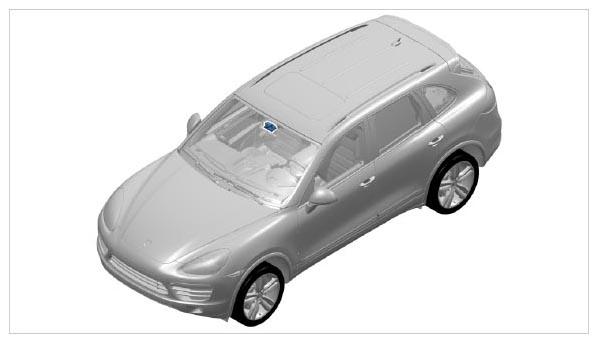 Courtesy of PORSCHE CARS NORTH AMERICA, INC.
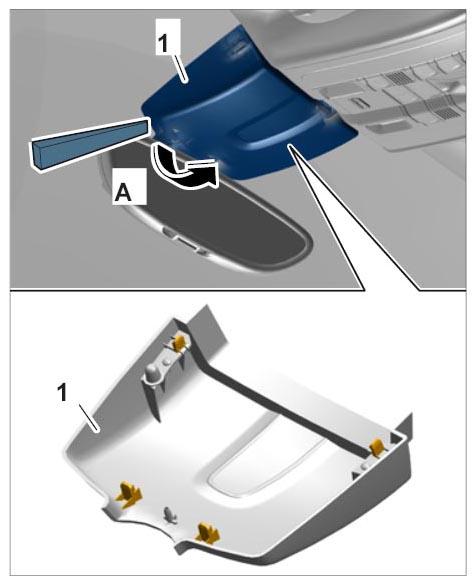
- Carefully unclip cover on front camera -1-
at the bottom first and then at the sides using a plastic wedge and remove it -A-
.
 Courtesy of PORSCHE CARS NORTH AMERICA, INC.
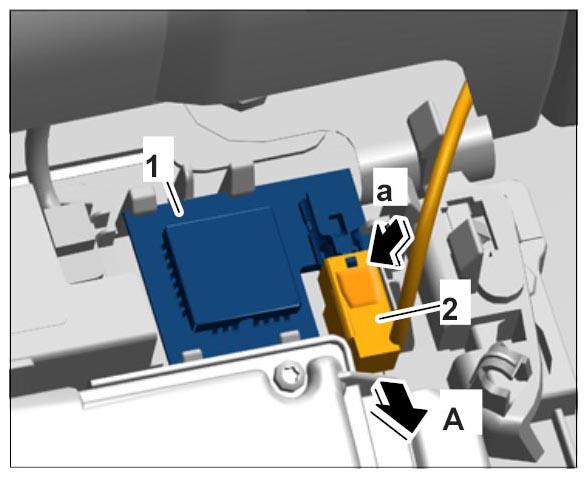
- Unclip GPS antenna -1-
and release electric plug connection -2-
(-a-
) and pull it off -A-
.
 Courtesy of PORSCHE CARS NORTH AMERICA, INC.
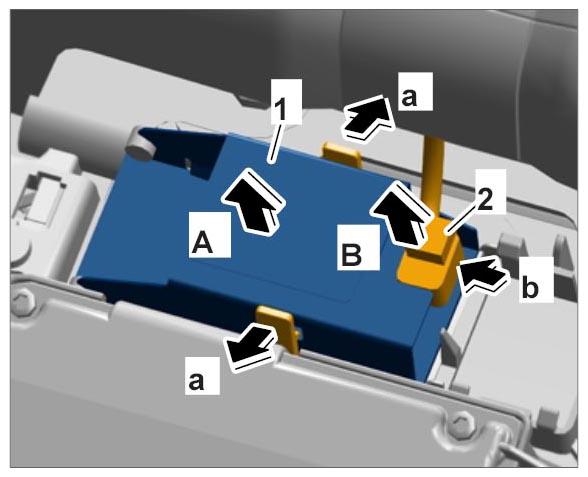
- Unclip GSM antenna -1-
(-a-
) and remove it -A-
. Release electric plug connection -2-
(-b-
) and disconnect it -B-
.
 Courtesy of PORSCHE CARS NORTH AMERICA, INC.
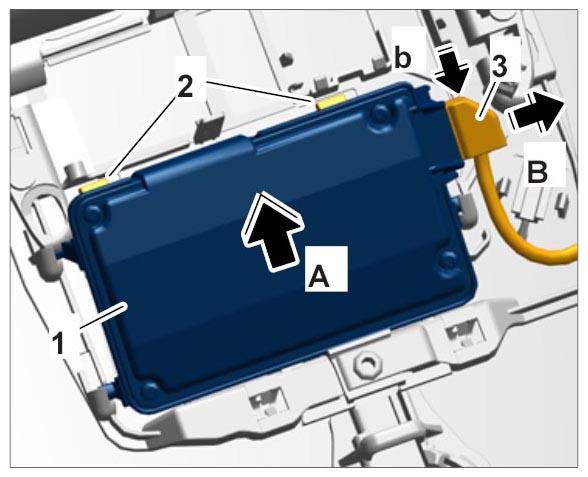
- Unclip front camera -1-
(-2-
) and press it up and out -A-
.
- Release electric plug connection -3-
(-b-
) and disconnect it -B-
.
 Courtesy of PORSCHE CARS NORTH AMERICA, INC.