Removing Plenum Panel Cover
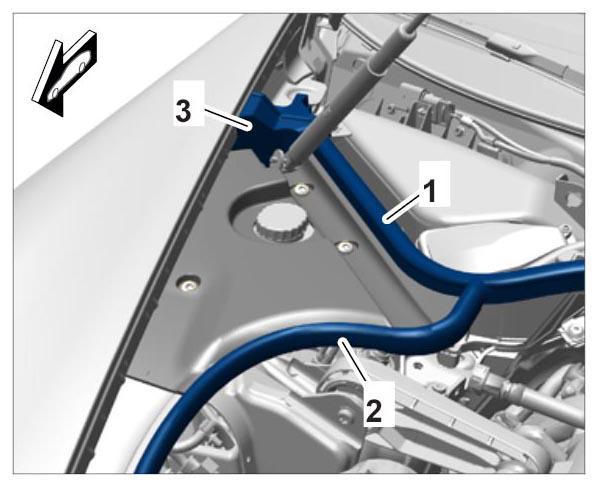
- Loosen the rear lid seal -1-
.
- 1.1. Lift up the foam corner piece -3-
.
 Courtesy of PORSCHE CARS NORTH AMERICA, INC.
- 1.2. Pull seal off as far as required until the plenum panel cover is free.
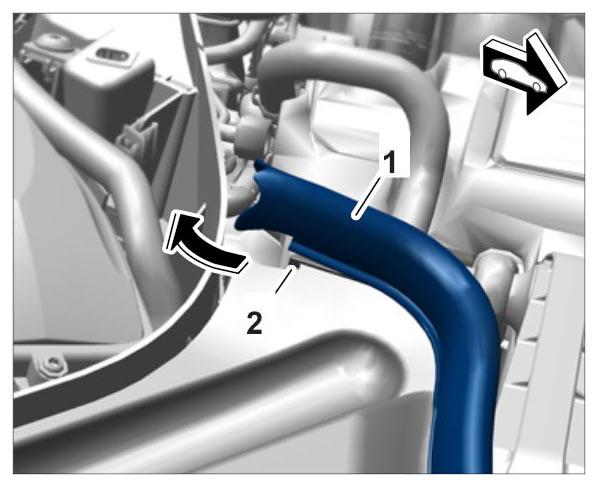
- Detach front profile seal on the lid -2-
.
- 2.1. Pull the end -1-
of the front profile seal off the retaining lug -2-
against the direction of travel.
 Courtesy of PORSCHE CARS NORTH AMERICA, INC.
- 2.2. Lift up the seal and pull it off as far as required until the plenum panel cover is free.
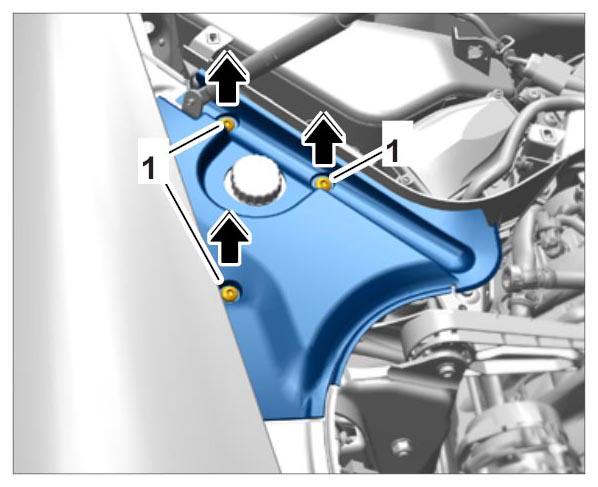
- Unscrew and remove the three fastening screws -1-
.
 Courtesy of PORSCHE CARS NORTH AMERICA, INC.
- Remove plenum panel cover.