Removing Steering-Column Switch
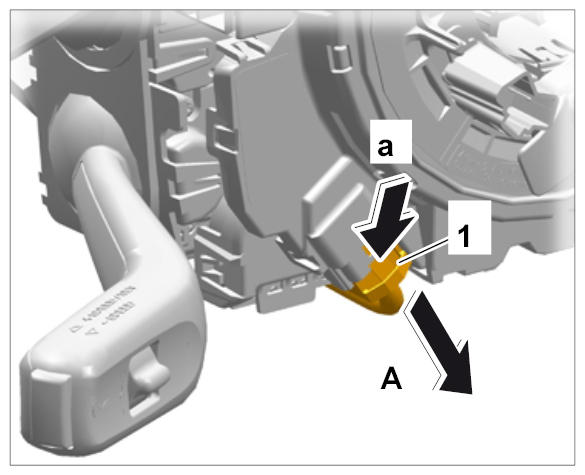
- Release electric plug connection -1-
(-a-
) and pull it off -A-
.
 Courtesy of PORSCHE CARS NORTH AMERICA, INC.
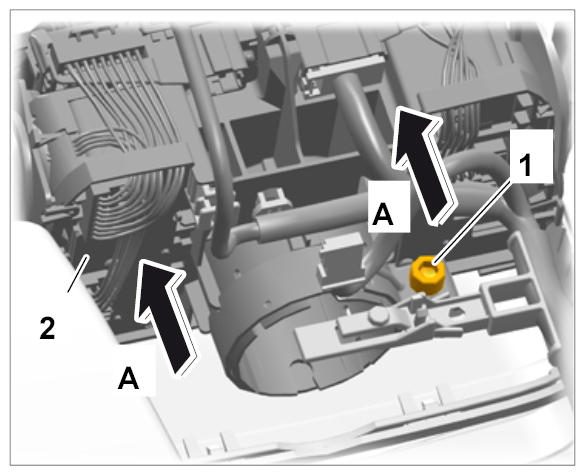
- Unscrew and remove clamping screw -1-
.
 Courtesy of PORSCHE CARS NORTH AMERICA, INC.
- Pull steering-column switch -2-
with control unit for steering wheel electronics off the steering column -A-
.
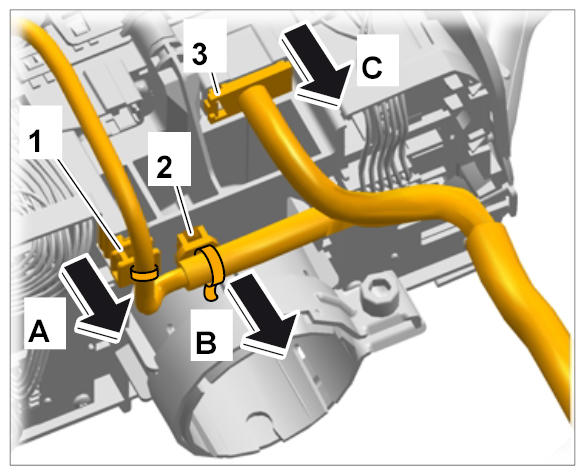
- Unclip clip -1-
using a screwdriver -A-
.
- Unclip clip -2-
using a screwdriver -B-
.
- Release electric plug connection -3-
and pull it off -C-
.
 Courtesy of PORSCHE CARS NORTH AMERICA, INC.