Removing Trim Panel On Steering Column Switch
- To remove the trim panel on the steering column switch, move the steering wheel to a suitable position.
- Remove trim panel on steering column switch.
- 2.1. Remove lower trim panel on the steering column switch.
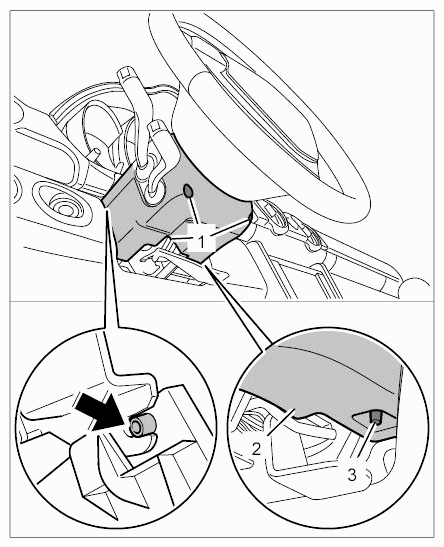 Courtesy of PORSCHE CARS NORTH AMERICA, INC.
- 2.1.1. Remove screws -1-
.
- 2.1.2. Press off retaining clip -3-
on lower trim panel -2-
.
- 2.1.3. Lift lower trim panel -2-
slightly and disengage it from the upper trim panel.
- 2.2. Remove upper trim panel on steering column switch.
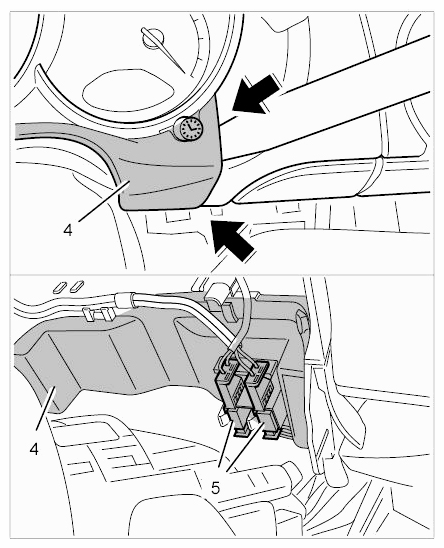 Courtesy of PORSCHE CARS NORTH AMERICA, INC.
- 2.2.1. Press upper trim panel -4-
off using an assembly wedge -arrows-
.
- 2.2.2. Disconnect electric plug connections -5-
and remove upper trim panel -4-
.