Removing Rear Wheel Cover
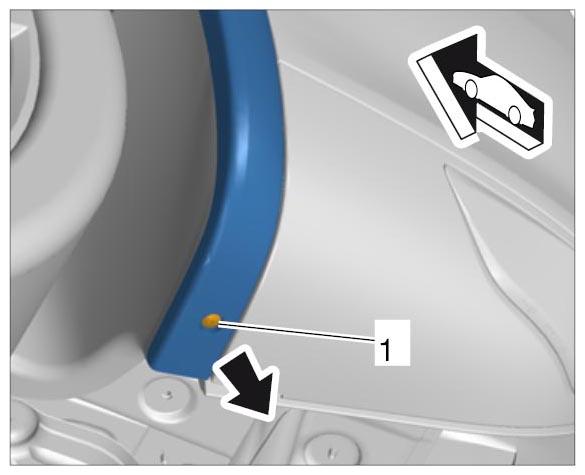
- Unscrew lower fastening screw -1-
.
 Courtesy of PORSCHE CARS NORTH AMERICA, INC.
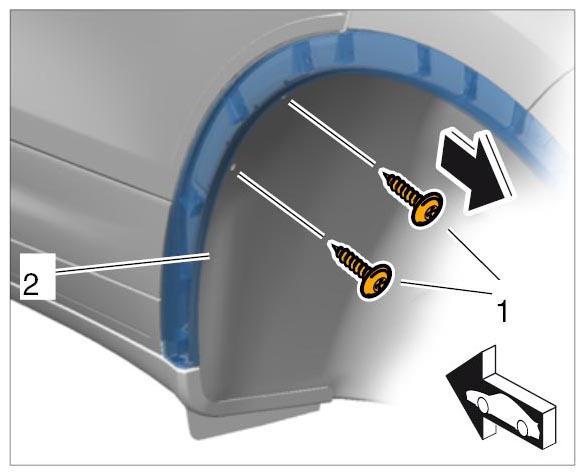
- Unscrew fastening screws -1-
from the wheel housing liner -2-
.
 Courtesy of PORSCHE CARS NORTH AMERICA, INC.
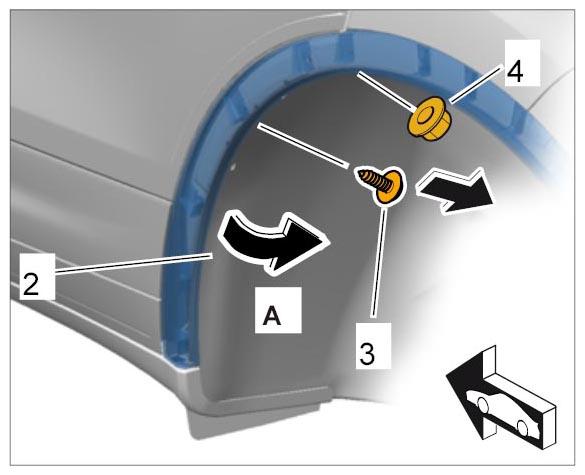
- Press the wheel housing liner -2-
aside -A-
and unscrew the fastening screw -3-
and fastening nut -4-
from the inside.
 Courtesy of PORSCHE CARS NORTH AMERICA, INC.
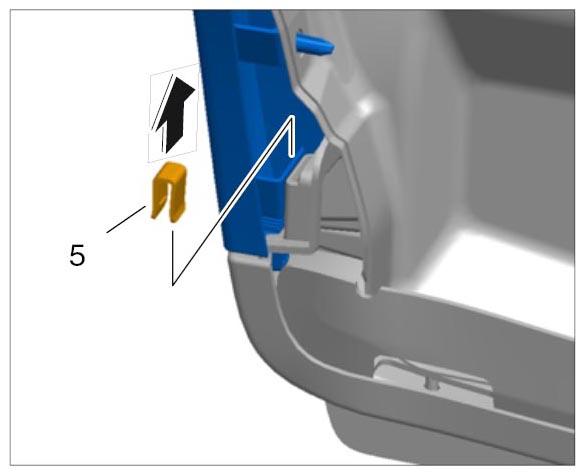
- Pull off retaining clip -5-
.
 Courtesy of PORSCHE CARS NORTH AMERICA, INC.
- Remove wheel cover.
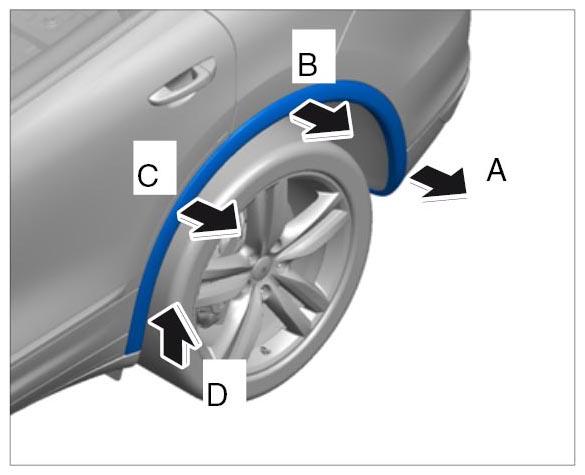
- 5.1. Unclip wheel cover from the body evenly all the way around using an assembly wedge -arrows A, B and C-
.
- 5.2. Pull the wheel cover up and off -arrow D-
.
 Courtesy of PORSCHE CARS NORTH AMERICA, INC.