Installing Auxiliary Brake Light
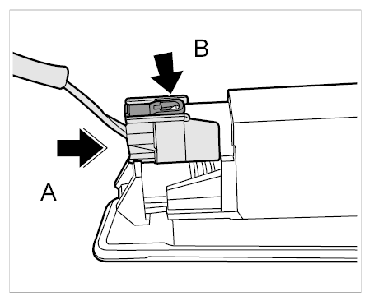
- Push the connector onto the auxiliary brake light -Arrow A-
until the locking lug -B-
is felt to engage.
 Courtesy of PORSCHE CARS NORTH AMERICA, INC.
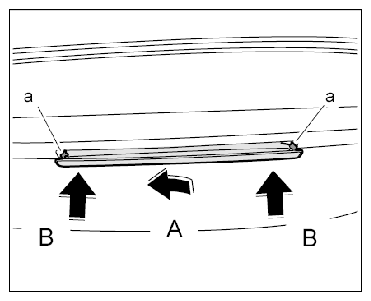
- Install auxiliary brake light.
- 2.1. Guide the connector side of the auxiliary brake light into the opening -Arrow A-
.
- 2.2. Push the auxiliary brake light in evenly on both sides -Arrows B-
until the locking lugs -a-
engage securely.
 Courtesy of PORSCHE CARS NORTH AMERICA, INC.
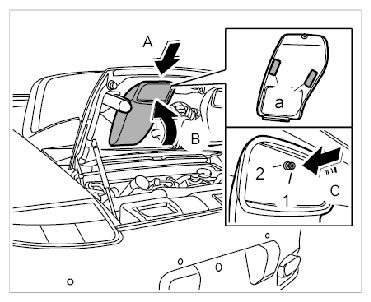
- Installing left air guide
- 3.1. Remove the remains of the old double-sided adhesive tape strips -a-
and stick on strips of new double-sided adhesive tape.
- 3.2. Insert the air guides -Arrow A-
and fold them up -Arrow B-
.
- 3.3. Insert the clip -2-
and press in the screw-in pin -1-
(-Arrow C-
).
 Courtesy of PORSCHE CARS NORTH AMERICA, INC.