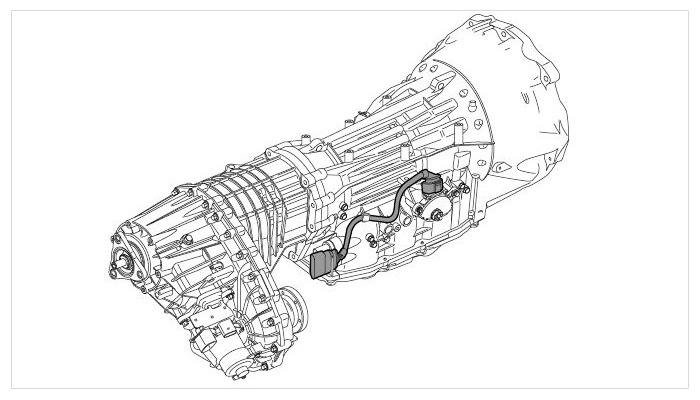
Removing Tiptronic Wire Harness
 Courtesy of PORSCHE CARS NORTH AMERICA, INC.
 Courtesy of PORSCHE CARS NORTH AMERICA, INC.
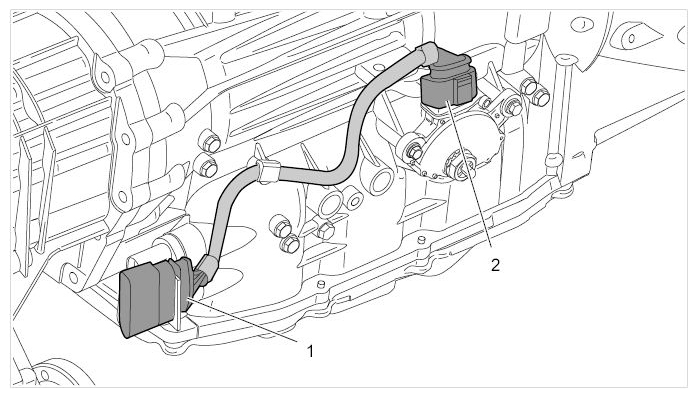
- Connector for main wire harness
- Connector for multi-functional switch
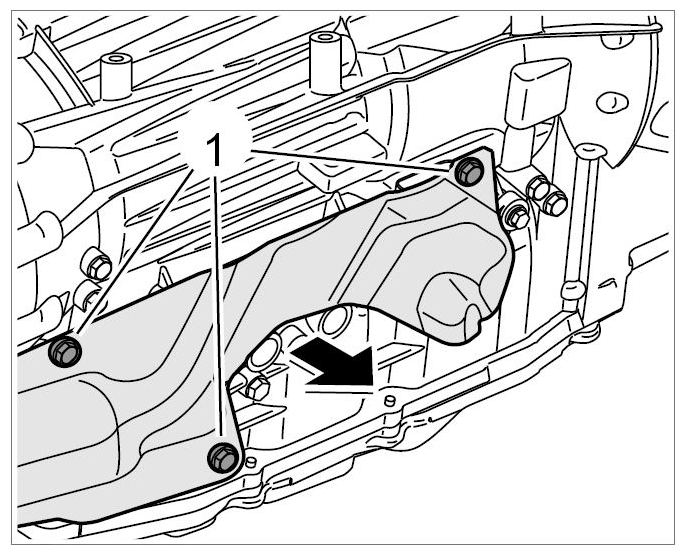
- Unscrew fastening screws -1-
and remove the heat shield -Arrow-
.
 Courtesy of PORSCHE CARS NORTH AMERICA, INC.
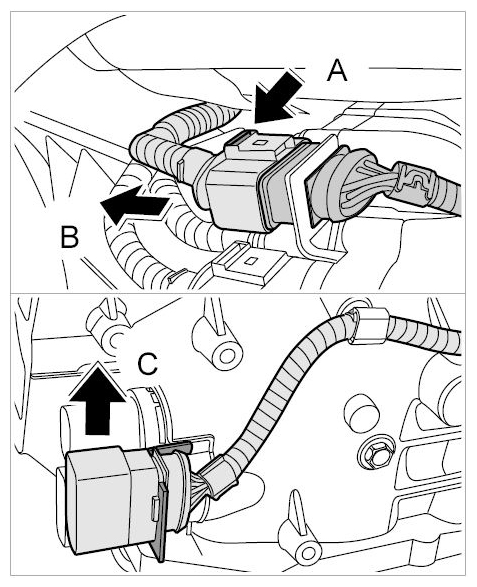
- Release the connector -Arrow A-
and pull it off -Arrow B-
.
 Courtesy of PORSCHE CARS NORTH AMERICA, INC.
- Remove the socket from the bracket -Arrow C-
.
- Open the clip -Arrow A-
and remove the line -Arrow B-
.
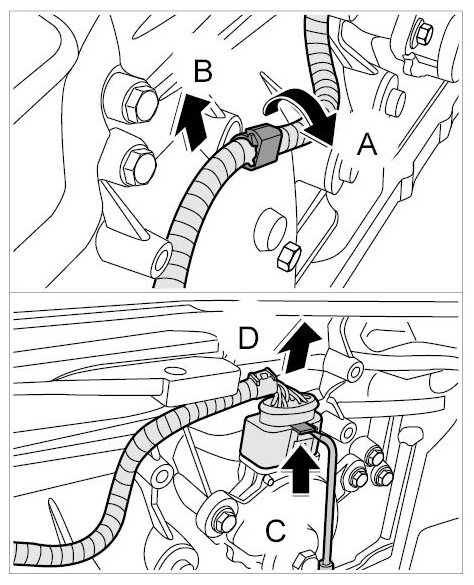 Courtesy of PORSCHE CARS NORTH AMERICA, INC.
- Release the connector using an angled piece of wire (approx. 2 mm in diameter) -Arrow C-
and push it down off the multi-functional switch -Arrow D-
.