Removing Cover Under Dashboard On The Driver's Side
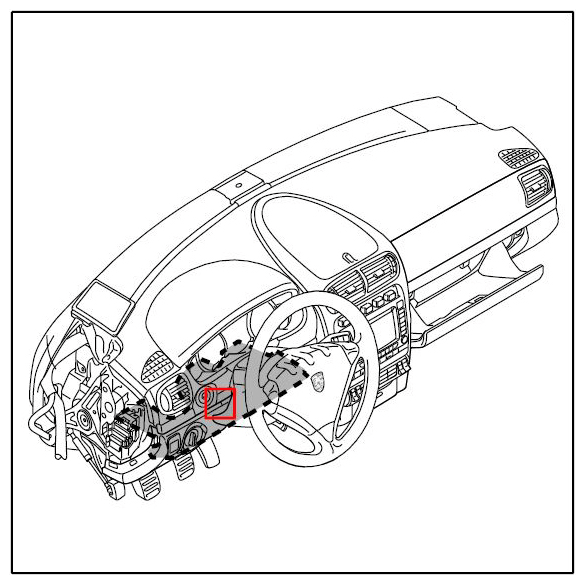 Courtesy of PORSCHE CARS NORTH AMERICA, INC.
- Open door.
- Release the cover under dashboard on the driver's side.
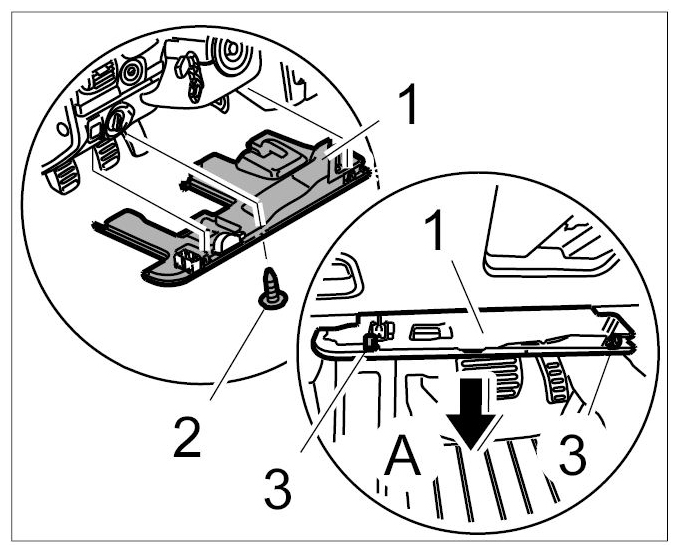
- 2.1. Unscrew fastening screw -2-
.
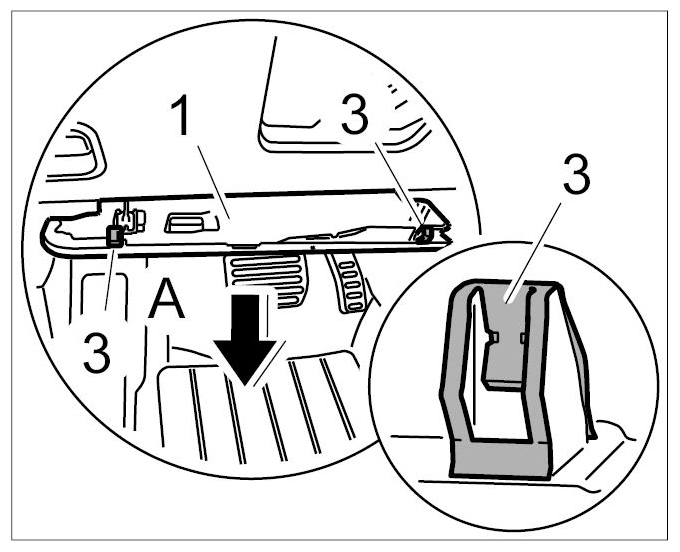
- 2.2. Unclip the cover under the dashboard on the driver's side -1-
at the fastening clips -3-
and lower it downwards until the plug connections are accessible -arrow A-
.
 Courtesy of PORSCHE CARS NORTH AMERICA, INC.
 Courtesy of PORSCHE CARS NORTH AMERICA, INC.
- Disconnect the plug connections and remove cover under dashboard on the driver's side.
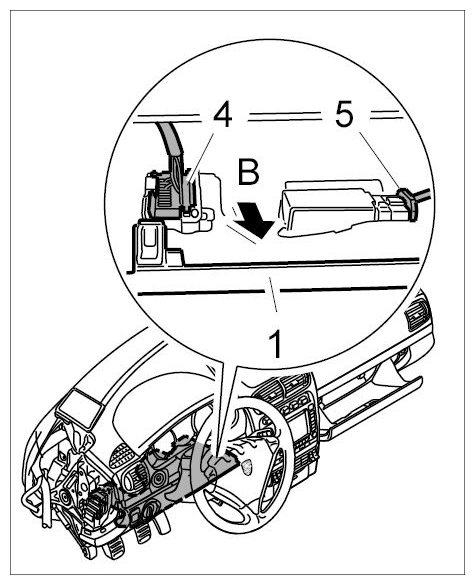
- 3.1. Release -4, 5-
and pull off plug.
- 3.2. Remove the cover under the dashboard on the driver's side -1-
to the rear -arrow B-
.
 Courtesy of PORSCHE CARS NORTH AMERICA, INC.