Removing optical contacts on bushing side
- Unlock and remove the spring cap on both sides using the press-out tool. See TOOLS .
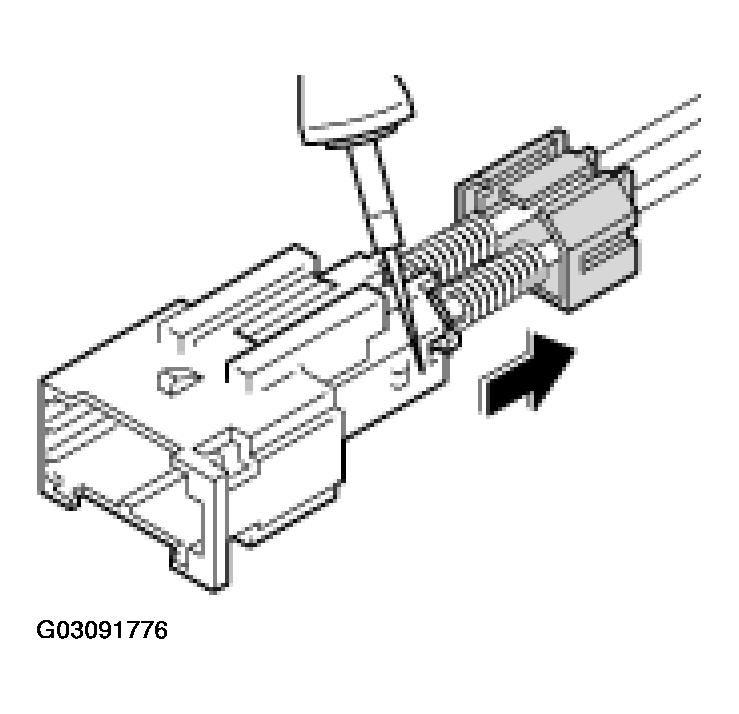 Courtesy of PORSCHE OF NORTH AMERICA, INC.
- Remove the optical waveguide module from the plug.
- Position the unlocking tool at the contact lock of the optical waveguide module and raise the lock.
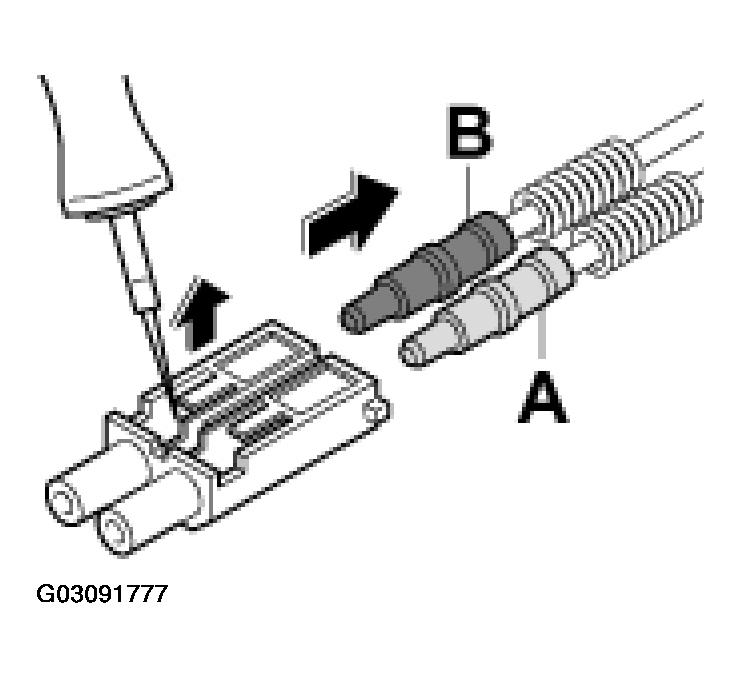 Courtesy of PORSCHE OF NORTH AMERICA, INC.
- -A-
Optical contact, grey
- -B-
Optical contact, black
- Pull carefully on the optical waveguide, e.g. -B-
in the -direction of the arrow-
. Refer to Fig 2. If it is not possible to pull out the optical waveguide, check again whether the lock has been completely unlocked.
- Conduct a visual check of the locks, the connector housing and the contacts for any possible damage and, if necessary, replace the damaged parts.