Removing and installing the rear brake disc: Removal
- Remove the rear wheel. Open the plug connection on the wheel carrier and pull out the plug for the brake pad wear indicator.
- With a screwdriver, turn the adjustment device towards "release" through a wheel bolt threaded hole.
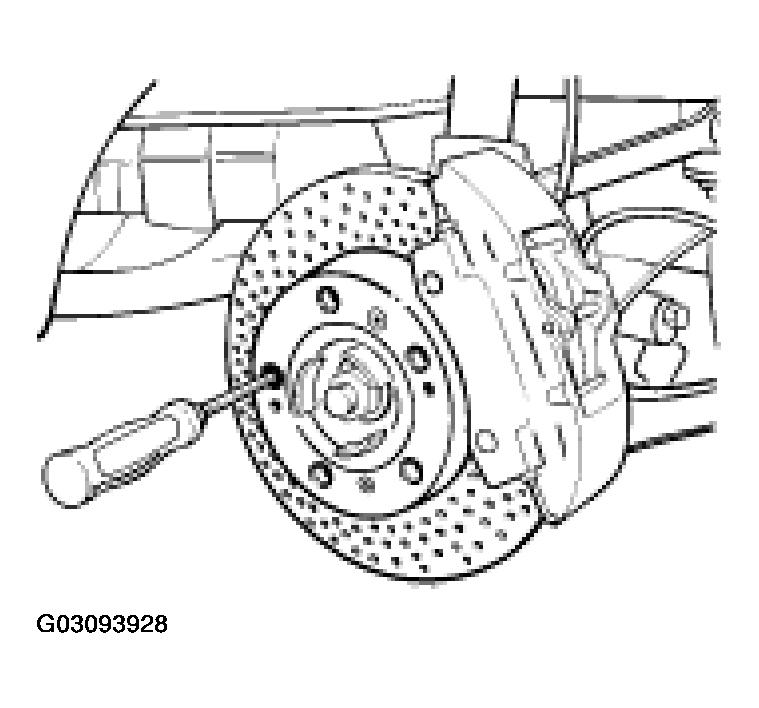 Courtesy of PORSCHE OF NORTH AMERICA, INC.
- Remove the brake caliper from the wheel carrier and suspend it in the wheel arch (do not open brake hydraulics). First, pull out the electrical wires on the brake caliper holder and the brake pad wear wire on the wheel carrier holder.
- Take off the brake disc after removing the countersunk screws (arrows). If a stuck brake disc cannot be removed by gentle tapping with a plastic hammer, evenly screw hexagon-head bolts into the two M8 threads of the brake disc, thereby pressing off the disc.