Removing and installing the hazard warning light switch: Removal
- Switch on the hazard warning light switch (button comes out).
- On the sides of the button, there are small openings that project beyond the dashboard insert. Insert two small screwdrivers into the openings and pull off the button (A) towards the front.
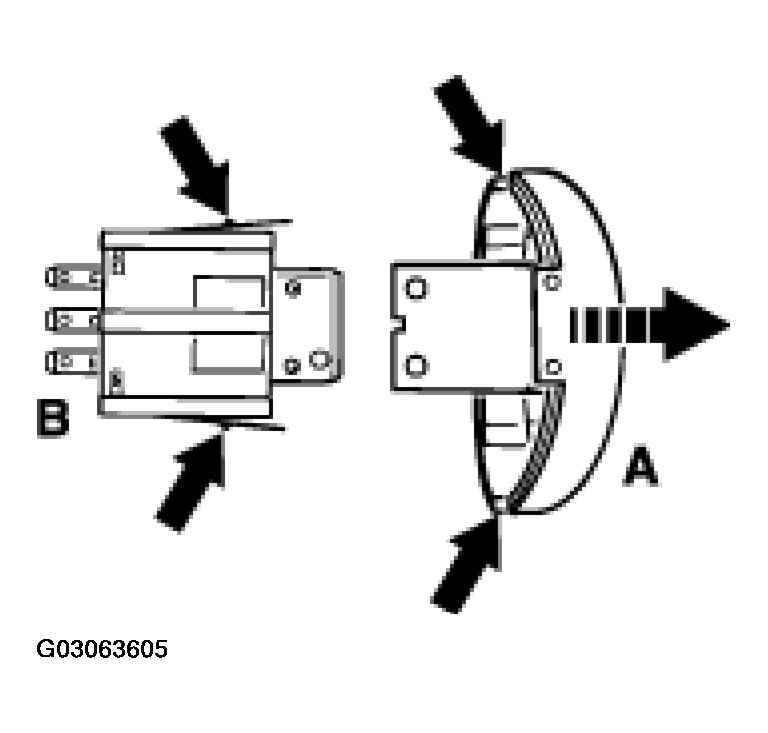 Courtesy of PORSCHE OF NORTH AMERICA, INC.
- Unclip the collar from the dashboard insert. The hazard warning light switch (B) is held in the dashboard insert by two locking hooks. See Fig 1
. Press the right locking hook towards the switch, grip the button holder with a pair of pliers and pull out the switch towards the front.