Digital Radio Antenna Replacement
Digital Radio Antenna Replacement
Removal Procedure
1. Remove the rear quarter upper trim panel. Refer to Rear Quarter Upper Trim Panel Replacement (Service and Repair).
2. Remove the right rear assist handle. Refer to Assist Handle Replacement (Service and Repair).
3. Remove the rear dome lamp. Refer to Dome Lamp Replacement (Service and Repair).
4. Disengage the 2 rear headliner retainers.
5. Drop the right rear headliner to gain access the XM antenna.
6. Disconnect the 2 electrical connectors from the coaxial cable.
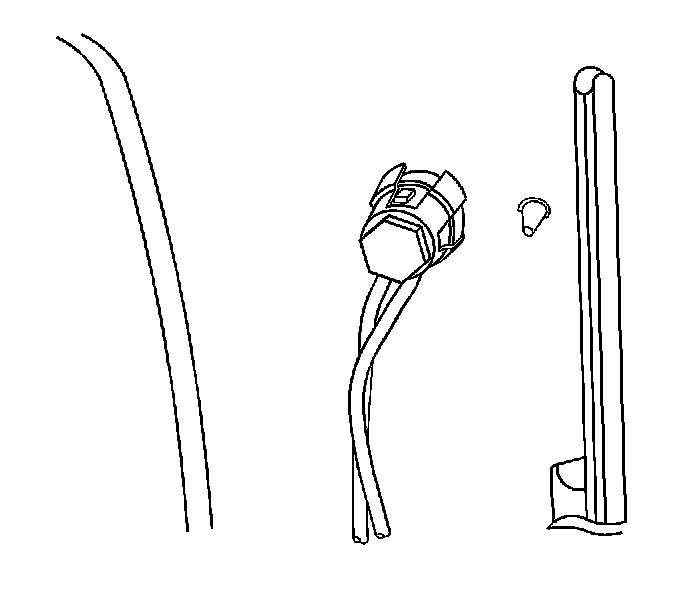
7. Remove the bolt and retainer which secure the XM antenna.
8. Remove the XM antenna from the roof.
Installation Procedure
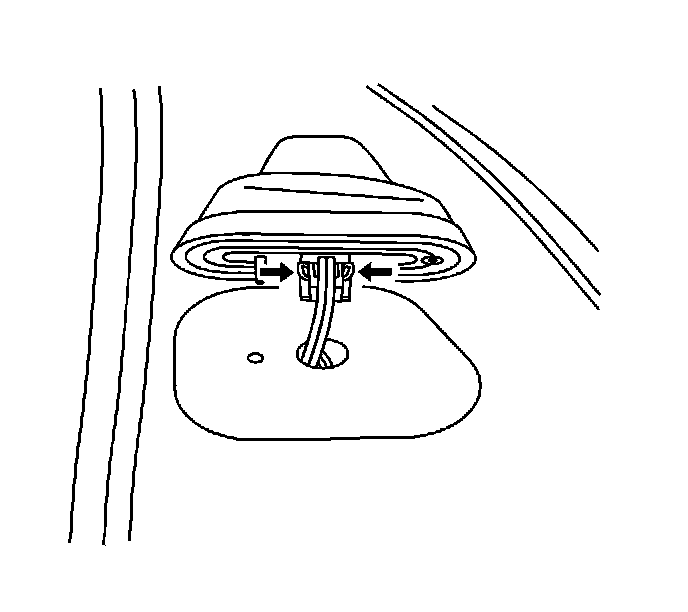
1. Install the XM antenna connectors through the hole in the roof.
2. Position the XM antenna to the hole in the roof.
Notice: Fastener Notice (Fastener Notice).
3. Install the bolt and retainer which secure the XM antenna.
Tighten the antenna base bolt to 6 N.m (53 lb in).
4. Connect the 2 electrical connectors to the coaxial cable.
5. Secure the rear headliner with the 2 plastic retainers.
6. Install the rear dome lamp. Refer to Dome Lamp Replacement (Service and Repair).
7. Install the right rear assist handle. Refer to Assist Handle Replacement (Service and Repair).
8. Install the rear quarter upper trim panel. Refer to Rear Quarter Upper Trim Panel Replacement (Service and Repair).