Rear Compartment Stowage Tray Net Replacement
Rear Compartment Stowage Tray Net Replacement
Removal Procedure
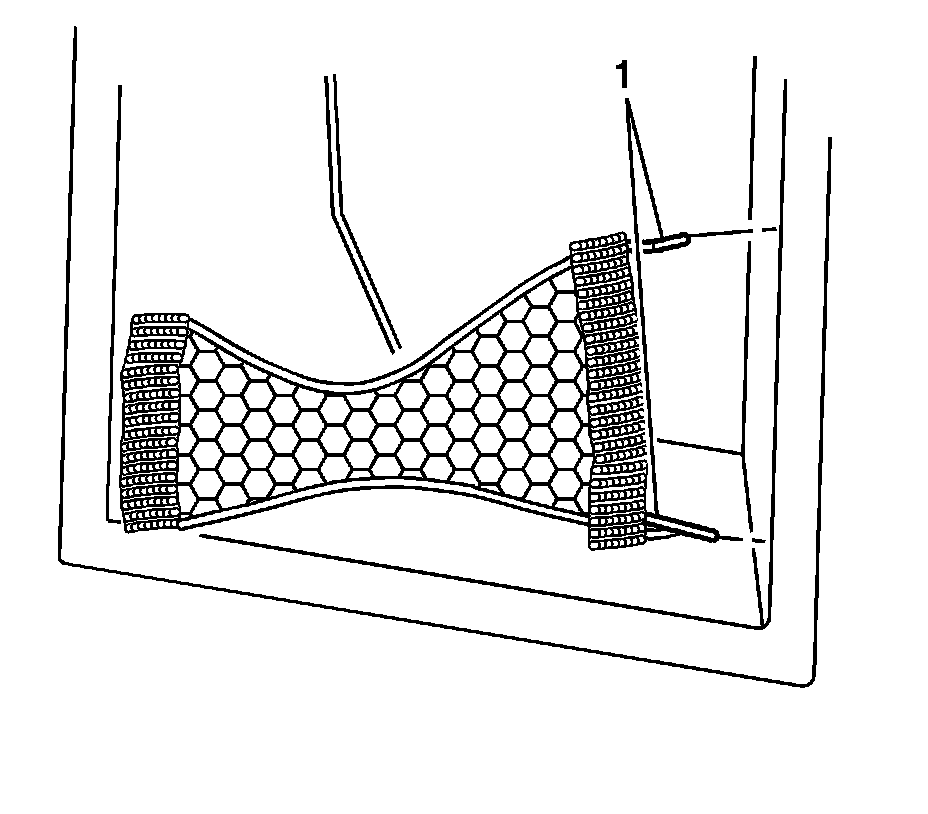
1. Remove the sill plate. Refer to Rear Compartment Sill Trim Plate Replacement (Service and Repair) .
2. Fold back the floor trim carpet.
3. Pull the side trim panel away from the quarter panel to expose the anchor pins (1) on the stowage tray net.
4. From the backside of the trim panel, align the pins with the elastic cords and push the pins through the holes in the side trim panel.
5. Remove the stowage tray net from the vehicle.
Installation Procedure
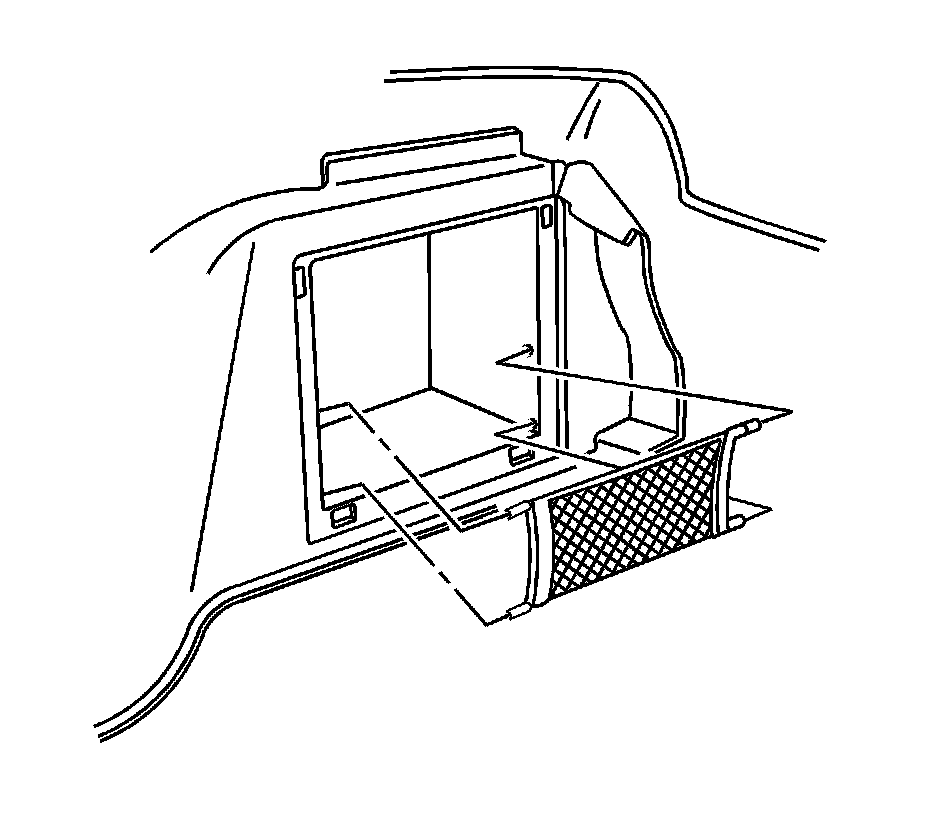
1. Position the stowage tray net to the right trim panel.
2. From the front side of the trim panel, insert the retainer pins through the holes in the trim panel.
3. Rotate the pins to secure the net to the panel.
4. Return the side trim panel to the installed position.
5. Return the floor trim carpet to the installed position.
6. Install the sill plate. Refer to Rear Compartment Sill Trim Plate Replacement (Service and Repair) .