Drive Sprocket, Driven Sprocket, and Drive Link Removal
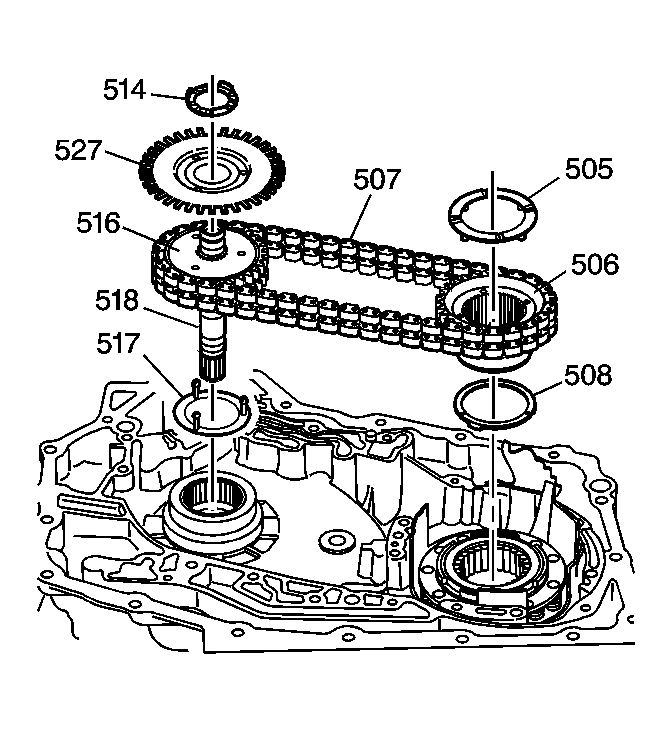 Courtesy of GENERAL MOTORS CORP.
- Remove the fourth clutch shaft thrust washer (505).
- Remove the drive sprocket thrust washer (514). It may be stuck to the case cover
- Remove the speed sensor reluctor wheel (527).
- Note the location of the master link on the drive link assembly (507).
- It is the one link that is a different color than the rest.
- It may be facing up or down towards the case.
- The drive link assembly (507) must be in the same position during assembly.
- Lift the drive and driven sprockets (516, 506) with the drive link assembly (507) out of the case.
- Lift both sides evenly
- It may be necessary to tap the turbine shaft (518) up gently with a rubber mallet
- Remove the drive and driven sprocket thrust washers (517, 508). They may be stuck to the sprockets