Removal Procedure
 Courtesy of GENERAL MOTORS CORP.
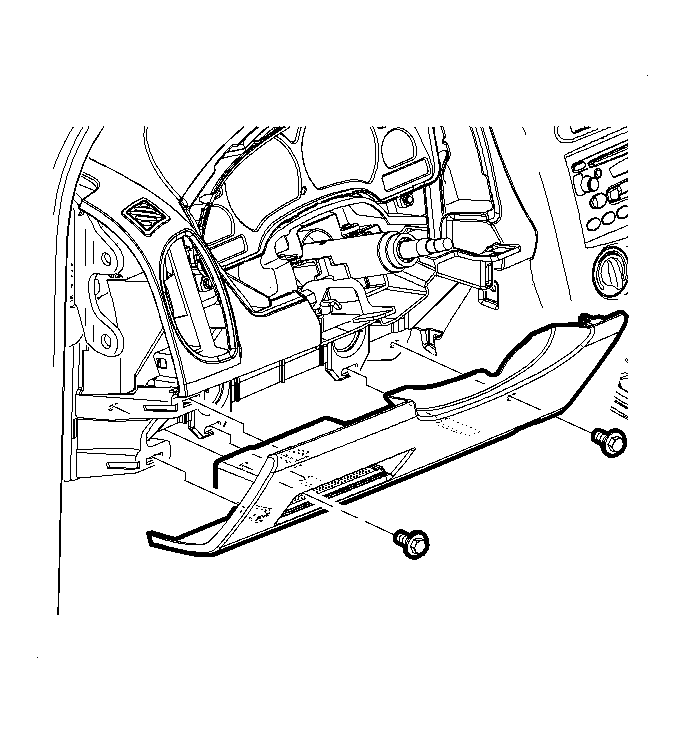
- Remove the left side knee bolster.
 Courtesy of GENERAL MOTORS CORP.
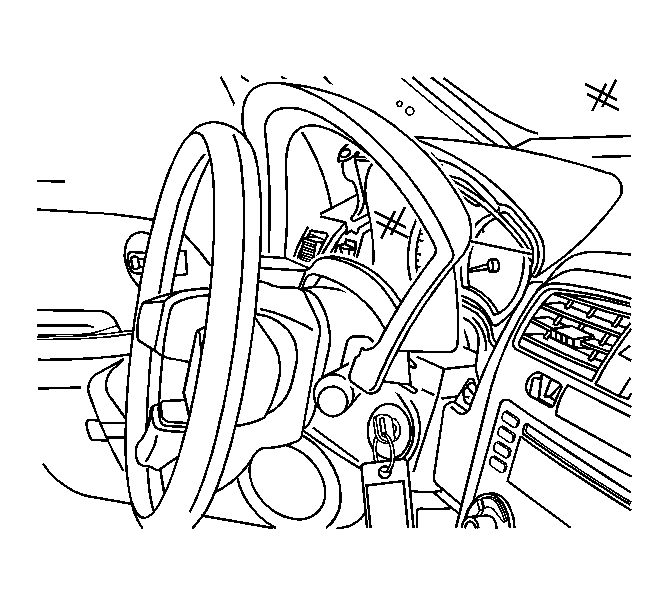
- Remove the cluster trim bezel.
 Courtesy of GENERAL MOTORS CORP.
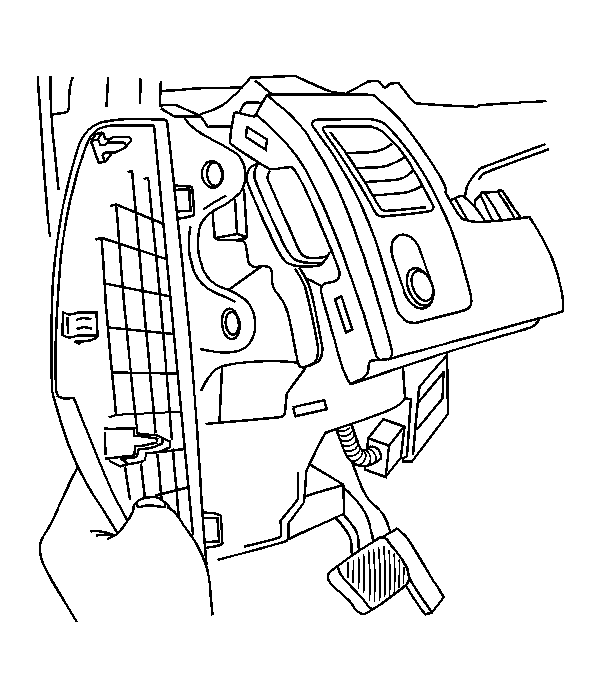
- Remove the left side end cap.
 Courtesy of GENERAL MOTORS CORP.
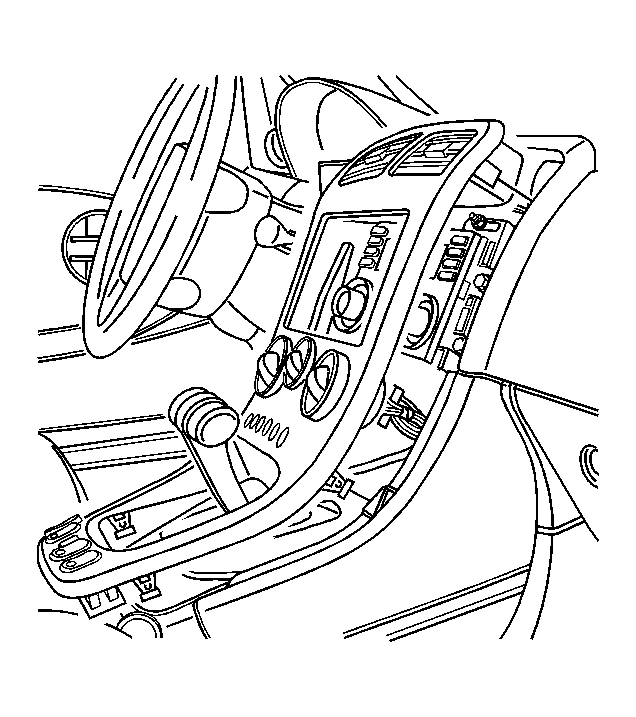
- Pull the center console trim bezel away from the upper trim panel.
- Remove the upper trim pad. Refer to Trim Panel Replacement - Instrument Panel (I/P) Upper .
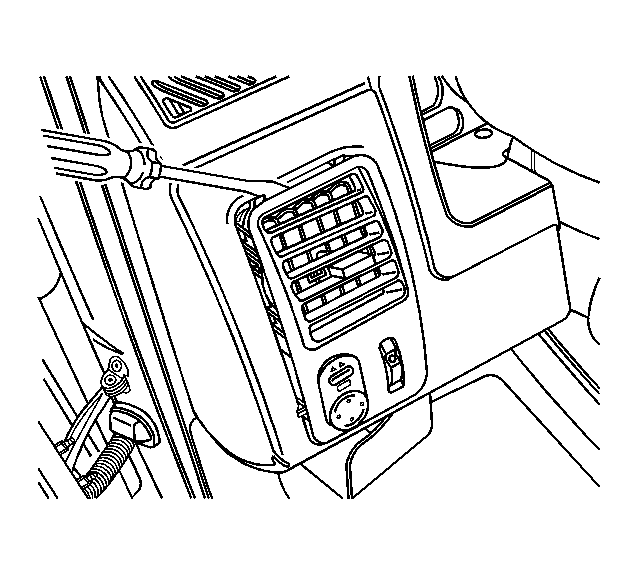 Courtesy of GENERAL MOTORS CORP.
- Remove the left front air deflector.
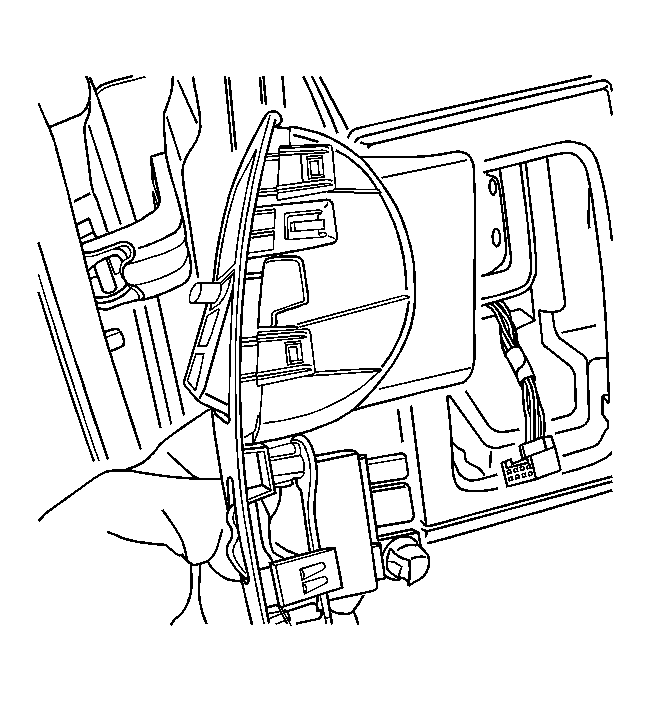 Courtesy of GENERAL MOTORS CORP.
- Disconnect the electrical connectors from the dimmer and power switch.
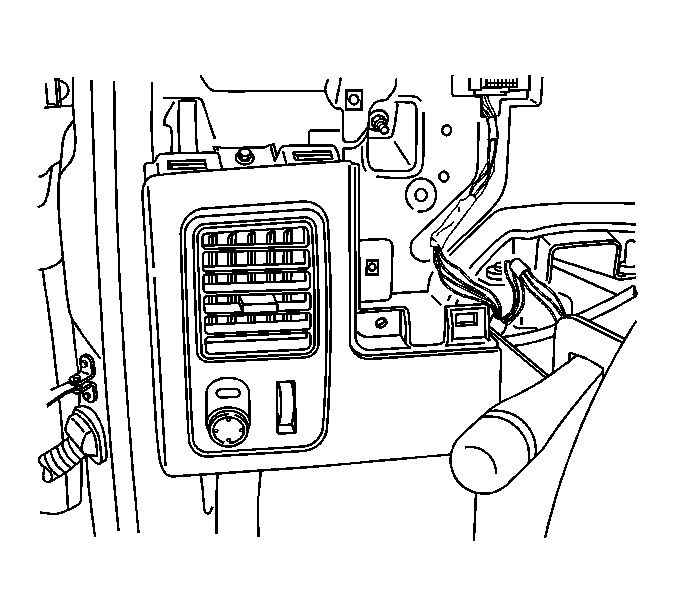 Courtesy of GENERAL MOTORS CORP.
- Remove the fasteners holding the trim plate.
- Remove the trim plate from the vehicle.