Removal Procedure
 Courtesy of GENERAL MOTORS CORP.
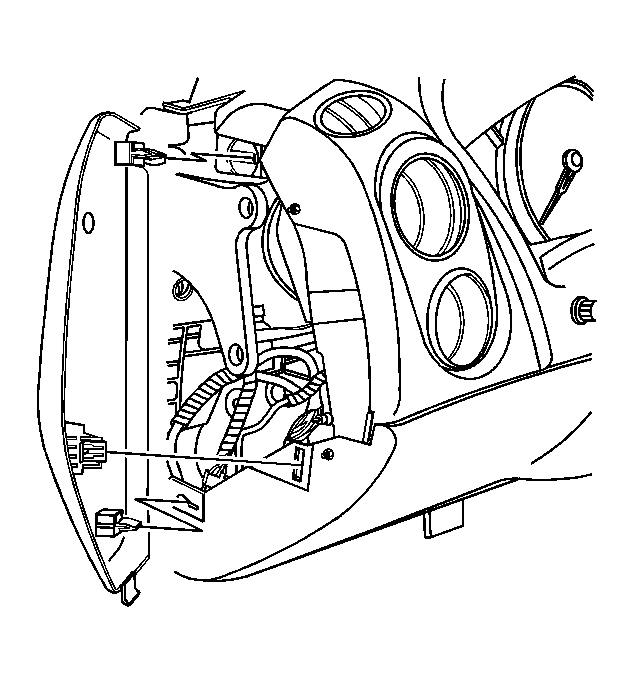
- Remove the left instrument panel (I/P) fuse block access hole cover.
 Courtesy of GENERAL MOTORS CORP.
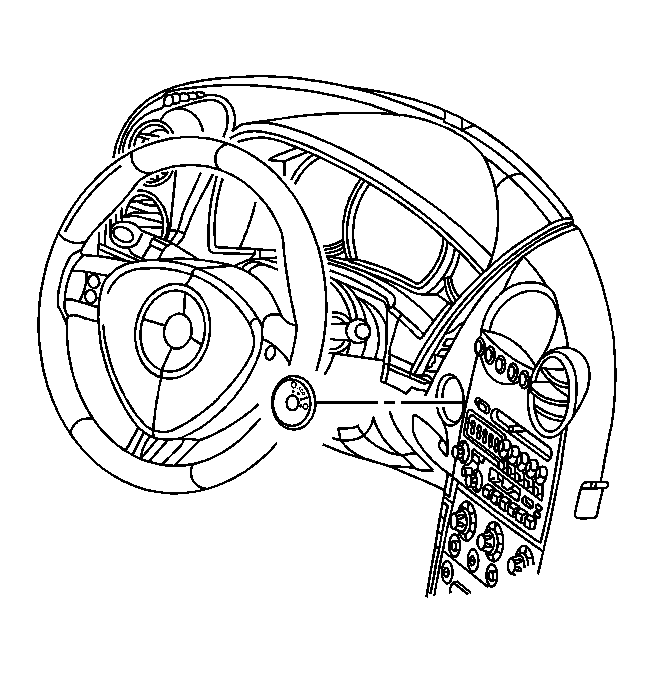
- Use a plastic trim tool to remove the ignition switch bezel.
 Courtesy of GENERAL MOTORS CORP.
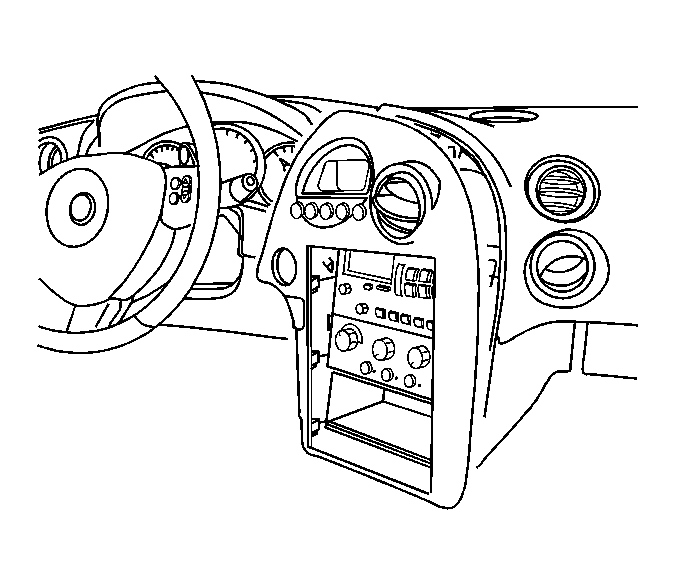
- Pull the I/P accessory trim plate rearward slightly for access to the I/P steering column opening filler panel. Refer to Trim Plate Replacement - Instrument Panel (I/P) Accessory .
 Courtesy of GENERAL MOTORS CORP.
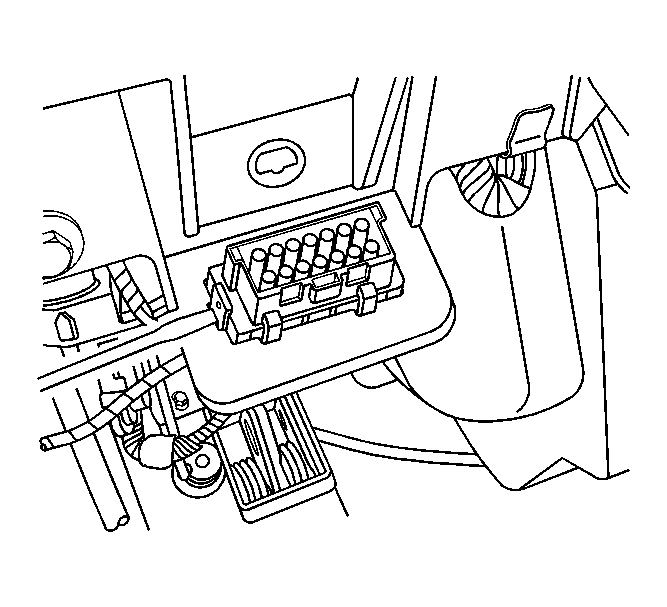
- Disengage the data link connector (DLC) retainers. Remove the DLC from the I/P trim pad.
 Courtesy of GENERAL MOTORS CORP.
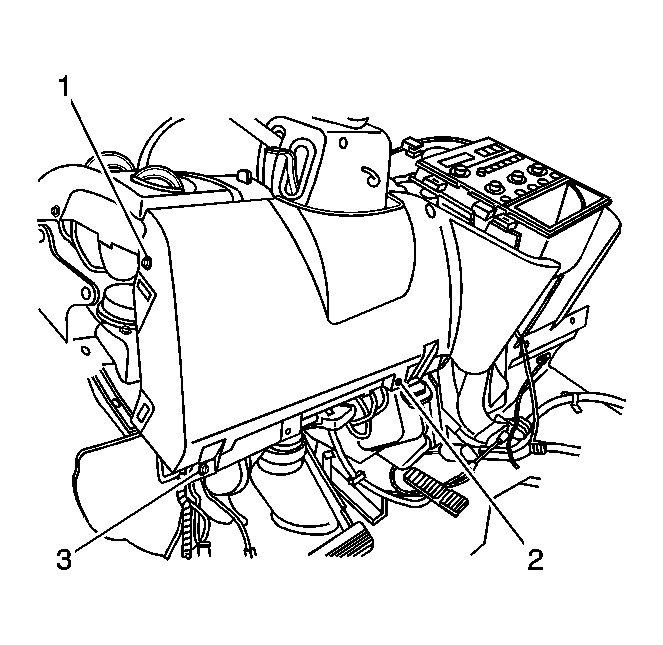
- Remove the I/P steering column opening filler screws (1, 2, 3).
 Courtesy of GENERAL MOTORS CORP.
- Pull the steering column filler panel rearward to disengage the retainers. Remove the steering column opening filler panel.