Instrument Cluster Trim Panel Replacement
REMOVAL PROCEDURE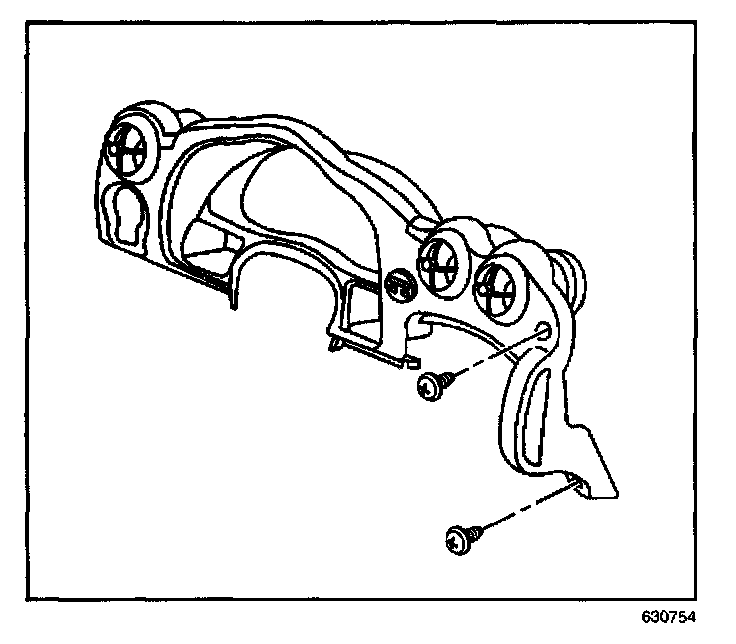
1. Remove the knee bolster panel.
2. Remove the screws from the IP cluster trim plate at the assist handle.
3. Pull out the IP cluster trim plate in order to release from the retainers.
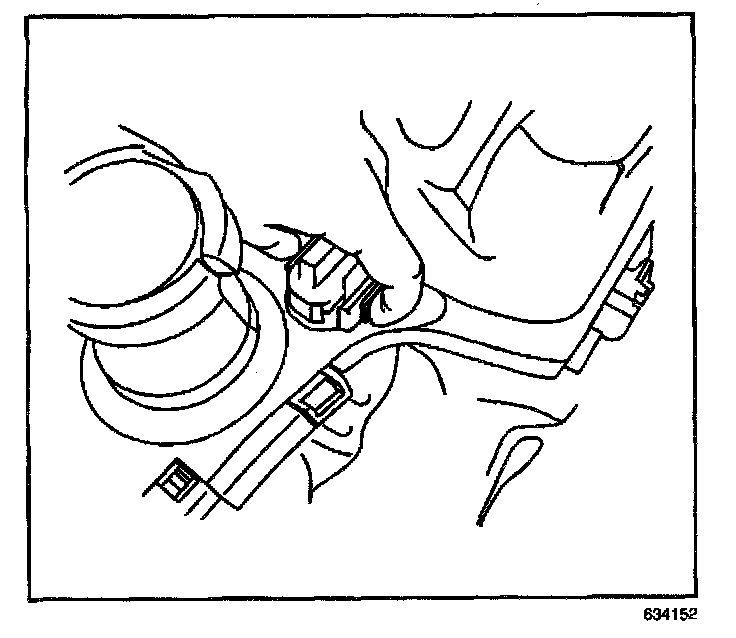
4. From the back side disconnect the Driver Information Center (DIC) from the IP cluster trim plate panel
5. Loosen the steering column bracket and lower the steering column.
6. Remove the IP cluster trim plate.
INSTALLATION PROCEDURE
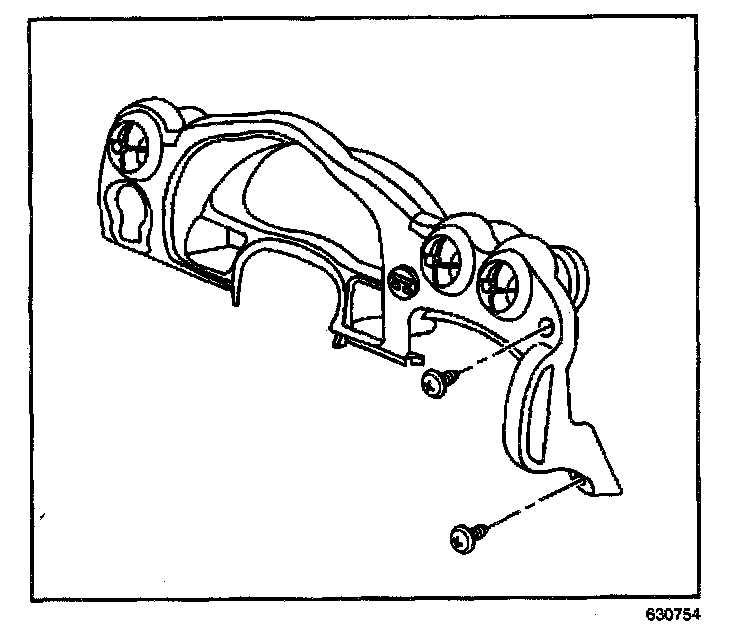
1. Align the IP cluster trim plate to the instrument panel retainers.
2. Connect the DIC to the IP cluster trim plate panel.
3. Install the IP cluster trim plate.
Press into place until fully seated
NOTE: Refer to Fastener Notice in Service Precautions.
4. Install the screws to the IP cluster trim plate at the assist handle
Tighten
Tighten the screws to 2 N.m (18 lb in).
5. Install the knee bolster panel.
6. Tighten the bolts which secure the steering column bracket.
Tighten
Tighten the bolts to 8 N.m (53 lb in).