OnStar(R) Vehicle Communication Unit (VCU) Replacement
IMPORTANT: Never swap OnStar(R) Vehicle Integration Units (VIU), or the Vehicle Communication Units (VCU) from other vehicles. Transfer of Onstar(R) components from other vehicles should NOT be done. Each OnStar(R) component has a unique identification number. The VIU has a 10 - digit Specific Station Identification (STID) and the VCU has a 11 - digit specific Electronic Serial Number (ESN). These identification numbers are used by the National Cellular Telephone Network and OnStar(R) systems, and are stored in the General Motors vehicle history tiles by VIN.Removal Procedure
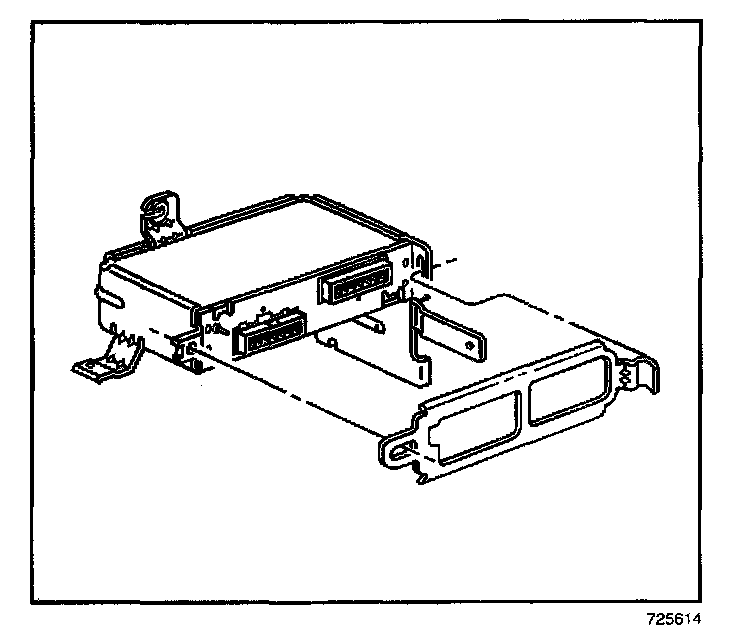
1. Remove the clip-on strap securing the VCU to the bracket.
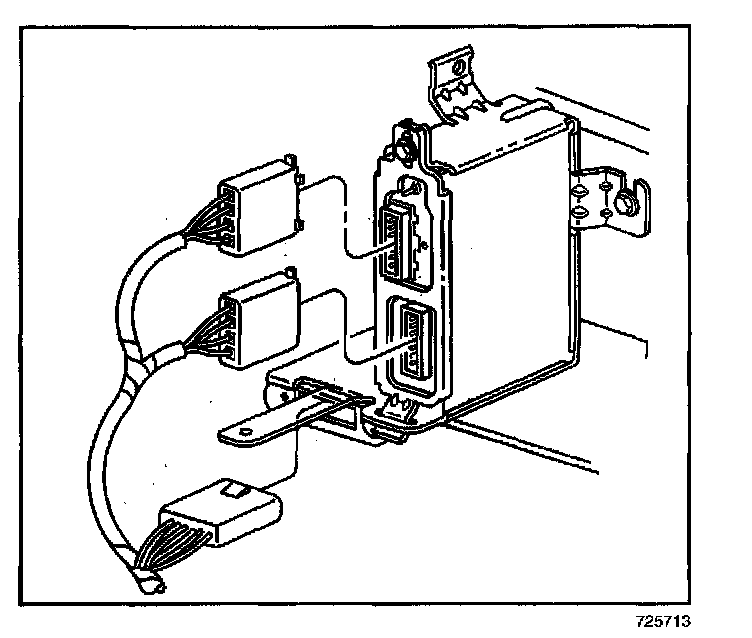
2. Disconnect the electrical connectors.
3. Disconnect the cell antenna coaxial cable from the VCU.
4. The old VCU must be returned for core credit.
Installation Procedure
1. Record the 11 - digit ESN number from the label on the new part.
2. Install the VCU to the bracket using the clip-on strap.
3. Reconnect the cell antenna coaxial cable to the VCU.
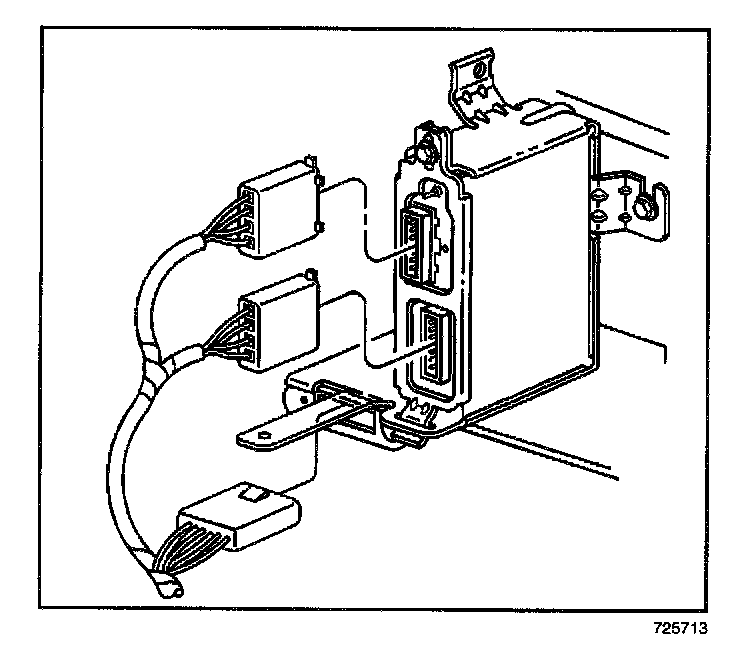
4. Reconnect the electrical connectors.
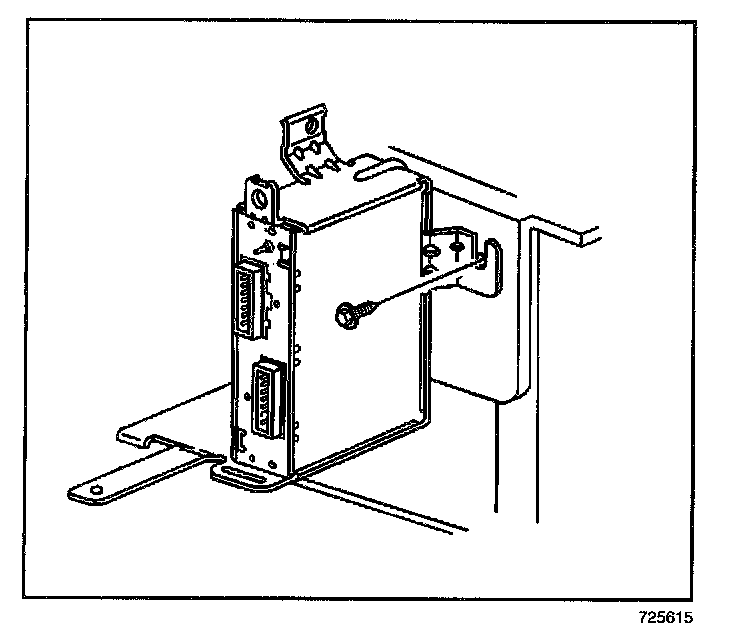
5. Secure the VCU bracket to the instrument panel metal brace.
6. Press and hold the 'end call" button, which is a black button with a white dot.
The OnStar(R) status light will change from green to red to green.
7. Contact the OnStar(R) Dealer support line by pressing the blue OnStar(R) button twice.
The 11 - digit ESN number will be needed by the OnStar(R) advisor.