Brake Rotor/Disc: Service and Repair
FRONT ROTORRunout
1. Secure rotor to wheel hub with at least two nuts (M12 x 1.25).
Checking Rotor Runout:
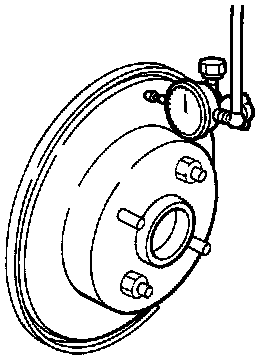
2. Check runout using a dial indicator.
Make sure that wheel bearing axial end play is within the specifications before measuring.
Maximum runout: 0.07 mm (0.0028 inch)
3. If the runout is out of specification, find minimum runout position as follows:
a. Remove nuts and rotor from wheel hub.
b. Shift the rotor one hole and secure rotor to wheel hub with nuts.
c. Measure runout.
d. Repeat steps a. through c. so that minimum runout position can be found.
4. If the runout is still out of specification, turn rotor with on-car, brake lathe ("MAD, DL-8700", "AMMCO 700 and 705" or equivalent).
Thickness
Checking Thickness Variation:
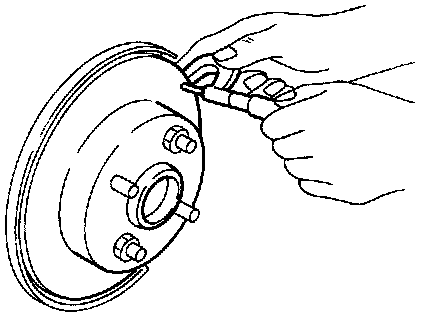
Thickness variation (At least 8 positions):
Maximum 0.02 mm (0.0008 inch)
If thickness variation exceeds the specification, turn rotor with on-car brake lathe.
Rotor repair limit:
Minimum thickness 16.0 mm (0.630 inch)
REAR ROTOR
Rubbing Surface
Check rotor for roughness, cracks or chips.
Runout
1. Secure rotor to wheel hub with at least two nuts (M12 x 1.25).
Checking Rotor Runout:
2. Check runout using a dial indicator.
Make sure that wheel bearing axial end play is within the specifications before measuring.
3. Change relative positions of rotor and wheel hub so that runout is minimized.
Maximum runout: 0.07 mm (0.0028 inch)
Thickness
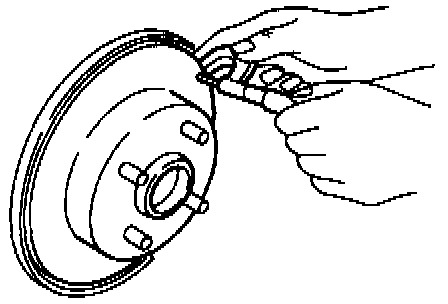
Rotor repair limit:
Minimum thickness 6.0 mm (0.236 inch)
Thickness variation (At least 8 positions)
Maximum 0.02 mm (0.0008 inch)
Replace rotor if any of the above do not meet the specifications.