- Display the pairing list screen, and select "Register Device."
NOTE:
When the vehicle is being driven, or when the vehicle is driven during the pairing operation, "This function is disabled while driving." is displayed for 4 seconds, and the display returns to the pairing list screen.
 Courtesy of MITSUBISHI MOTOR SALES OF AMERICA.
- Refer to the owner's manual for your device and enter into the device the pin code.
NOTE:
When "Stop" is selected or the pairing is failed, the display returns to the pairing list screen.
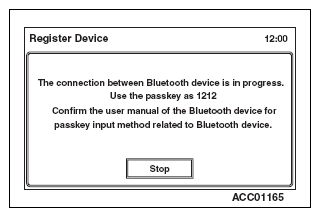 Courtesy of MITSUBISHI MOTOR SALES OF AMERICA.
- When the pairing is completed, the display returns to the pairing list screen.
NOTE:
When 7 Bluetooth® devices are already paired to the hands free module, "Maximum device paired. Please delete a paired device before pairing a new device." is displayed.
 Courtesy of MITSUBISHI MOTOR SALES OF AMERICA.