Vehicle Signal Check
- Select "Vehicle Signal Check" on "Service" screen.
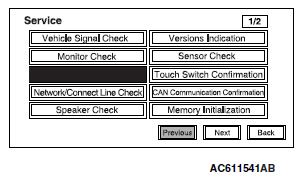 Courtesy of MITSUBISHI MOTOR SALES OF AMERICA.
- The check results will be displayed for the items below.
- "Speed": "ON" when the vehicle speed is 3.7 mph (6 km/h) or more, and "OFF" when the vehicle speed is 2.5 mph (4 km/h) or less.
- "ILL": "ON" when the lighting switch is on (headlight position), and "OFF" when they are off (except headlight position).
- "Shift Position R": "ON" when the selector lever is at R position, and "OFF" when it is at the other position.
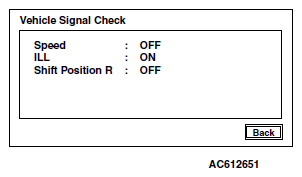 Courtesy of MITSUBISHI MOTOR SALES OF AMERICA.