History mode
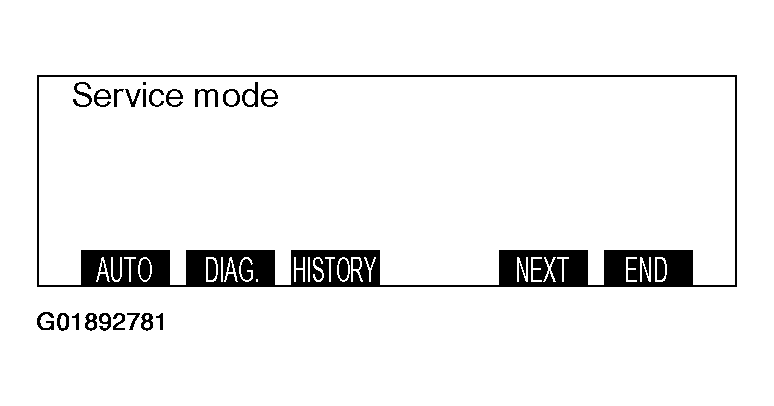
- Press the "ADJ" switch with the ignition switch at "LOCK" (OFF) position, and while keeping on pressing, turn the ignition switch to the "ACC" or "ON" position. When the "ADJ" switch is pressed continuously for more than five seconds, the service function is activated at the same time with the reception signal (pip sound) and the first menu screen of the service mode is displayed.
 Courtesy of MITSUBISHI MOTOR SALES OF AMERICA.
- Press the function switch 3 [HISTORY]. The screen is switched to the history mode.
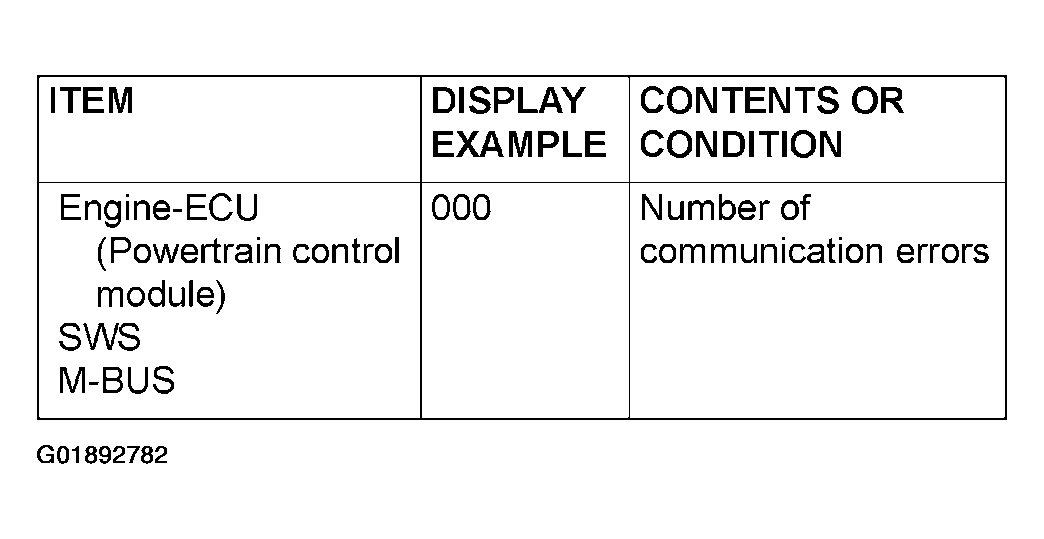 Courtesy of MITSUBISHI MOTOR SALES OF AMERICA.
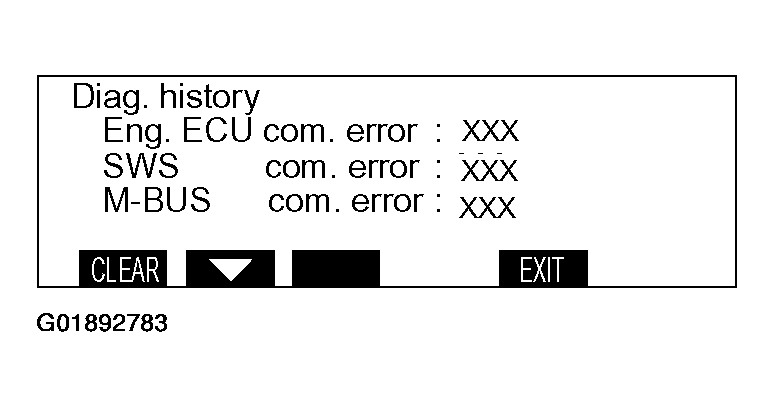 Courtesy of MITSUBISHI MOTOR SALES OF AMERICA.
- Press the function switch 1 [CLEAR] on this screen, The number of errors is erased; when the function switch 2 is pressed, the screen is switched to the history mode second menu screen. When [EXIT] is pressed, the service mode display returns.
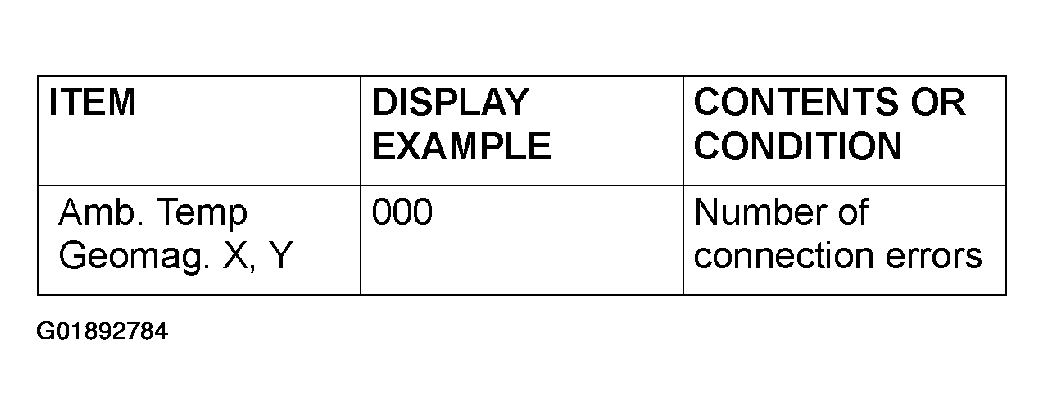 Courtesy of MITSUBISHI MOTOR SALES OF AMERICA.
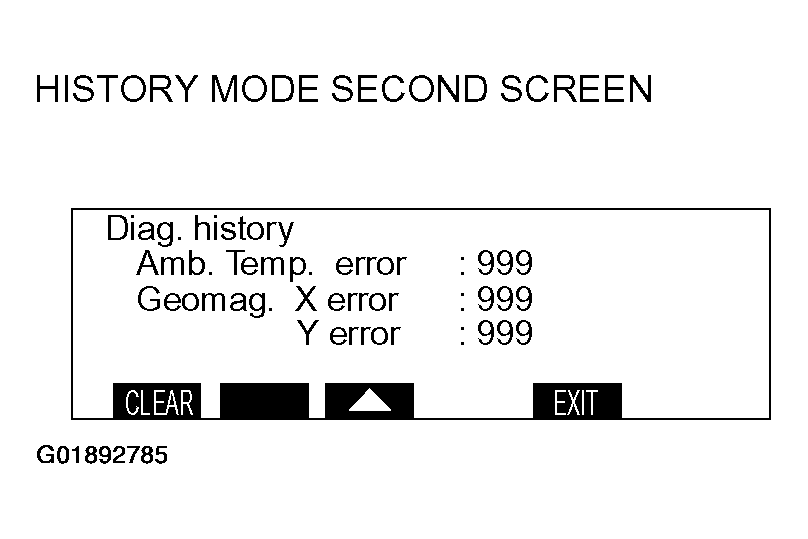 Courtesy of MITSUBISHI MOTOR SALES OF AMERICA.
- When the function switch 1 [CLEAR] is pressed on this screen, the number of errors is erased; when the function switch 2 is pressed, the screen switched to the history mode first menu screen. When [EXIT] is pressed, the service mode display returns.