Universal Serial Bus (USB) Cable and Port
Universal Serial Bus (USB) Cable and Port
Floor Console Trim Panels
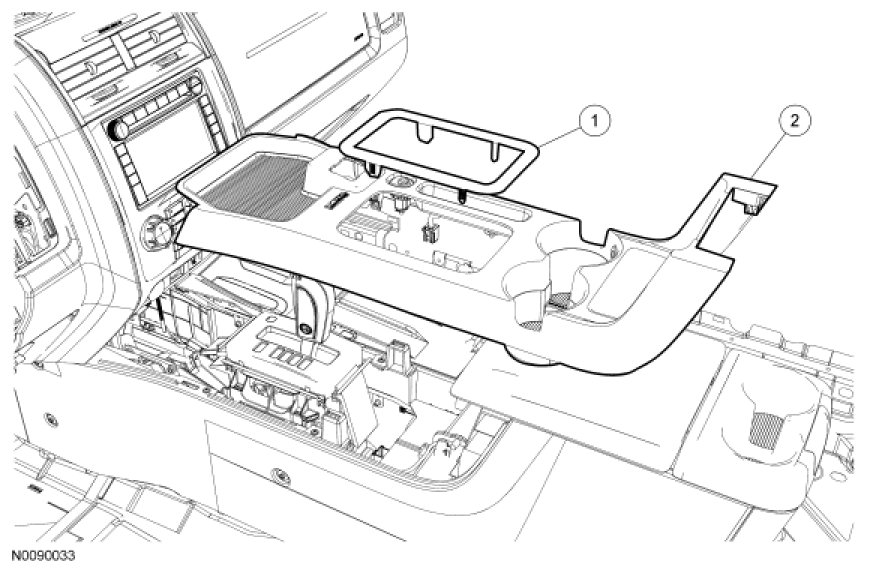
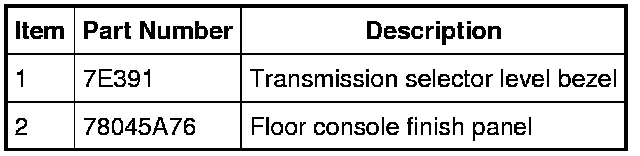
Universal Serial Bus (USB) Port and Cable
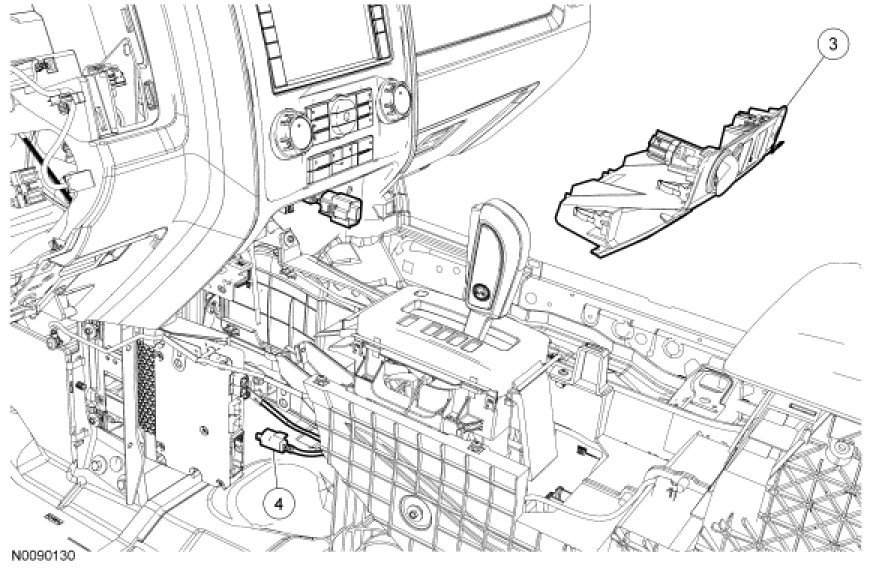
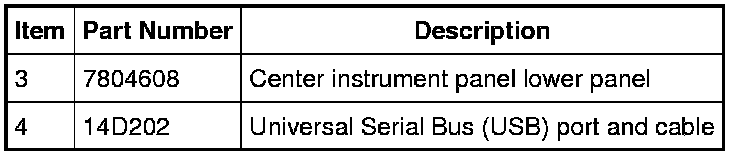
Removal and Installation
NOTE: The original equipment Universal Serial Bus (USB) port and cable is part of the wiring harness. It can only be serviced by overlaying a new USB port and cable.
1. Remove the transmission selector level bezel by pulling straight up.
2. NOTE: Open the floor console storage bin door.
Remove the floor console finish panel by pulling straight up.
- Disconnect the electrical connector, if necessary.
3. Remove the center instrument panel lower panel by pulling straight back.
- Disconnect the electrical connectors.
4. Remove the USB cable and port.
- Disconnect the cable from the Accessory Protocol Interface Module (APIM).
- Cut the USB port and cable ends and secure them to prevent NVH concerns.
5. To install, reverse the removal procedure.
- Secure the new USB port and cable, as necessary, to prevent NVH concerns.