Removal and Installation
- Remove the brake drum. For additional information, refer to DRUM
.
- Disconnect the parking brake cable.
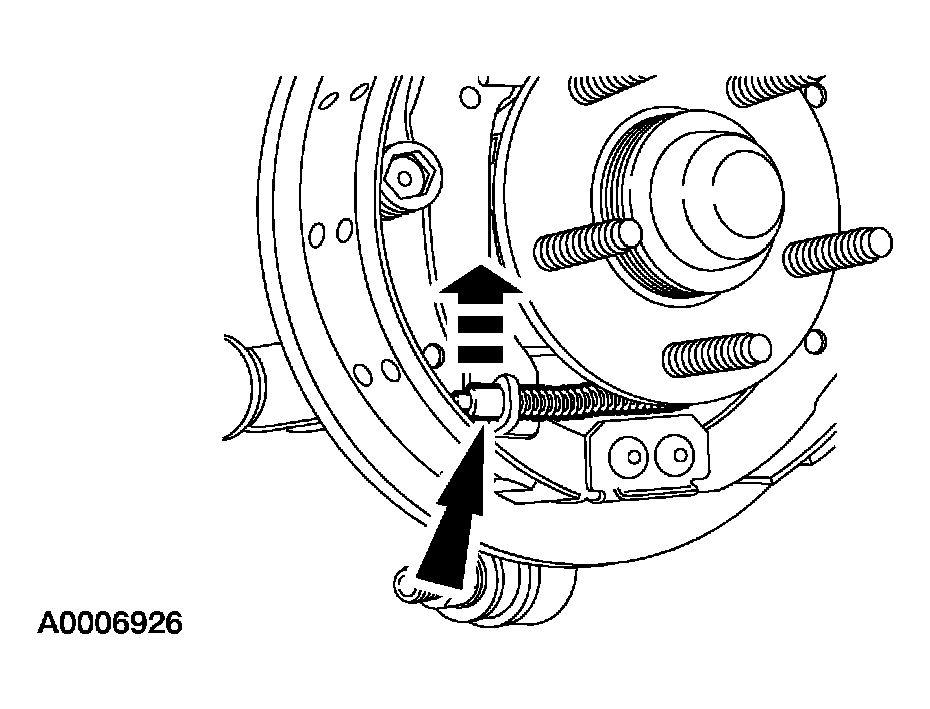 Courtesy of FORD MOTOR CO.
- Remove the wheel cylinder. For additional information, refer to WHEEL CYLINDER
.
- Unclip the parking brake cable and conduit (2A635) from the brake backing plate (2212) and route the cable and conduit out of the backing plate.
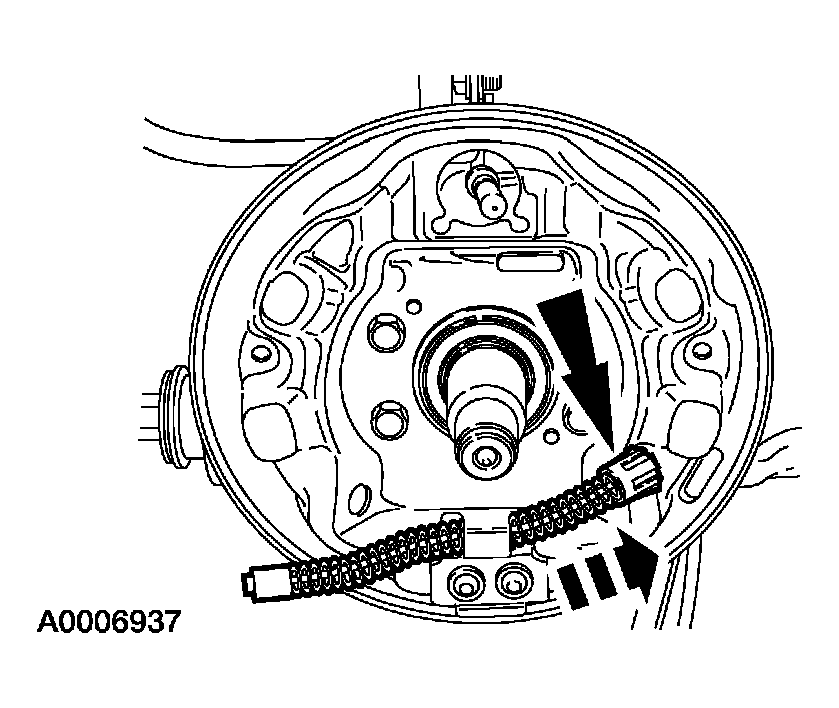 Courtesy of FORD MOTOR CO.
- Remove the bolt and the ABS sensor. Discard the bolt.
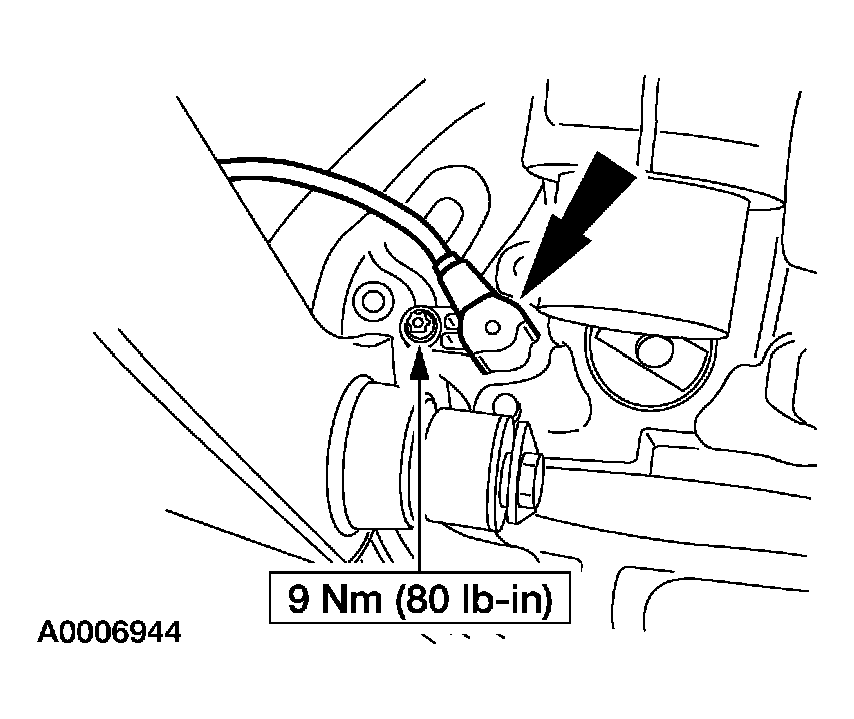 Courtesy of FORD MOTOR CO.
- Remove the bolts and the backing plate. Discard the bolts.
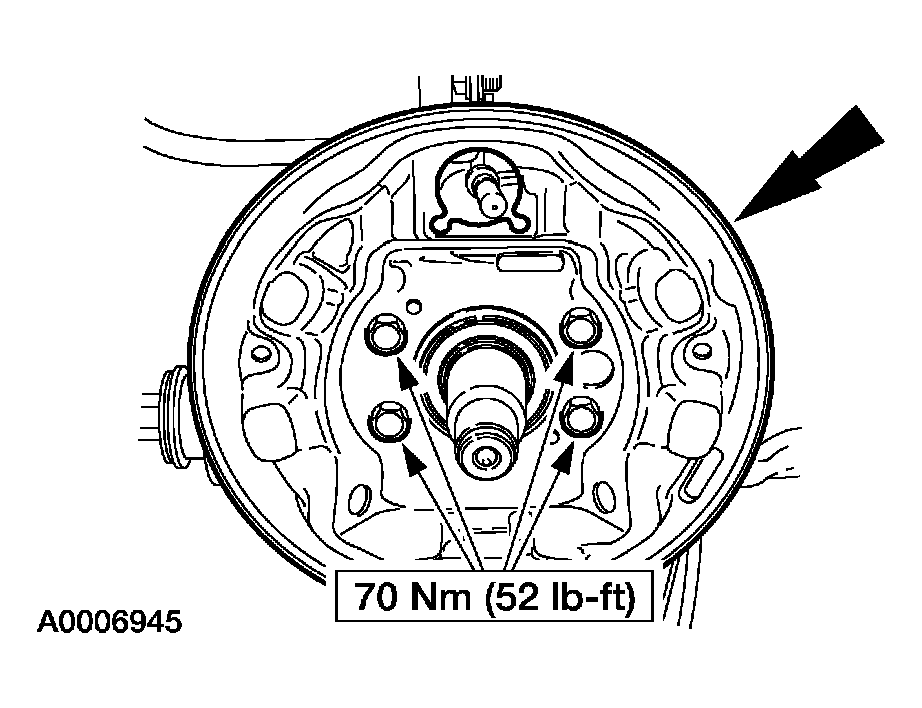 Courtesy of FORD MOTOR CO.
- To install, reverse the removal procedure.