Removal & Installation
- Raise and support vehicle.
- Remove the brake drum.
- Remove the primary brake shoe. See Figure
.
- Remove the brake shoe hold-down spring.
- Remove the lower retracting spring.
- Remove the upper retracting spring and brake shoe adjusting lever.
- Remove the rear parking brake cable and conduit from the parking brake cable equalizer. See Figure
.
- Loosen the parking brake cable adjustment nut.
- Remove the rear parking brake cable from the parking brake equalizer.
- Remove the EVAP canister shield bolts and pin-type retainers. See Fig 1
.
- Remove the rear parking brake cable and conduit front and middle hold-down bracket bolts. See Fig 2
.
- Remove the rear parking brake cable and conduit rear hold-down bracket bolts. See Fig 3
.
- Remove the rear parking brake cable and conduit end from the parking brake lever.
- Squeeze the rear parking brake cable and conduit lock tabs and pull the rear parking brake cable and conduit through the backing plate. See Fig 4
.
- To install, reverse the removal procedure. Adjust the parking brake cable and conduit. See PARKING BRAKE
under ADJUSTMENTS.
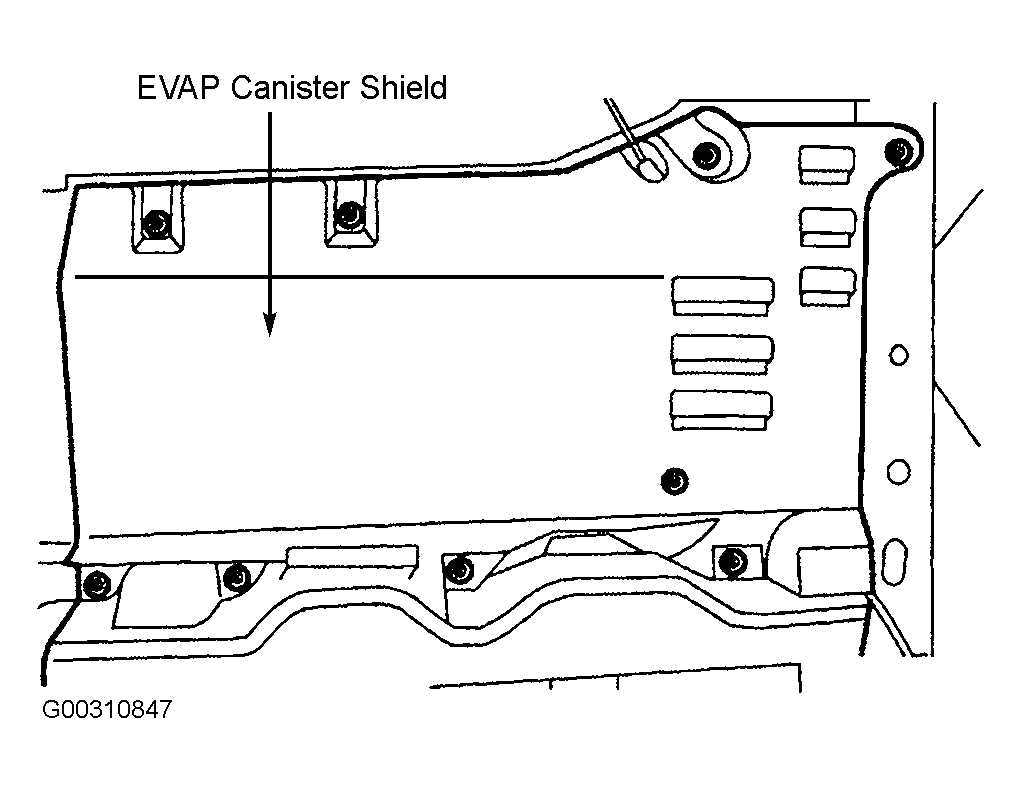 Courtesy of FORD MOTOR CO.
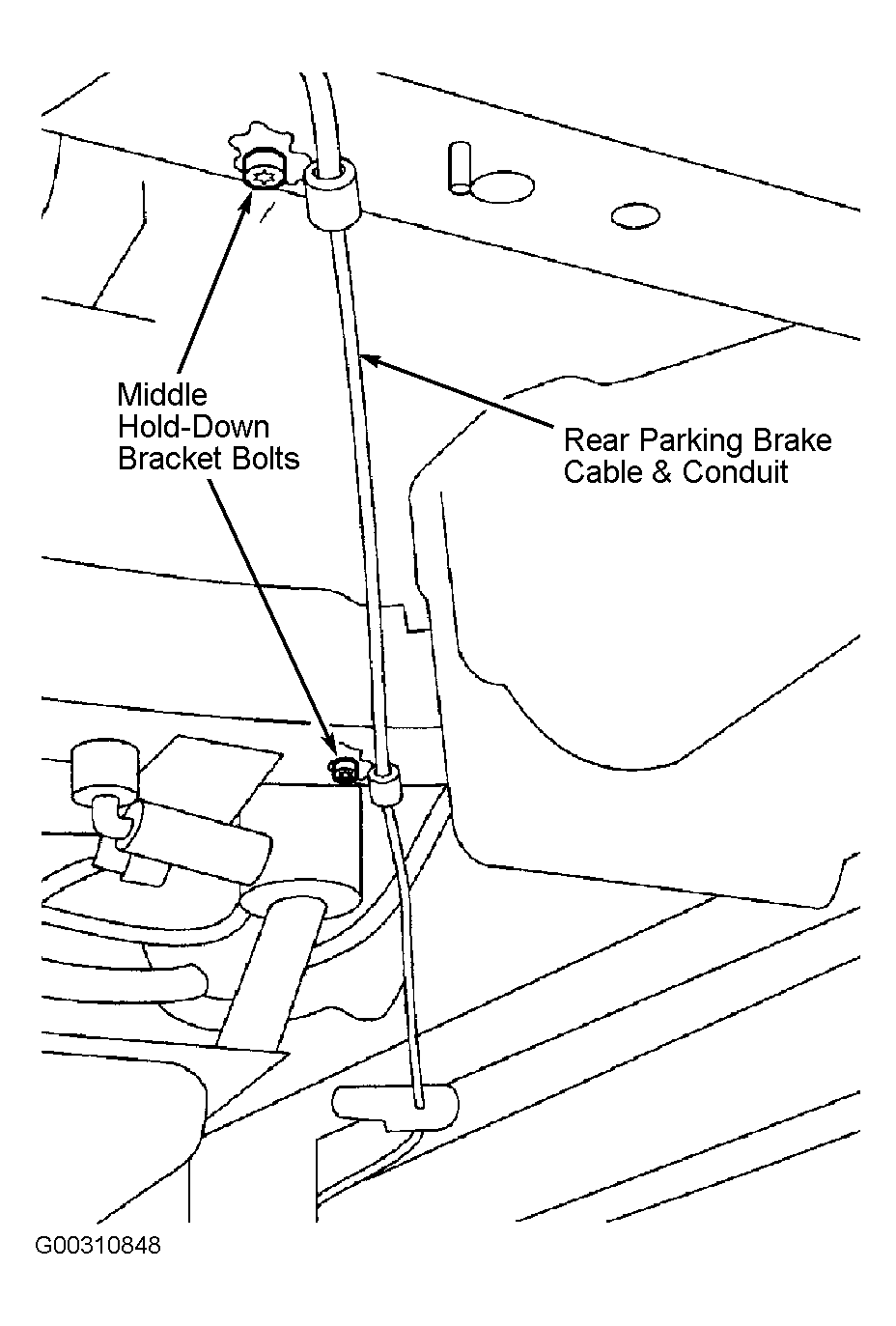 Courtesy of FORD MOTOR CO.
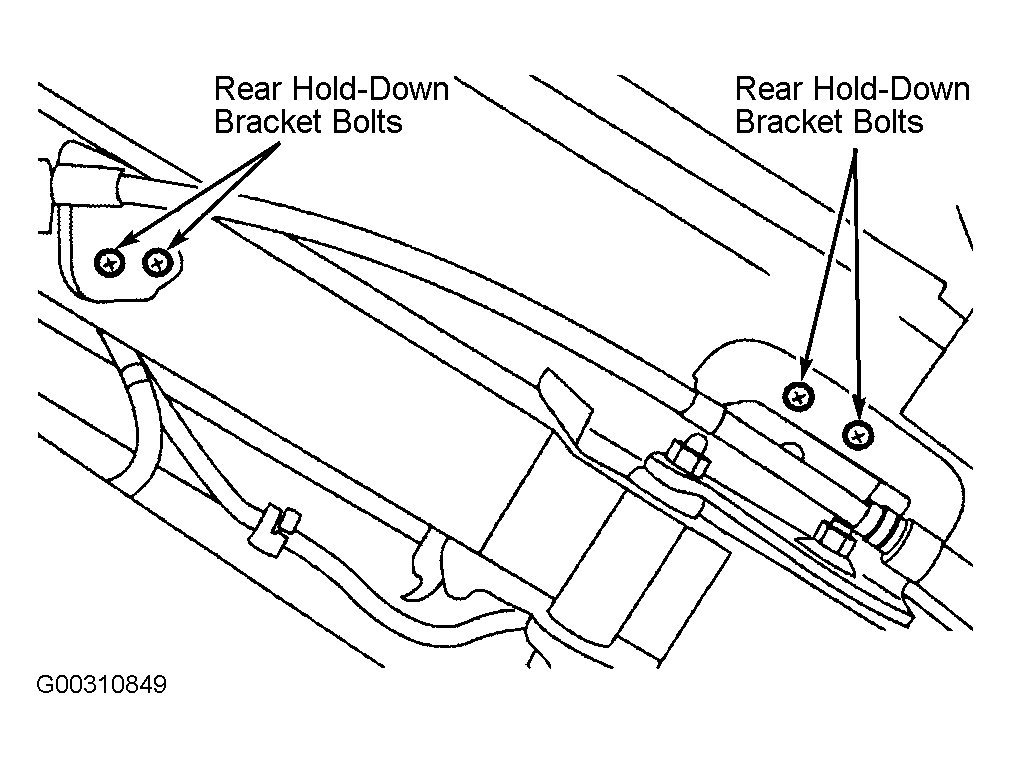 Courtesy of FORD MOTOR CO.
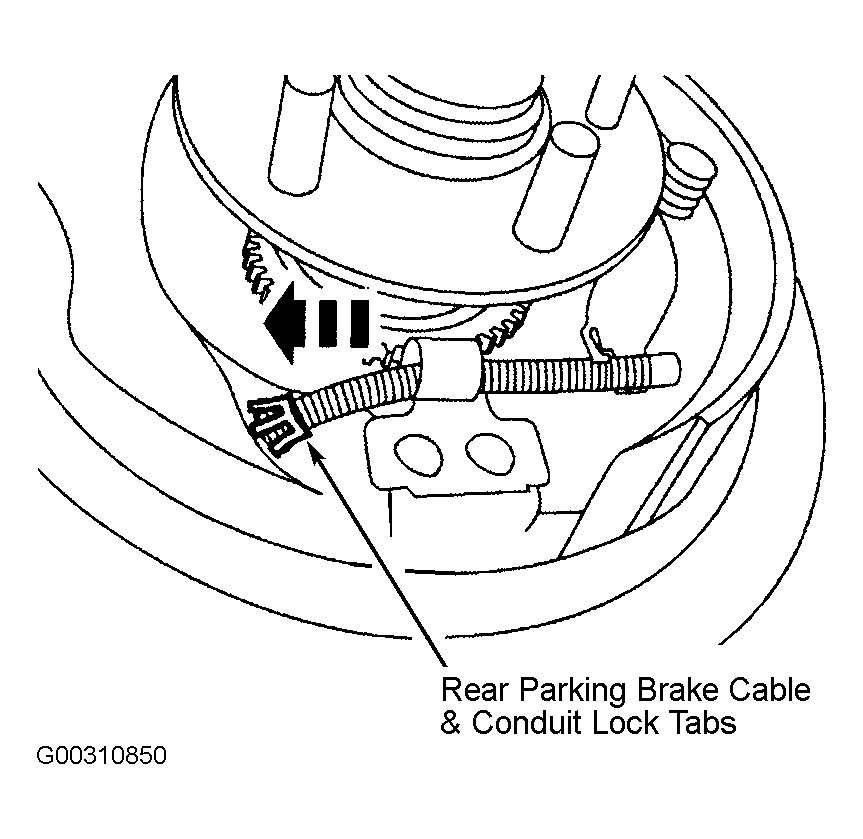 Courtesy of FORD MOTOR CO.