Remove/install fiber optical cable module for the Media Oriented System Transport (MOST) - AR82.60-P-0001-01TJ
- Detach connector (31) from the COMAND operating, display and control unit (A40/3).
- Unlock connector lock (31) and pull out carrier (32).
- Remove fuse (30) from carrier (32), unlock locks and remove damaged fiber optical cable module 22.
- Cut off damaged fiber optical cable module 22 and strap down with insulation tape.
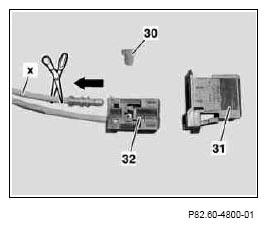 Courtesy of MERCEDES-BENZ OF NORTH AMERICA.
- Install the new fiber optical cable module (22) in contact cavity 1 (input) of the connector for the COMAND operating, display and control unit (A40/3).
- Route the new fiber optical cable module (22) from the connector for the COMAND operating, display and control unit (A40/3) into the left front footwell as per the guidelines.
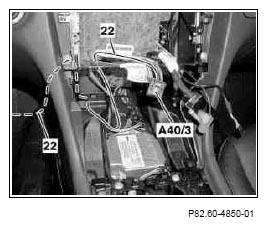 Courtesy of MERCEDES-BENZ OF NORTH AMERICA.
- Route the new fiber optical cable module (22) from the radio recess along the parking brake cable (35) into the cable duct of the left front footwell and attach.
- Fasten in area of damping (see arrows) of fiber optical cable module (22) using felt tape.
- Route fiber optical cable module (22) as per the guidelines to the rear in the cable duct.
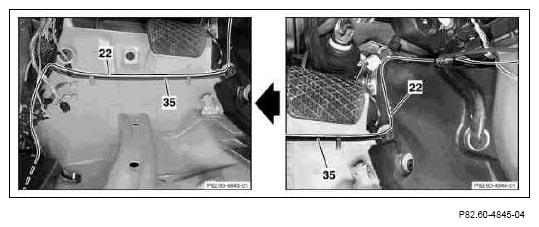 Courtesy of MERCEDES-BENZ OF NORTH AMERICA.
- Route the new fiber optical cable module (22) along existing lines in the left of the luggage compartment and fasten in place as per the guidelines.
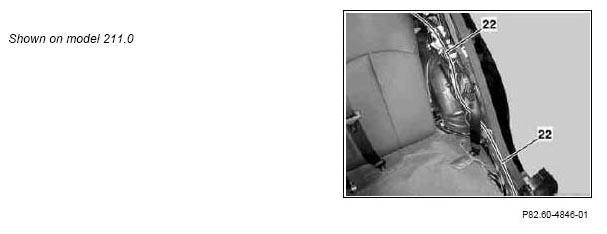 Courtesy of MERCEDES-BENZ OF NORTH AMERICA.
- Route the new fiber optical cable module (22) along existing lines to the audio gateway control unit (N93/1) and fasten in place as per the guidelines.
- Detach connector (31) for fiber optical cable on audio gateway control unit (N93/1).
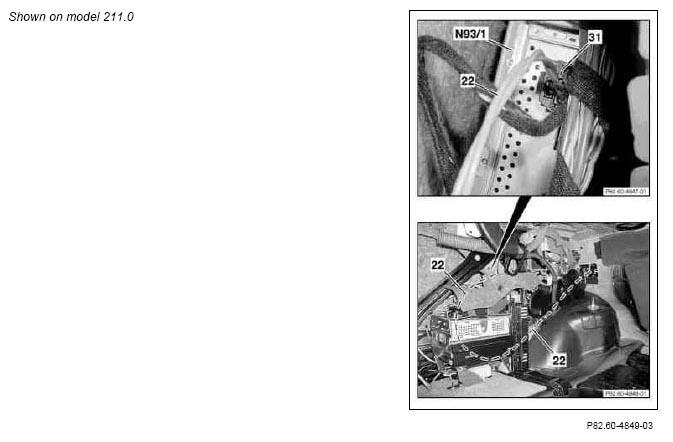 Courtesy of MERCEDES-BENZ OF NORTH AMERICA.
- Unlock connector lock (31) and pull out carrier (32).
- Remove fuse (30) from carrier (32), unlock locks and remove damaged fiber optical cable module 22.
- Cut off damaged fiber optical cable module 20 and strap down with insulation tape.
- Install the new fiber optical cable module 22 in contact cavity 2 (output) of the connector for the audio gateway control unit (N93/1).
- Complete connector again and connect to the audio gateway control unit (N93/1).
Courtesy of MERCEDES-BENZ OF NORTH AMERICA.